Seleziona un'organizzazione
Error Code B1F2A0F3 Internal Error - "An unexpected error occurred and the operation could not be completed" When Adding Group Field in Google BigQuery to View
Data pubblicazione: Feb 24, 2026
Descrizione
The following error occurs when a group field is used with Live Google BigQuery connection.
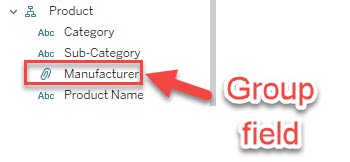
Table A and Table B are joined with a relationship and the group field is created in Table B. When adding the group field to the view that only has the field in Table A, the below error occurs.
Internal Error - An unexpected error occurred and the operation could not be completed
Error Code B1F2A0F3
Risoluzione
Please review the below possible workarounds.
Option 1:
Instead of using a group field, make a calculation to manually set the group like below.
IF [Category]="Furniture" OR [Category]="Technology"
THEN "Group A"
ELSE "Group B"
END
Option 2:
Instead of using a LIVE connection to Google BigQuery, please try using an Extract connection.
Risorse aggiuntive
Numero articolo Knowledge
001496810
Questo articolo ha risolto il problema?
Facci sapere, così possiamo migliorare!
