Valitse organisaatio
Data Keeps Loading in the Input Step or Error "Tableau Prep Stopped Running Because an Underlying Process Stopped Unexpectedly" Occurs When Connecting to Google BigQuery
Julkaisupäivä: Jan 30, 2025
Kuvaus
When connecting to Google BigQuery from Tableau Prep, after adding the table from the data pane, the data keeps loading in the input step and won't complete.
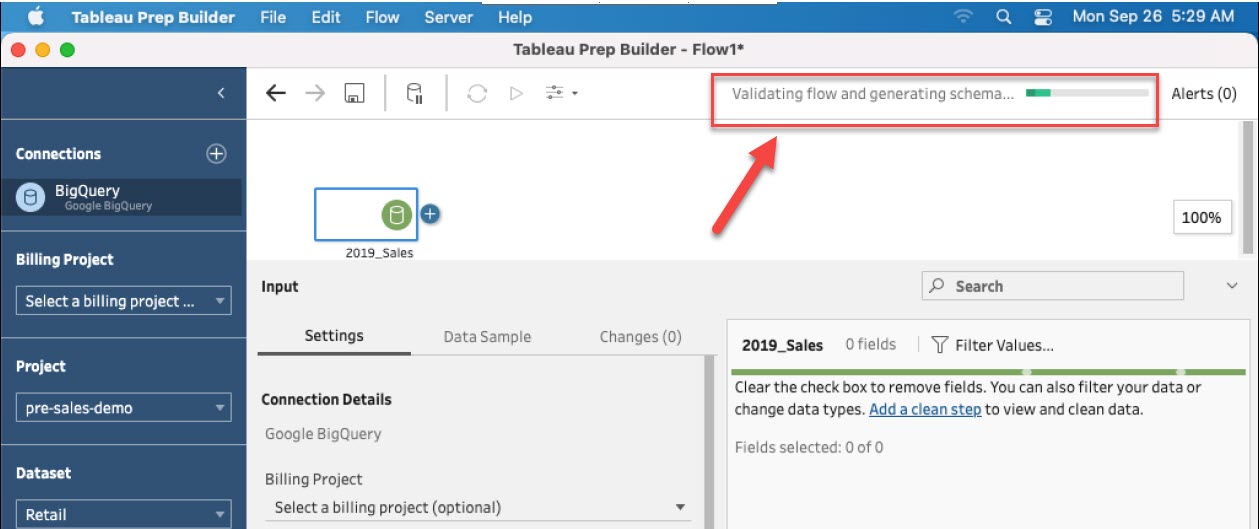
The loading status is between "Validating flow and generating schema..." and "Running flow..." like the image below.
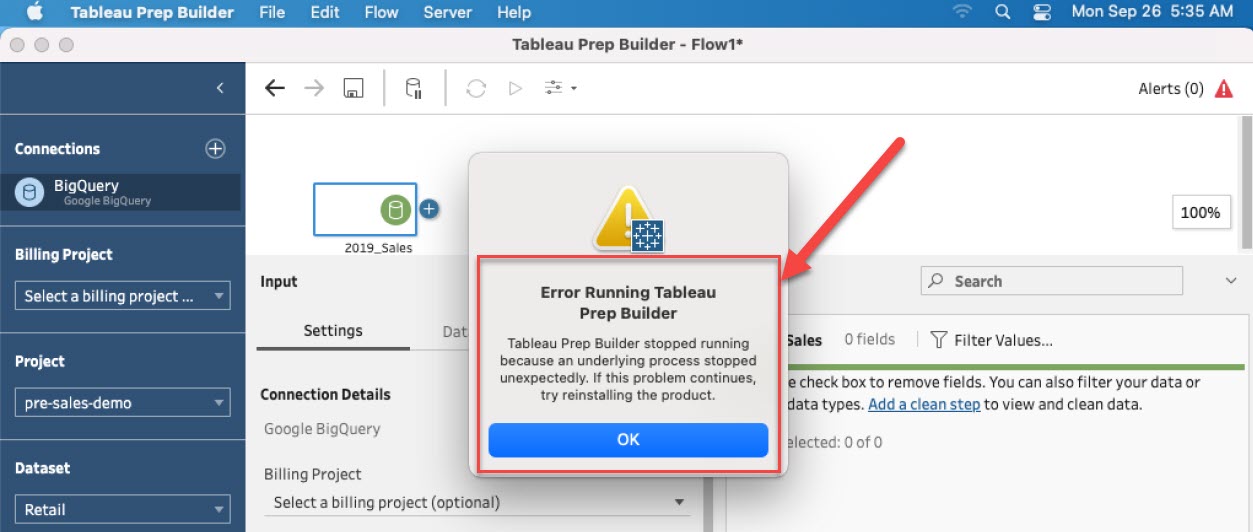
Or the below error occurs after loading the data for a while.
Tableau Prep stopped running because an underlying process stopped unexpectedly. If this problem continues, try reinstalling the product.
Cause
This issue is under investigation.
Ratkaisu
Please use the below workarounds to avoid this issue.
Option 1
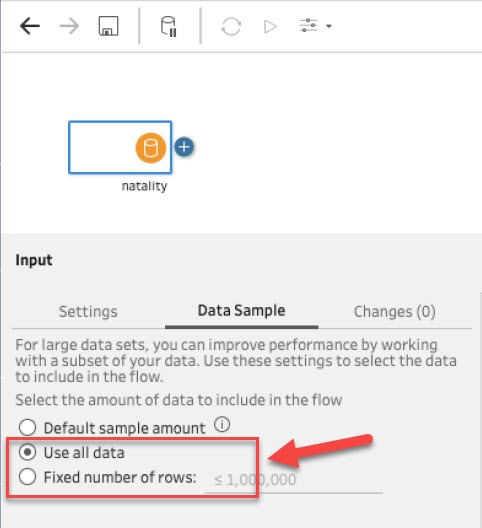
After adding the Input step, move to the [Data Sample] tab, and select [Use all data] or set a [Fixed number of rows].
If you are using a large table, this method might take a long time to load and process the data. In this situation, please refer to Option 2.
Option 2
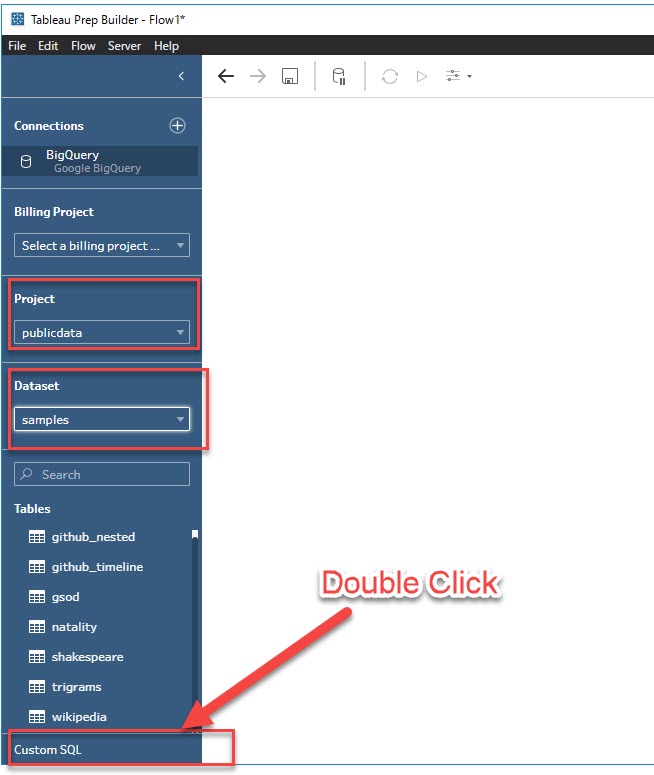
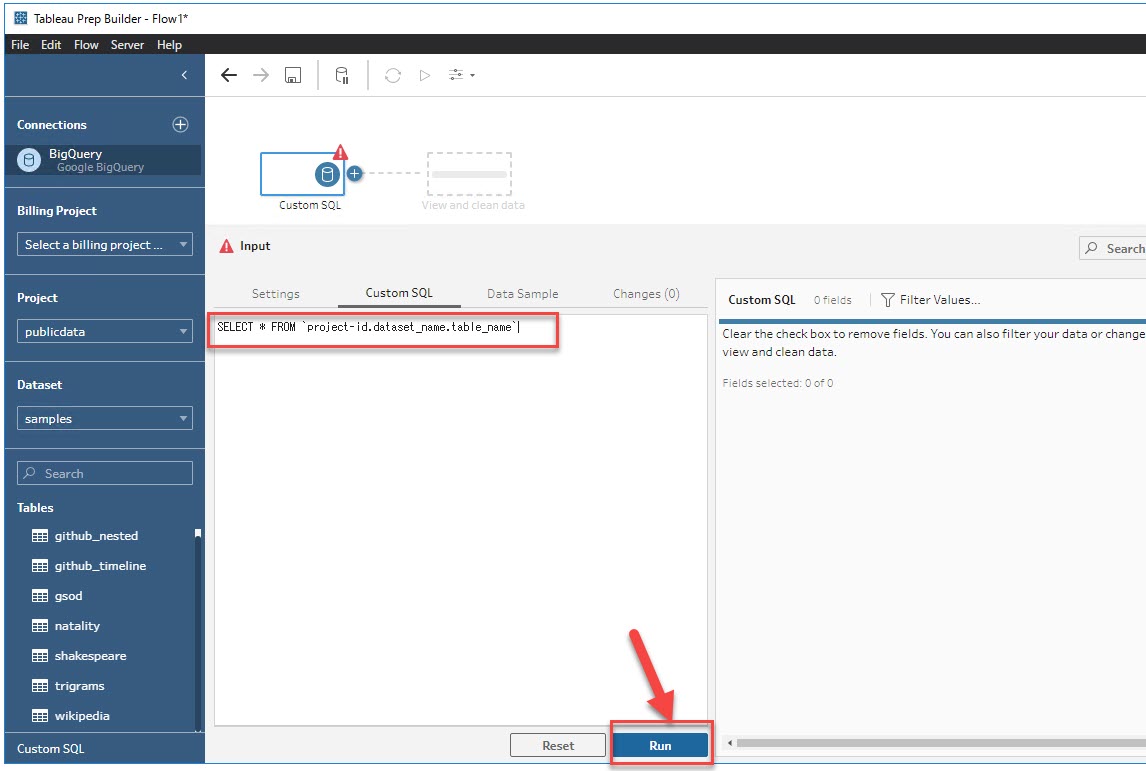
After selecting a Project and Dataset, double-click Custom SQL located at the bottom left of the pane.
An input step should be automatically added. In the Custom SQL dialog box, enter a query using the syntax below and then click Run.
* No need to change the option in the [Data Sample] tab in this method.
SELECT * FROM `project-id.dataset_name.table_name`
Note: The Custom SQL option will not be displayed until a dataset is selected. The Custom SQL option can be displayed by selecting a random project and dataset.
Lisäresurssit
Configure your Data Set
Knowledge-artikkelin numero
001496881
Ratkaisiko tämä artikkeli ongelmasi?
Anna palautetta, jotta voimme kehittyä!
