Loading

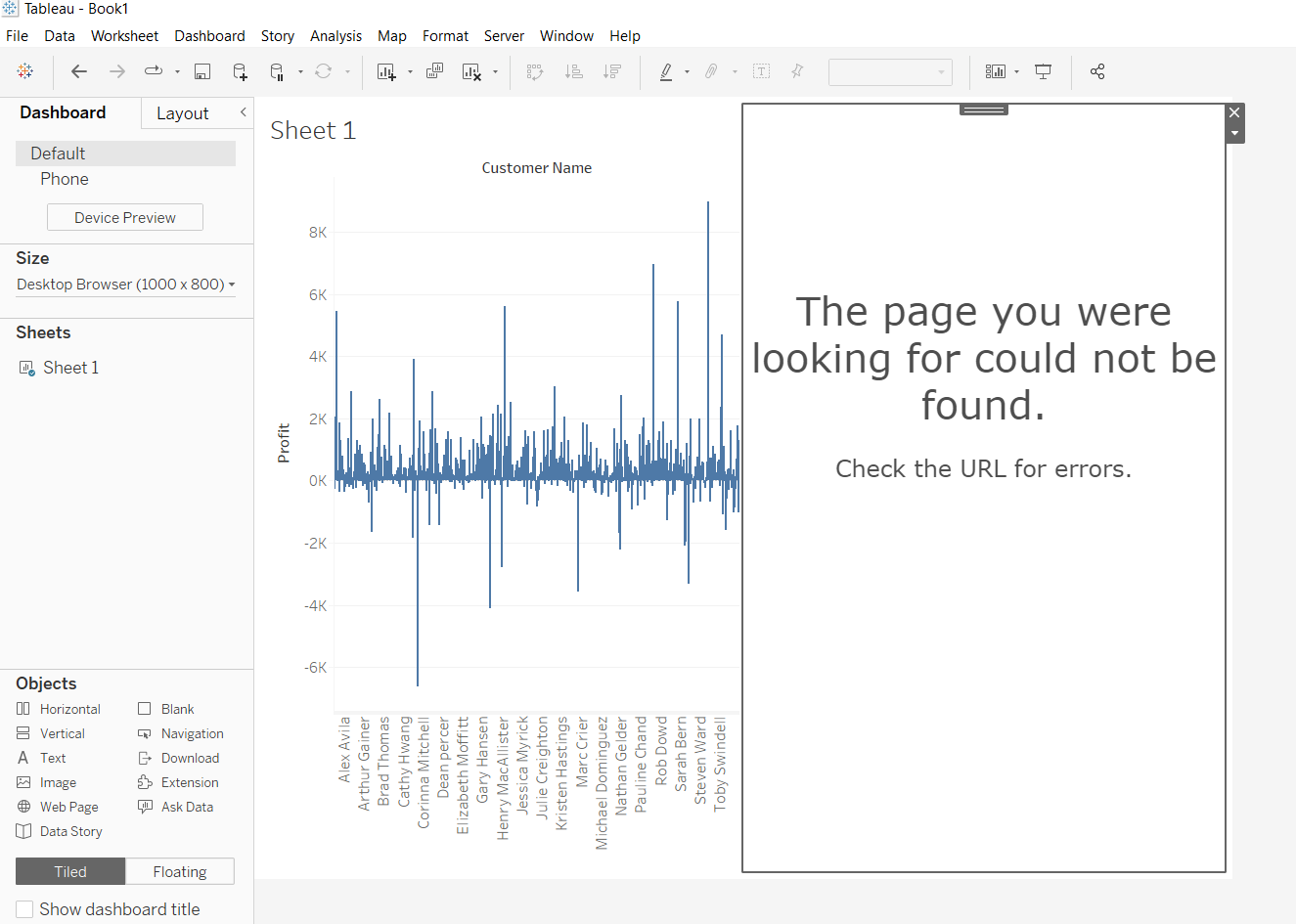
The page you were looking for could not be found. Check the URL for errors." When creating data story in Tableau Desktop.
Дата публикации: Apr 24, 2025
Описание
Upon trying to add Data Story on the dashboard on Tableau Desktop, the follwoing error is displayed. 
"The page you were looking for could not be found. Check the URL for errors."

User-added image

Cause

Data story is only supported in Tableau Cloud. The functionality is not available for Tableau Server.
Решение
Sign in Tableau Cloud on Tableau Desktop rather than Tableau Server.
Дополнительные ресурсы
To write Data Stories, Tableau uses a cloud-hosted service. When you Add a Tableau Data Story to a Dashboard, Tableau sends associated worksheet data to Tableau Cloud, in compliance with the security standards outlined in Security in the Cloud. Data Stories can be written from the Tableau Desktop and Web Authoring experience, Tableau Desktop, and web-based dashboard viewing.
 
Номер статьи базы знаний

001496977

 
Загрузка
Salesforce Help | Article
