Valitse organisaatio
How to fix the axis range regardless of the filter
Julkaisupäivä: Mar 19, 2026
Kuvaus
How to fix the axis range regardless of the filter.
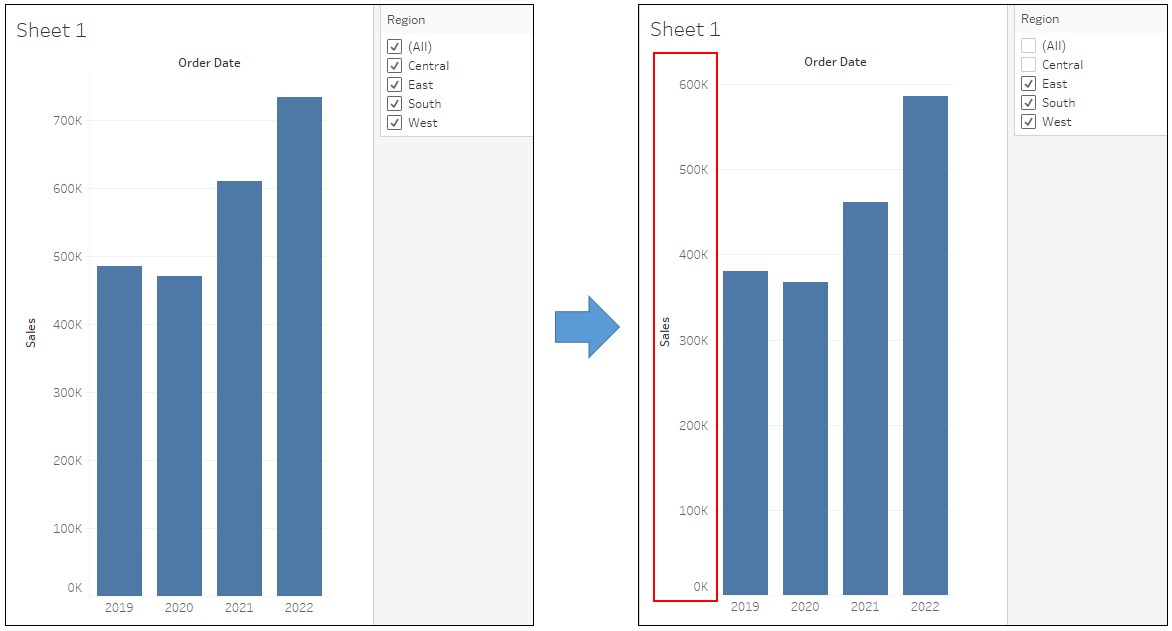
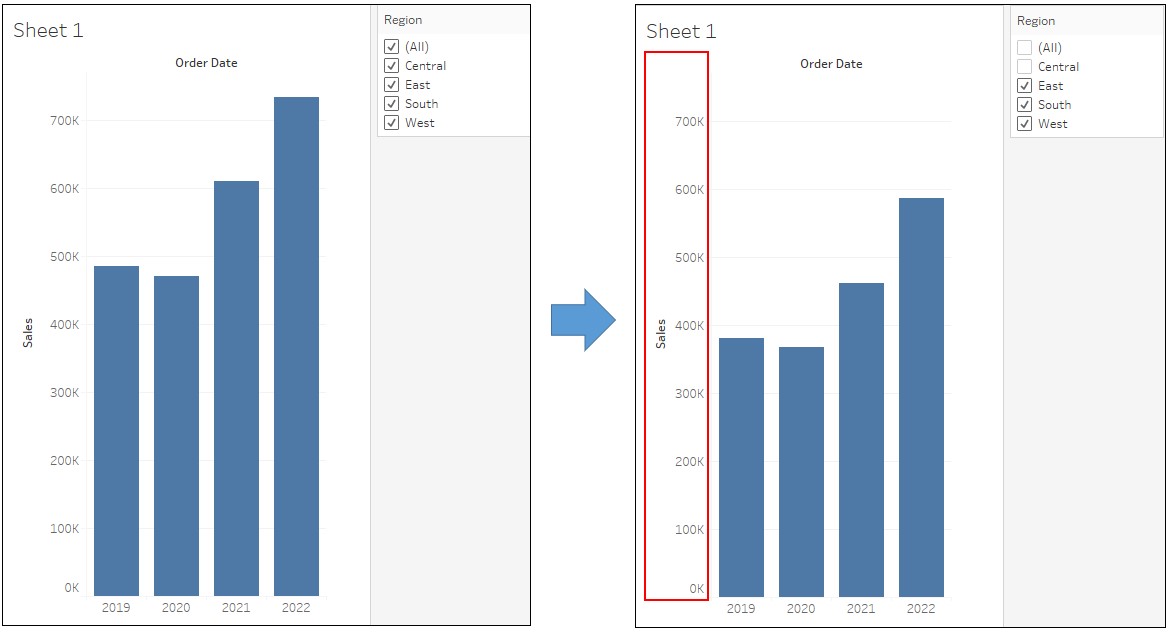
<Current behavior>
When the filter is changed, the axis scale changes.
<Desired behavior>
Changing the filter should not change the axis scale.
Cause
This feature is not built in Tableau Desktop yet.
Ratkaisu
<STEP 1 -Create a view->
1. Connect to Sample -Superstore.
2. Drag [Order Date] to Columns and [Sales] to Rows.
3. Drag [Region] to Filter Pane
4. Right click on [Region] -> Show Filter.
<STEP2 -Add a reference line->
5. Create a new calculated field as following.
Name : Max Window Height
Calculation : {FIXED DATEPART('year', [Order Date]):SUM([Sales])}
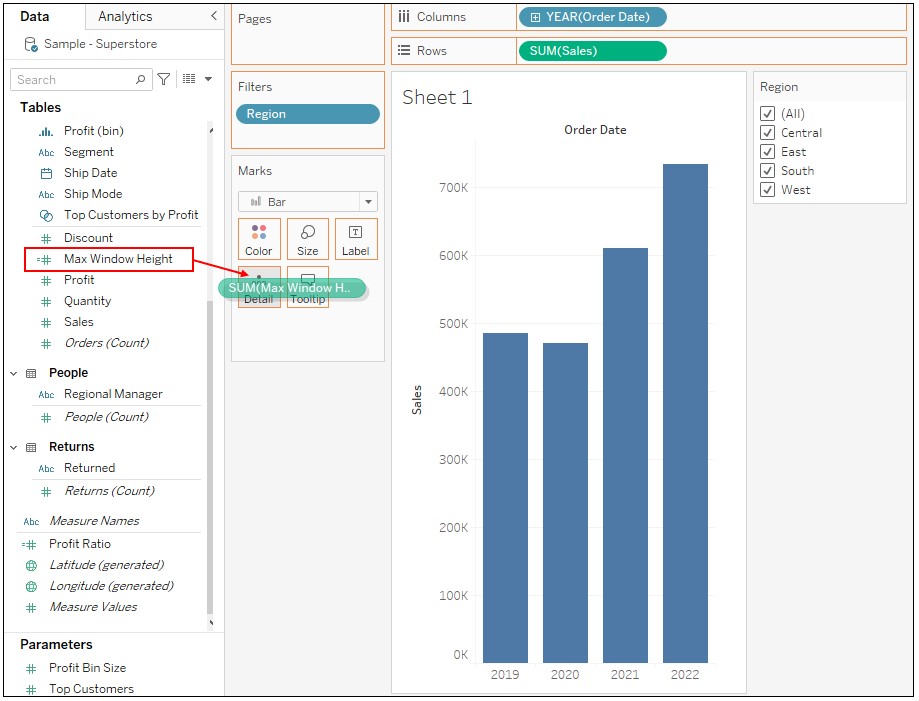
6. Drag [Max Window Height] to Detail on Marks.
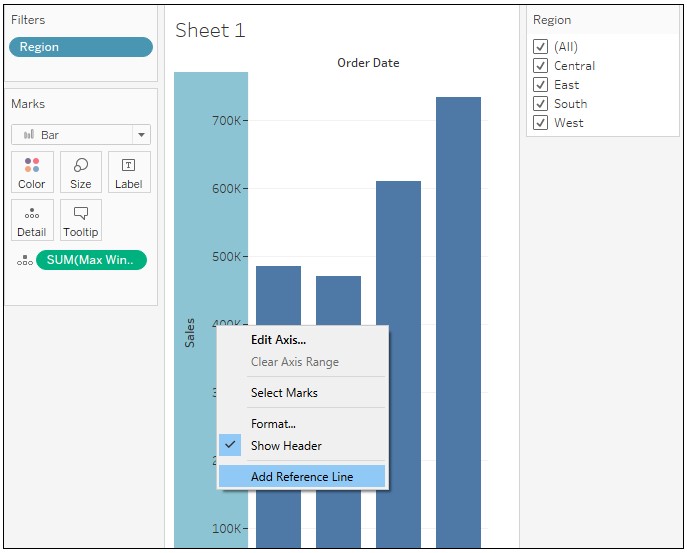
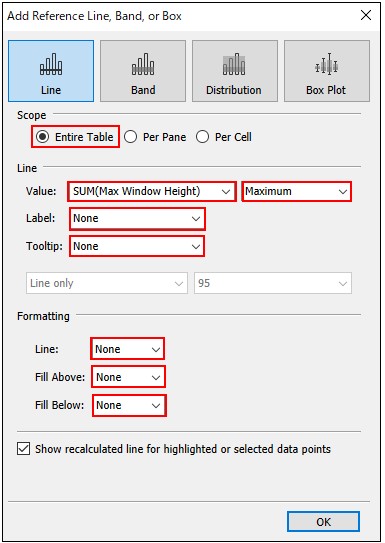
7. Right click on axis of Sales -> Add Reference line
8. Set as following.
Knowledge-artikkelin numero
001497020
Ratkaisiko tämä artikkeli ongelmasi?
Anna palautetta, jotta voimme kehittyä!
