Valitse organisaatio
Connecting Google Drive datasource in Tableau Server 2022.3
Julkaisupäivä: Apr 13, 2024
Kuvaus
After Upgrading to Tableau Server to 2022.3, Custom OAuth configuration dialog shows up when accessing the view which connects to Google Drive datasource.
Ratkaisu
1. Enable API access and create an access token (client ID and secret) from Google.
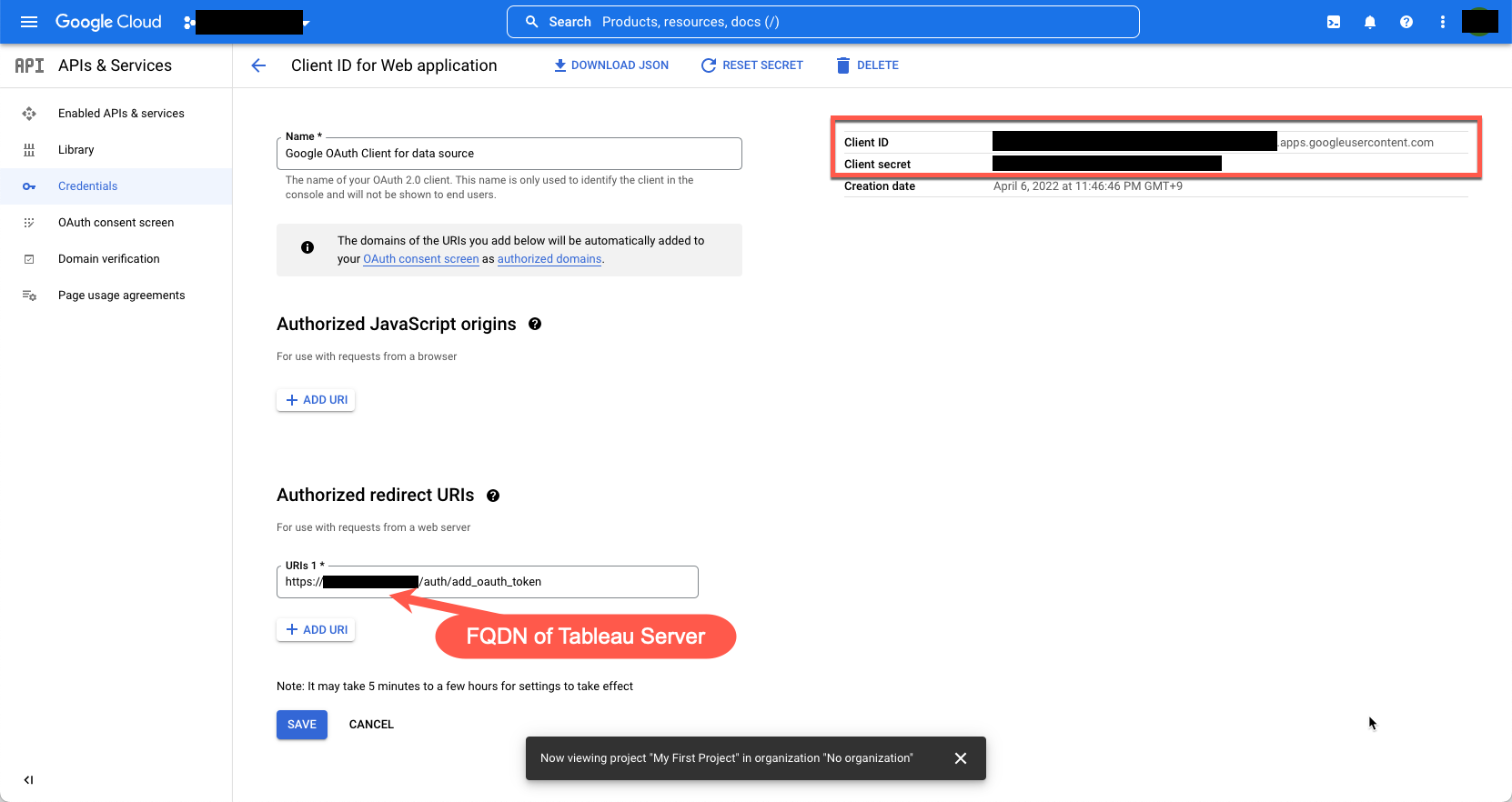
*Note that the above FQDN may need to have public domain for the requirement and https may also be required in Google. But only if the client can resolve the FQDN to Tableau Server (internal network's dns or hosts also works at this time), FQDN doesn't have to be registered in public DNS (over the internet).
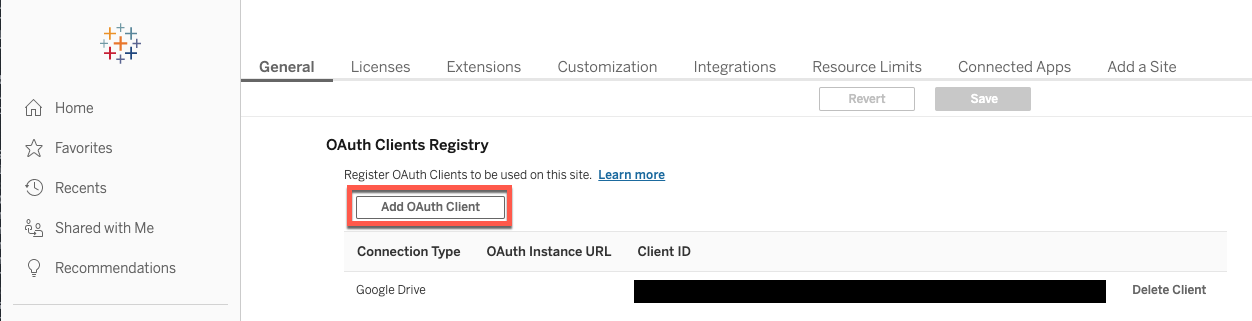
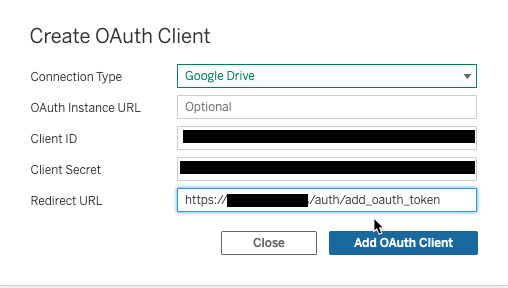
2. Use the information you obtained in step 1 to configure Tableau Server (customer oauth for server-wide or site-wide). The window below is an example of site-wide Customer OAuth configuration:
3. If the hostname defined in gateway.public.host has not been configured in oauth.whitelisted.redirect_to_origin_host config key, add it and apply changes:
tsm configuration set -k oauth.whitelisted.redirect_to_origin_host -v <hostname>
tsm pending-changes apply
If you haven't configure the above step3, you might see the message below during connecting Google Drive:
Attempt to redirect to unrecognized host <the value of gateway.public.host>. Unable to redirect. If this host is a trusted host, add this host to the oauth.whitelisted.redirect_to_origin_host list.
Please also refer the product help below:
Set up OAuth for Google
----
starting in Tableau 2022.3, require Tableau Server to be set up with an OAuth client ID and secret for Google.
----
Knowledge-artikkelin numero
001497086
Ratkaisiko tämä artikkeli ongelmasi?
Anna palautetta, jotta voimme kehittyä!
