Sélectionner une organisation
Error [System error: An error occurred while communicating with data source 'LoomDataSource'] Occurs When Changing the Value of a Pivoted Column After the Pivot Step
Date de publication: Jun 12, 2026
Description
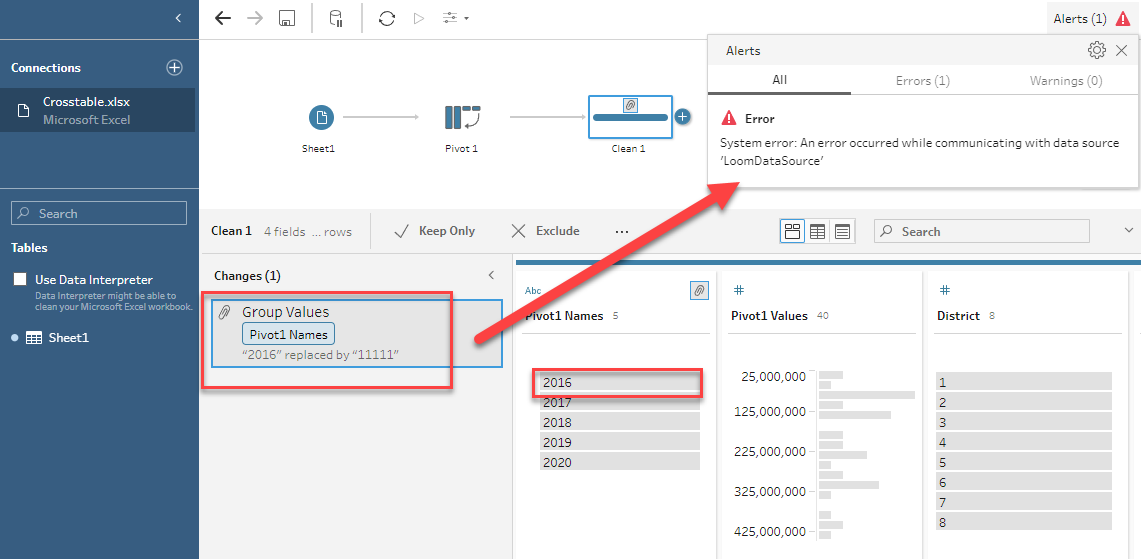
The below error shows up when changing a value in the pivot field after the pivot step:
System error: An error occurred while communicating with data source 'LoomDataSource'
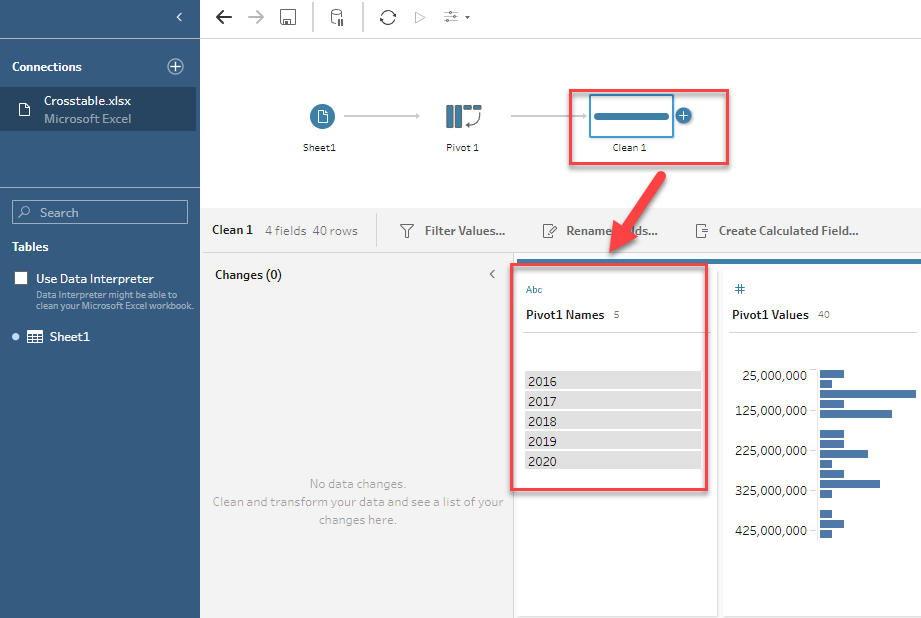
For example, add a Clean step after the Pivot step, and the data type of the Pivot1 Names field is String.
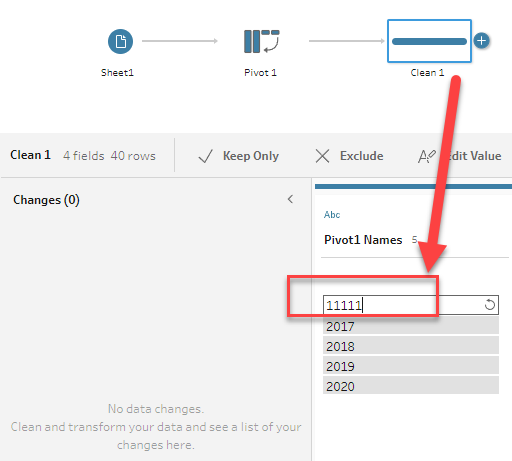
However, after double-clicking "2016" in the Pivot1 Names field and inputting "11111" to change the value, the error occurs.
Cause
This issue is logged in the Known Issue Site as W-12926746 and has been fixed in 2022.4.2 and later versions.Résolution
Option 1
Upgrade to Tableau Prep Builder 2022.4.2 or later versions. To obtain specific downloads please visit the Tableau Release Notes page website.Option 2
After the Pivot step, perform the following:1. Change the data type in the Clean step.
2. Change the value of the pivoted field.
For example, for the screenshot above, no error occurs when changing the data type to String or Date first and then changing the value from "2016" to "11111".
Please also review the attached flow for more details.
Numéro d’article de la base de connaissances
001497312
Cet article a-t-il résolu votre problème ?
Dites-nous ce que nous pouvons améliorer !
