選擇組織
Error [System error: An error occurred while communicating with data source 'LoomDataSource'] Occurs When Changing the Value of a Pivoted Column After the Pivot Step
發佈日期: May 20, 2025
描述
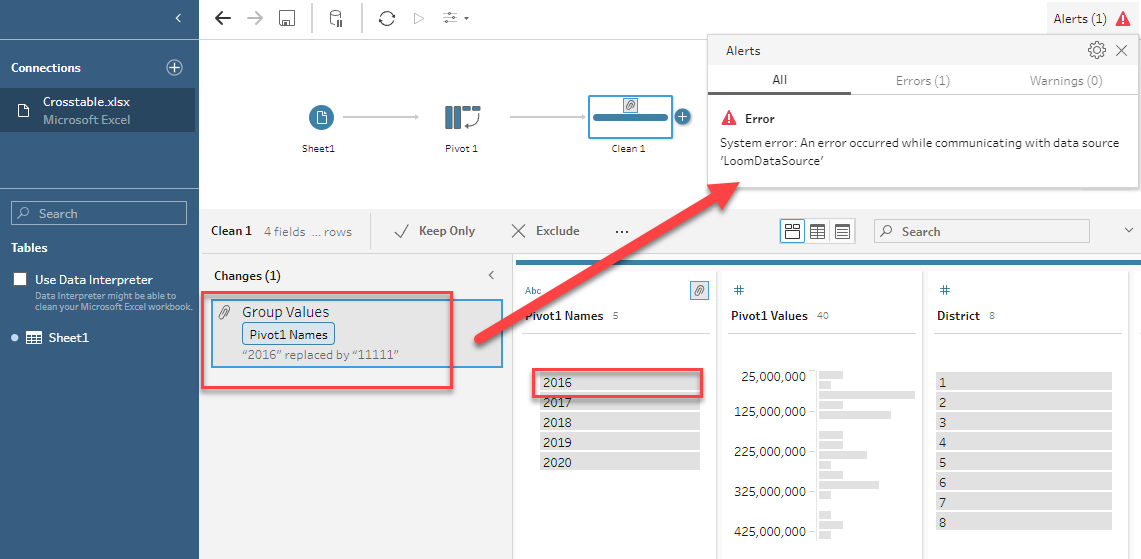
The below error shows up when changing a value in the pivot field after the pivot step:
System error: An error occurred while communicating with data source 'LoomDataSource'
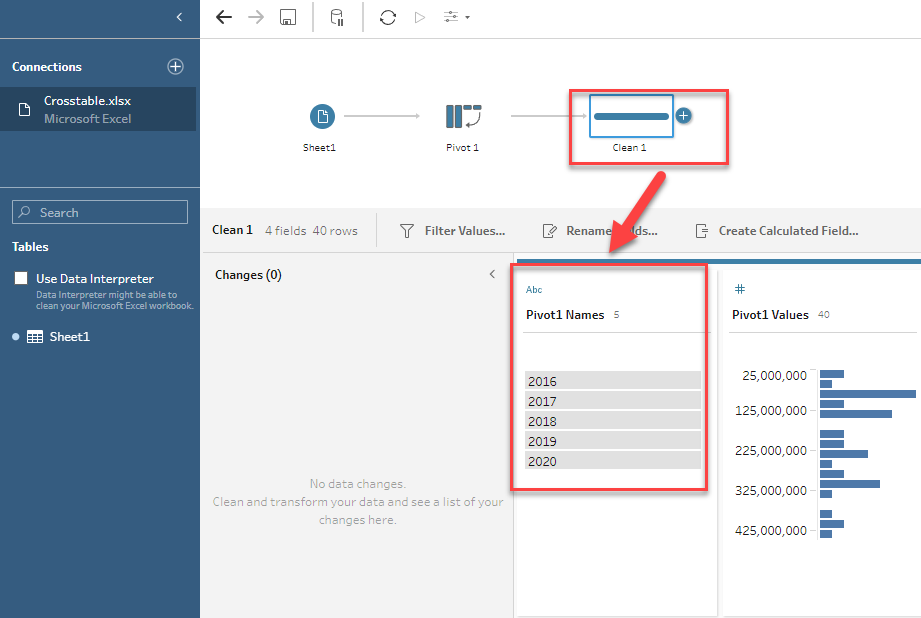
For example, add a Clean step after the Pivot step, and the data type of the Pivot1 Names field is String.
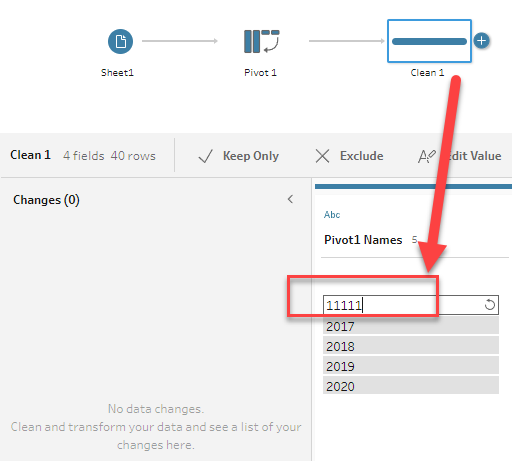
However, after double-clicking "2016" in the Pivot1 Names field and inputting "11111" to change the value, the error occurs.
Cause
This issue is logged in the Known Issue Site as W-12926746 and has been fixed in 2022.4.2 and later versions.解決方案
Option 1
Upgrade to Tableau Prep Builder 2022.4.2 or later versions. To obtain specific downloads please visit the Tableau Release Notes page website.Option 2
After the Pivot step, perform the following:1. Change the data type in the Clean step.
2. Change the value of the pivoted field.
For example, for the screenshot above, no error occurs when changing the data type to String or Date first and then changing the value from "2016" to "11111".
Please also review the attached flow for more details.
知識文章編號
001497312
此文章是否解決您的問題?
請讓我們知道,以便我們改進!
