Välj en organisation
Flow failed to run due to error "Suspended: skipped"
Publiceringsdatum: Apr 13, 2026
Beskrivning
Flow failed to run due to the error.
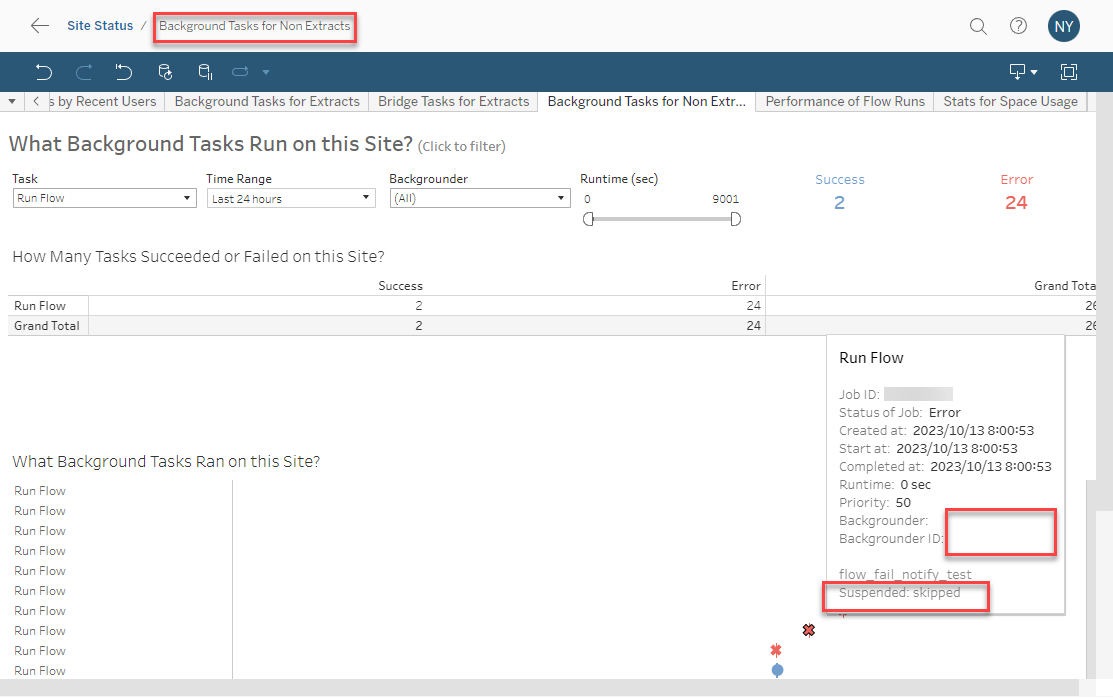
No backgrounder host was assigned in [Background Tasks for Non Extracts] Administrative view.
Suspended: skipped
Cause
When a scheduled flow task fails to run after a configured number of attempts (5 times by default), the flow task is suspended.For details, see Monitor Flow Health and Performance
Lösning
1. On Flow Overview page of your flow, hover over the error text to see the orginal error details, and resolve the orginal error that caused the flow to fail.
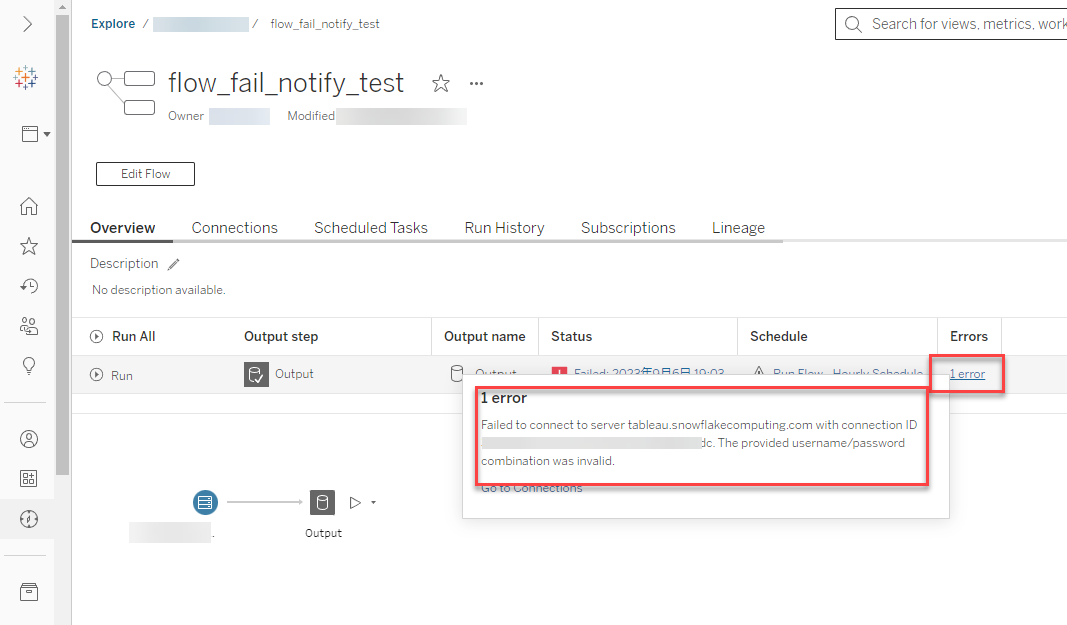
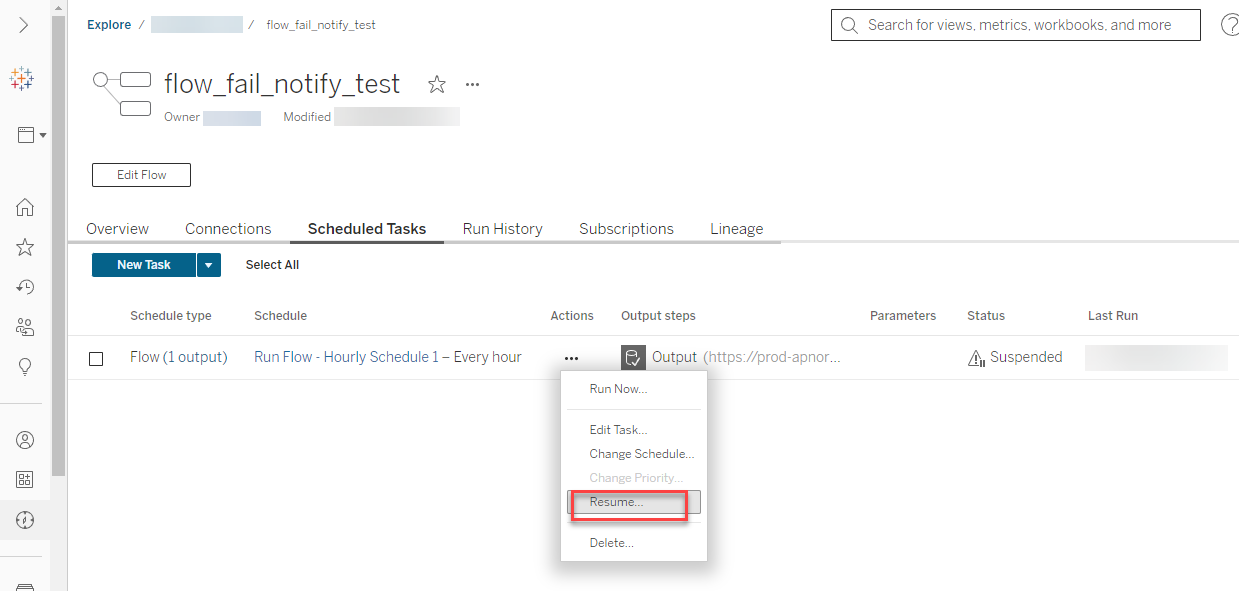
2. Go to the Scheduled Tasks page of your flow and click the Resume button to resume the suspended schedule.
Note: to "Run Now" button can not resume the suspended schedule automatically.
Ytterligare resurser
Administrative Views for Flows
Knowledge-artikelnummer
001497633
Löste denna artikel ditt problem?
Berätta för oss vad vi kan förbättra!
