Выбрать организацию
Tableau Desktop/Prep/Bridge can not Login to Tableau Cloud using Azure AD SAML Authentication When Conditional Access is Enabled
Дата публикации: Apr 1, 2026
Описание
When using the default internal browser, Tableau Desktop, Prep Builder, and Bridge cannot sign in to Tableau Cloud if SAML authentication is enabled using Azure AD with Conditional Access enabled.
However, On the same PC machine, the web browser is working fine without a problem.
you may see the following kinds of error messages.
OR
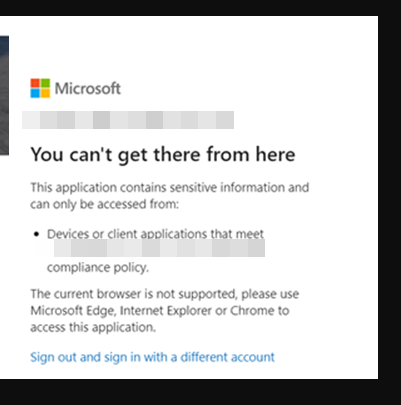
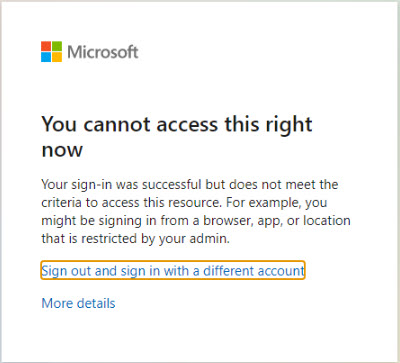
Cause
The default internal browser of Tableau Desktop/Prep Builder/Bridge does not support Tableau Cloud SAML authentication using Azure AD with Conditional Access.
Решение
Tableau Desktop
As a workaround, use an external browser instead of the default internal browser.
For detailed configuration steps, refer to the following page:
Use External browser for Tableau Cloud Authentication from Tableau Desktop
Tableau Prep Builder
Please use Tableau Prep Builder 2025.3 or later. In these versions, you can enable an external browser instead of the internal one by navigating to Server > Server Authentication Method > Default browser.
Tableau Bridge
Tableau Bridge does not support the external browser for authentication. Therefore, please either disable the policy or consider other authentication methods.
Номер статьи базы знаний
001497731
Эта статья решила вашу проблему?
Оставьте свой отзыв, чтобы мы могли стать лучше!
