Select An Org
The 'Server port' field of the 'Edit Connection' window under the Connections tab of a published data source is ignored for Microsoft SQL Server
Publish Date: Apr 13, 2024
Description
Cause
When you edit the connection for a published data source, a generic pop-up will show the port number field. It's important to know that any port number you enter that will be ignored for Microsoft SQL Server. Your connection will be successful every time if you connect on the default port, making the specified port number in the box not matter.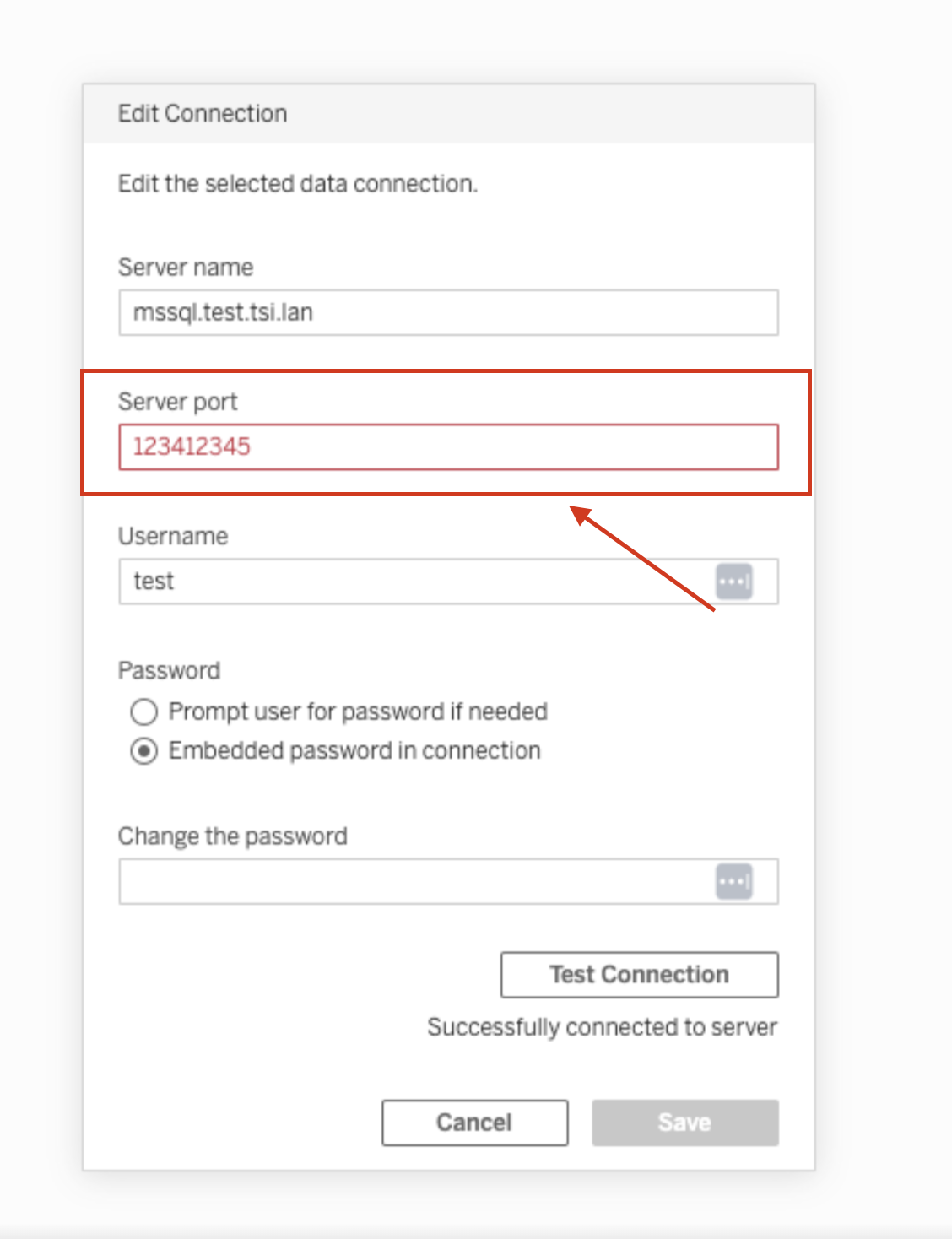
To connect to a non-default port, use the
<server name>, <port number> format when entering the server name. For example, ExampleServer, 8055.Resolution
- Do not fill in the port number if you are connecting on the default port of Microsoft SQL Server.
- To connect to a non-default port, use the <server name>, <port number> format when entering the server name.
Additional Resources
Knowledge Article Number
001497789
Did this article solve your issue?
Let us know so we can improve!
