組織を選択
Application Deep Linking Does Not Work When Clicking on Image Object in a Tableau Viz
公開日: Apr 13, 2024
説明
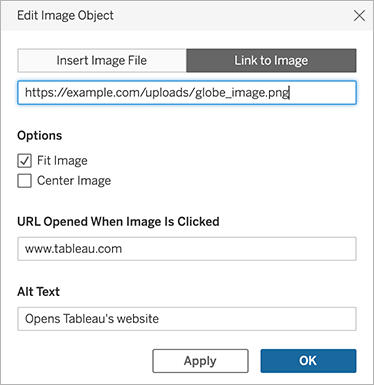
For Image Objects, an application deep link (such as slack:// or tableau://) has been set in a URL to be opened when the image is selected.
It is not possible to launch the application when clicking on the image object in a desktop browser. A blank Web page "about:blank" will open instead. If you click the link in Tableau Mobile, "Unable to open this link" error may occur.
Cause
Some application deep linking may not work if used as target URLs of image objects. Even though the application deep links configured in the image object work on Tableau Desktop, the functionality may not work after publishing to Tableau Cloud or Tableau Server.解決策
Option 1
Use a link beginning with http(s):// as the target URL of of the image object. For example, according to Reference: Deep linking into Slack, you can use https://slack.com/app_redirect?channel=C123ABC456 instead of slack://channel?team={TEAM_ID}&id={CHANNEL_ID} to open a channel in Slack.Option 2
Configure the URL action for the background image or custom shape instead of using image object. See more details in How to add a URL action for a button with image.その他のリソース
ナレッジ記事番号
001497970
この記事で問題は解決されましたか?
ご意見をお待ちしております。
