Valitse organisaatio
"Enable analytics extensions for this site" is Greyed Out on Tableau Server
Julkaisupäivä: Mar 26, 2026
Kuvaus
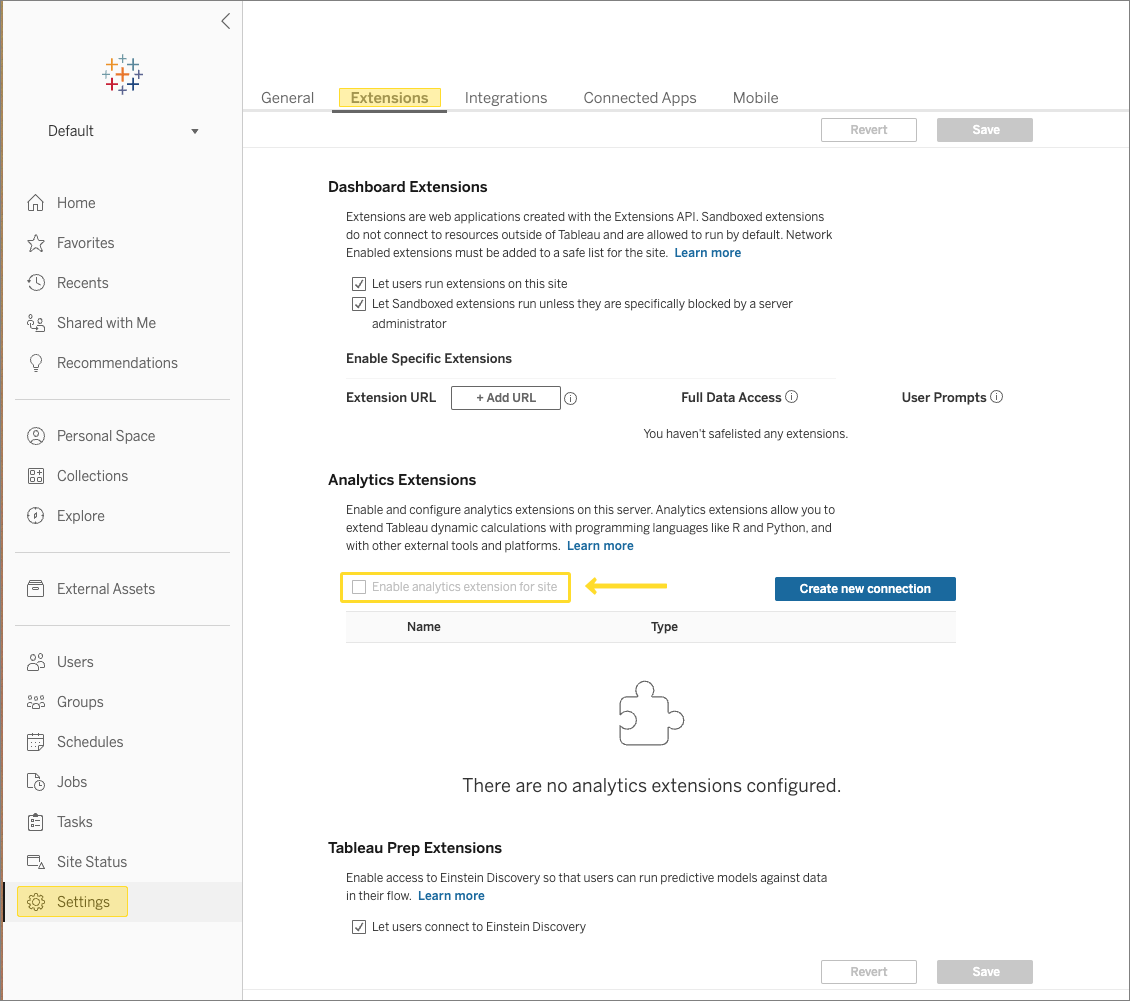
The "Enable analytics extensions for this site" checkbox in the Tableau Server Settings under Extensions is greyed out where there are multiple sites configured.
Cause
Multiple sites are created on Tableau Server and the Analytics Extension is not enabled on Tableau Server.
Ratkaisu
In order to enable Analytics Extensions at a site level, we must first enable the Analytics Extensions at the server level. Once the Analytics Extensions are enabled at the Tableau Server level, we can then toggle the setting on each site individually as needed.
Follow the steps below to enable Analytics Extensions server wide.
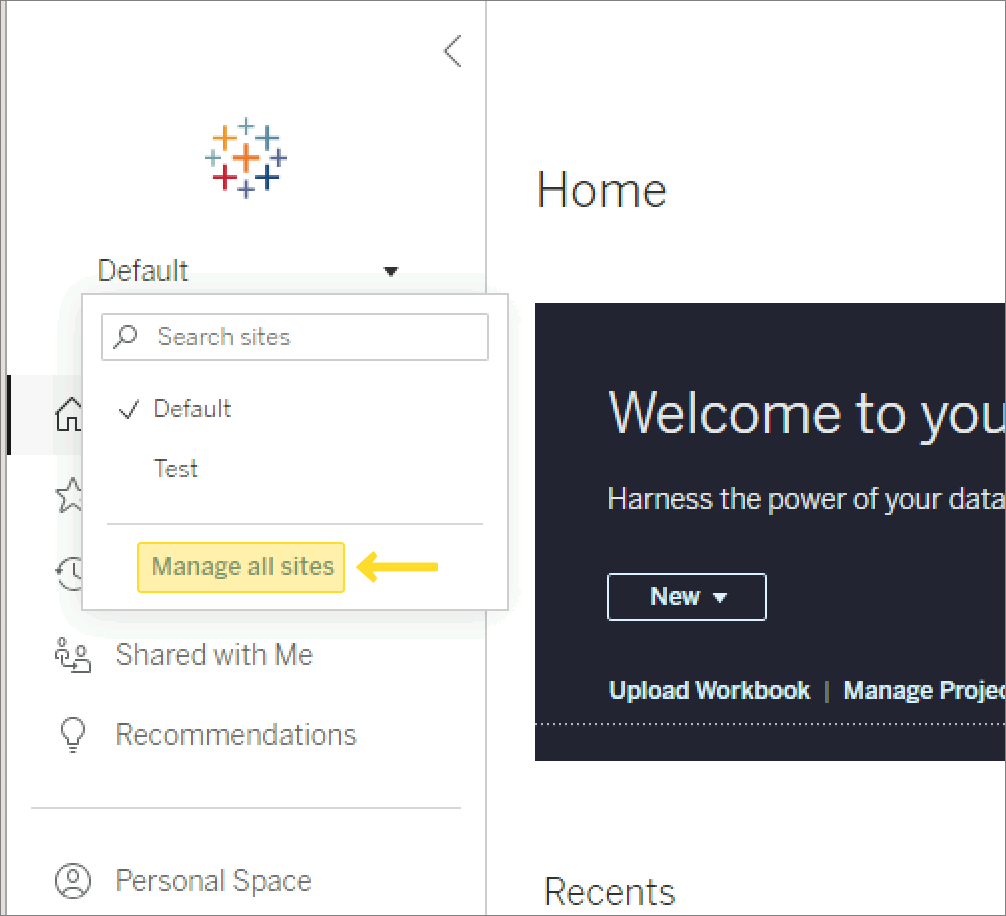
1. In the left column, next to the active site name, select the drop-down arrow to view all sites. Select Manage all sites.
2. Go to the Settings page and navigate to the Extensions tab. Scroll down and locate the "Enable analytics extensions" checkbox. Check the Enable analytics extensions to set this flag at the server level.
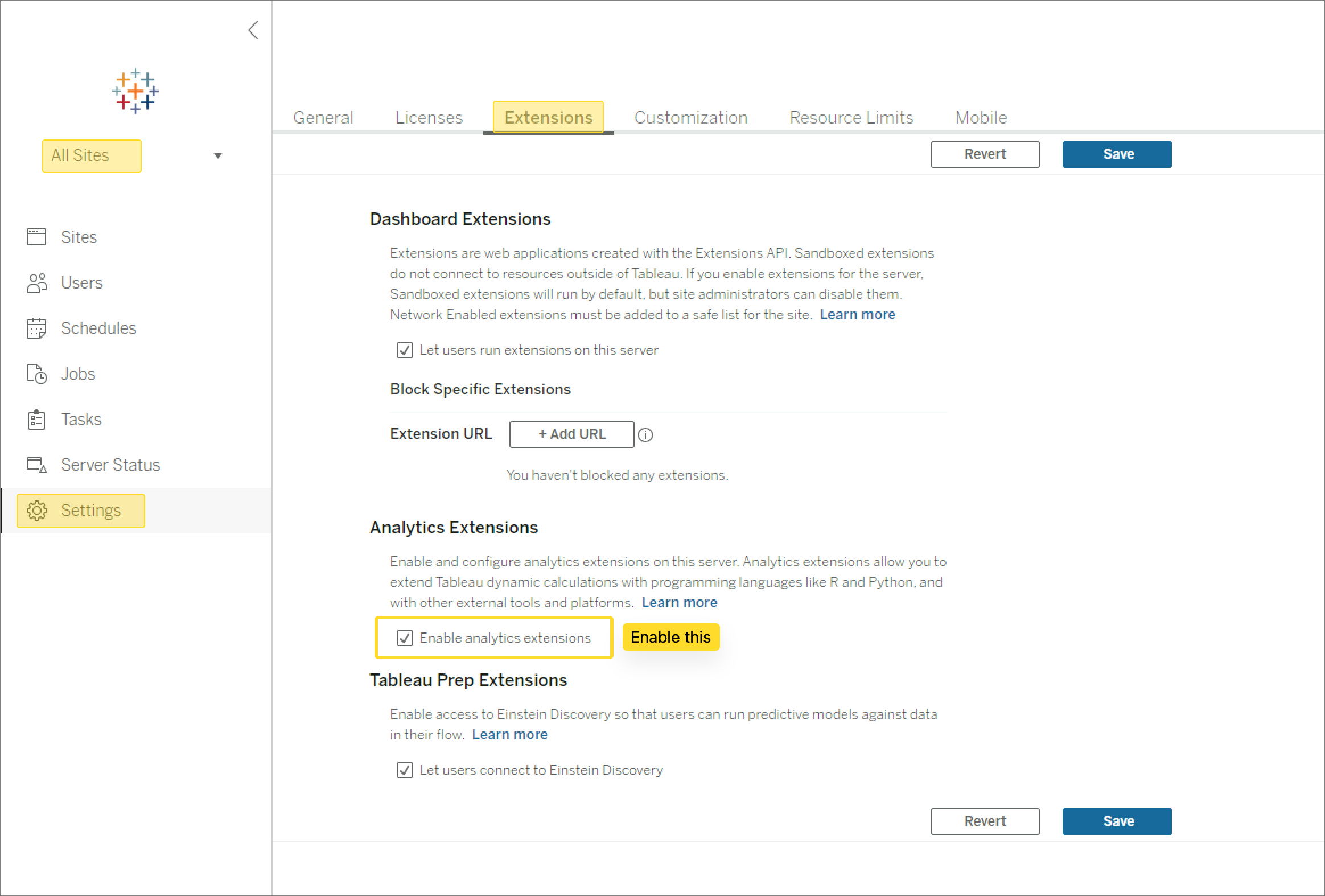
3. Once the Analytics Extensions has been enabled at the Tableau server level, you can then navigate back to each site and now the "Enable analytics extensions for this site" checkbox should be accessible.
Knowledge-artikkelin numero
001498332
Ratkaisiko tämä artikkeli ongelmasi?
Anna palautetta, jotta voimme kehittyä!
