Velg en organisasjon
When Signing In To Tableau Cloud From The Tableau Viz Lightning Web Component, "verify.salesforce.com refused to connect" Error Occurs If The User Authentication Method Is Tableau With MFA
Publiseringsdato: Apr 12, 2025
Beskrivelse
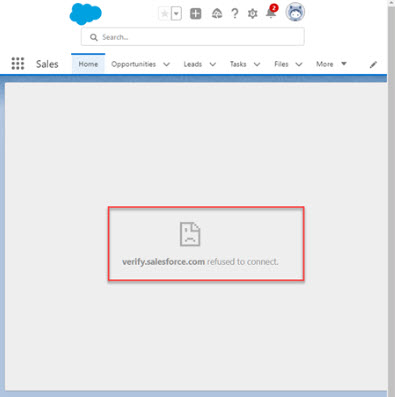
When signing in to Tableau Cloud from the Tableau Visualization Lightning Web component (LWC), the following error occurs if the user authentication method is "Tableau with MFA".
"verify.salesforce.com refused to connect"
Or
"sso.online.tableau.com refused to connect." occurs.
Cause
When Salesforce Authentication is enabled, users are directed to the sign-in page within an inline frame (iFrame). Salesforce's default Content Security Policy (CSP) may block these redirects within iframes for security reasons.
Løsning
Option 1
Use the Tableau View LWC instead of the Tableau Visualization(Viz) LWC. Add the Trusted URL in Salesforce and set up seamless authentication. For more information, see Configuring Tableau Lightning Web Components and Seamless Authentication and Salesforce's Embed Tableau Views to Lightning Pages.
Option 2
Disable additional Salesforce Authentication method. For more information, see Salesforce Authentication.
Option 3
Sign into Tableau Cloud directly in a separate tab of the same browser, then refresh and view the Salesforce page.
Option 4
Change the User Authentication Type from Tableau with MFA to Single sign-on (SSO) methods, such as Salesforce Authentication or SAML. For more information, see Set the User Authentication Type.
Flere ressurser
Tableau Viz LWC is being replaced by native Tableau View LWC
Knowledge-artikkelnummer
001498507
Hjalp denne artikkelen med å løse problemet ditt?
La oss få vite det slik at vi kan forbedre!
