Valitse organisaatio
History Marks are not Displayed When Using Pages Shelf and Turn on Show History
Julkaisupäivä: Apr 13, 2024
Kuvaus
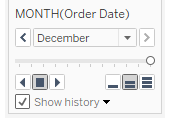
History marks do not show when using the Pages shelf and "Show history" is selected.
Cause
When the animation function is set as on by default, page history is not displayed. This behavior is being investigated by the Tableau Development Team.Ratkaisu
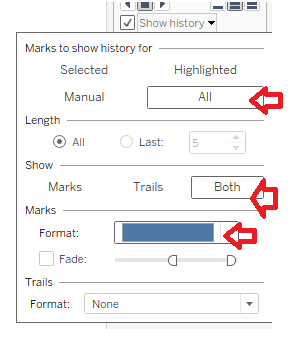
1. Select the Show history drop-down and update as follows:
- Marks to show history for: All
- Show: Both
- Marks > Format is set as a non-white color
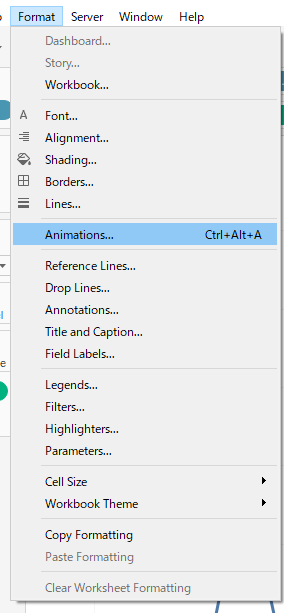
2. On the Menu bar, click on Format > Animations
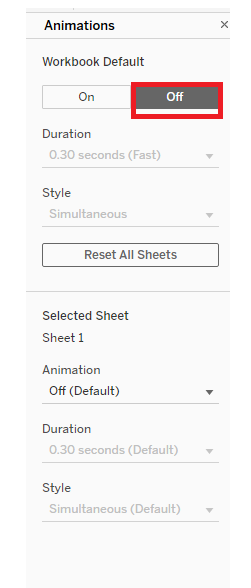
3. Set the Workbook Default setting to Off
Knowledge-artikkelin numero
001498542
Ratkaisiko tämä artikkeli ongelmasi?
Anna palautetta, jotta voimme kehittyä!
