Sélectionner une organisation
When Setting a URL that Contains an Empty Character in URL Actions a Blank Browser Page Will be Launched
Date de publication: Feb 25, 2026
Description
When setting a URL that contains an empty character in URL actions, a blank browser page will be launched.
Cause
Empty characters contain data unlike NULL.Résolution
Below is an example using sample data. Please see the attached workbook for details.
1. Create a calculated field like the following and name it !URL.
IF [<field that contains empty URL>]="" THEN NULL
ELSE [<field that contains empty URL>]
END
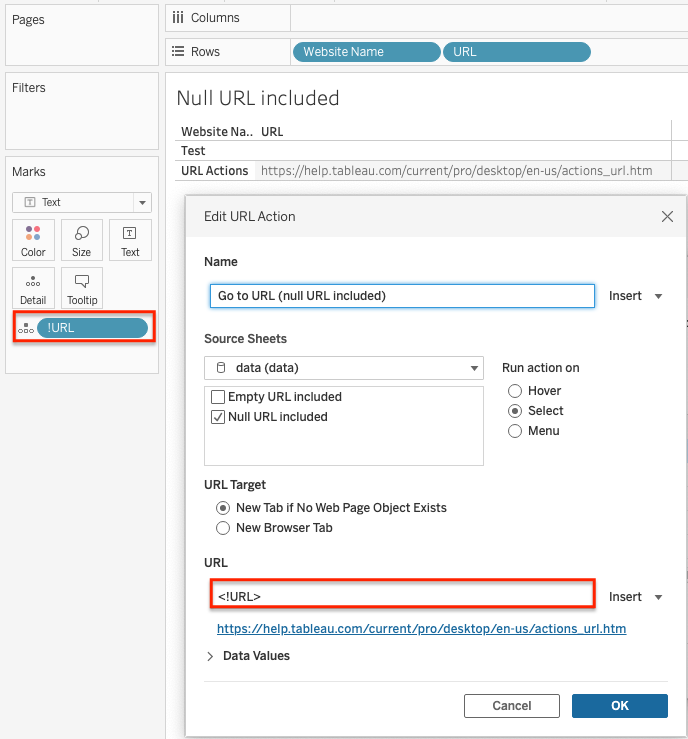
2. Add !URL field to Detail.
3. Select Menu>Worksheet>Actions and add a Go to URL action.
4. Edit the URL Action as follows:
Numéro d’article de la base de connaissances
001498578
Cet article a-t-il résolu votre problème ?
Dites-nous ce que nous pouvons améliorer !
