Seleziona un'organizzazione
Tableau Desktop fails to sign in Tableau Server: the pop up web page redirect to nowhere
Data pubblicazione: Apr 13, 2024
Descrizione
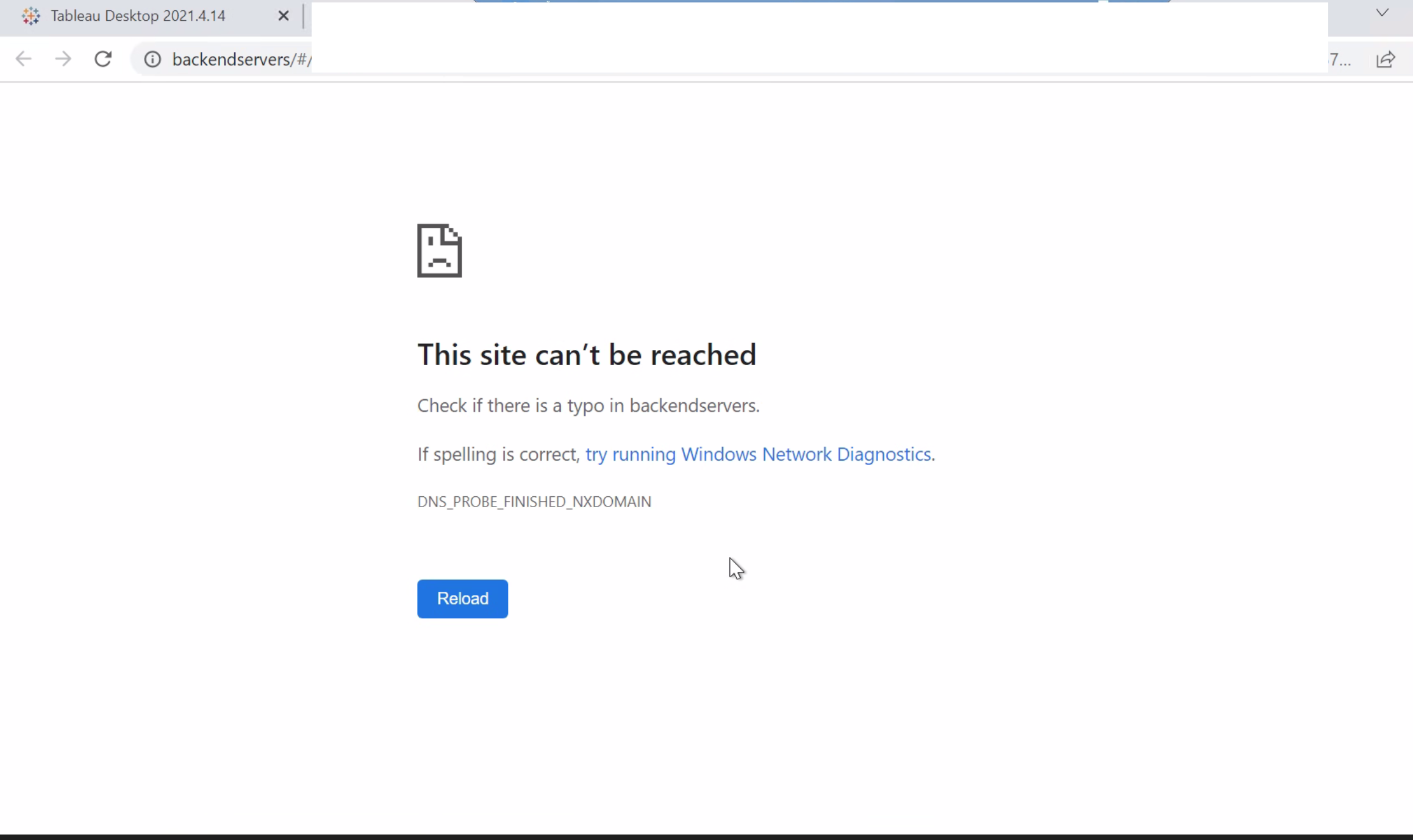
Tableau Desktop fails to sign in Tableau Server: the pop up web page redirect to a URL saying "This Site can't be reached" while web browser sign in Tableau Server is normal.
Cause
Tableau Server's nginx proxy modifies the header and so the URL is unable to accessRisoluzione
Use Fiddler to collect network trace on Tableau Desktop machine. A fiddler will capture HTTP traffic. A fiddler is useful so we can see if there are any 400 or 500 errors. Fiddler can also show firewalls or proxys blocking communication.
- Download and install fiddler from: https://www.telerik.com/download/fiddler
- Close all open web browsers and programs on the computer (chats, email, ect)
- Click Start > Programs > Fiddler
- Decrypt HTTPS traffic: Go to Tools > Fiddler Options > HTTPS tab > Check 'Decrypt HTTPS traffic' Accept the certificate > Click OK. NOTE: This step is very important.
- Use Tableau Desktop to reproduce the issue.
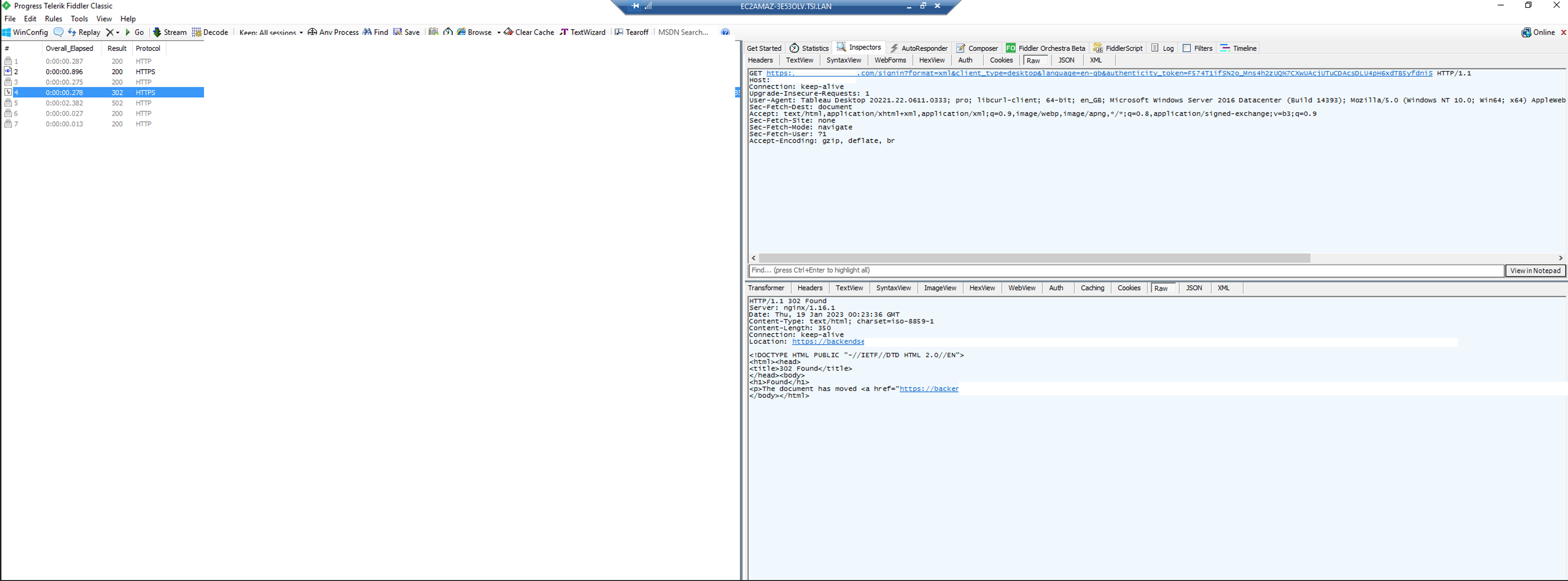
- Then reviewing the Fiddler trace, click the response with code 302. On the right part, choose Inspector and "Raw" for both of Request and Response. As the image shown here, the nginx proxy server modifies the URL and responds back to Tableau Desktop.
- Save this Fiddler trace and send it to IT/security team. Collaborate with IT/ security team to modify the nginx proxy server URL filtering rules.
Numero articolo Knowledge
001498617
Questo articolo ha risolto il problema?
Facci sapere, così possiamo migliorare!
