Valitse organisaatio
Cannot see any flow schedule when trying to use Linked Tasks
Julkaisupäivä: Mar 21, 2025
Kuvaus
Even though the Linked Task is enabled on Tableau Server, no flow schedules are found when trying to use Linked Tasks from any flow>[New Task]>[Linked Tasks] tab.
"Not seeing your schedule? Talk to your administrator to enable the schedule for linked tasks."
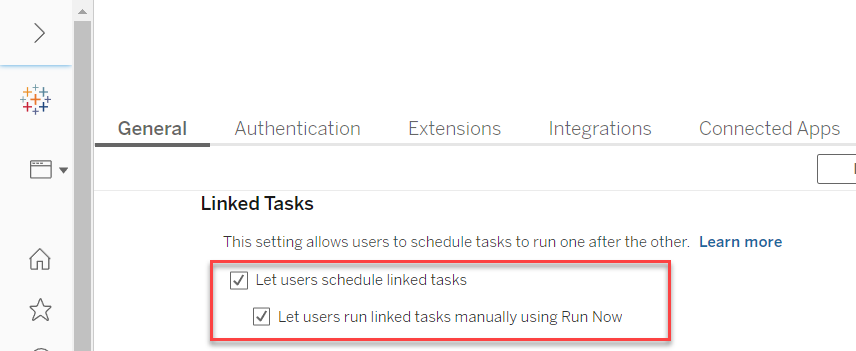
Cause
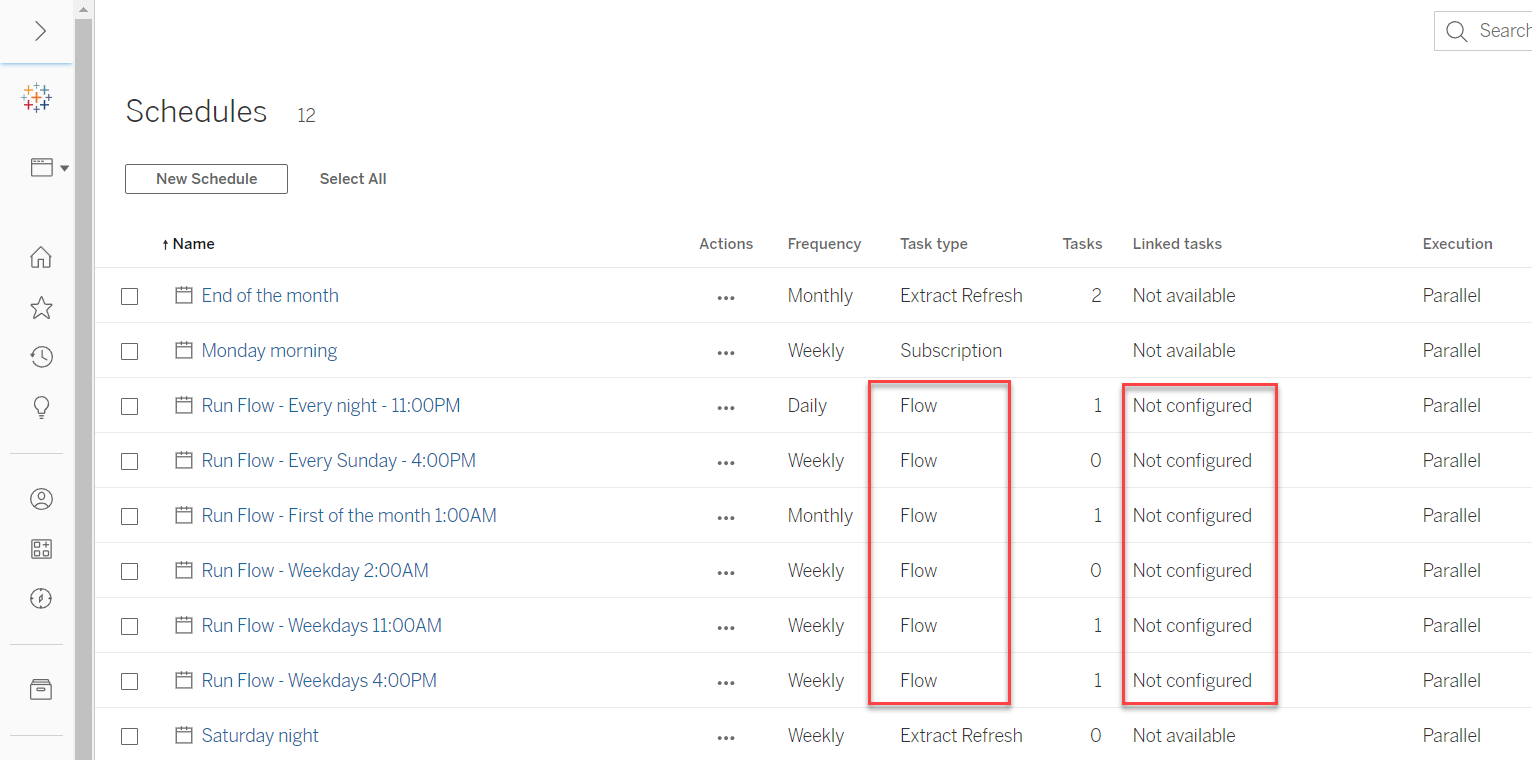
None of the existing flow schedules on Tableau Server has been configured for using Linked Tasks yet.On Tableau Server, from [Schedules], you can see the "Linked tasks" column of all existing flow schedules are marked as "Not configured".
Ratkaisu
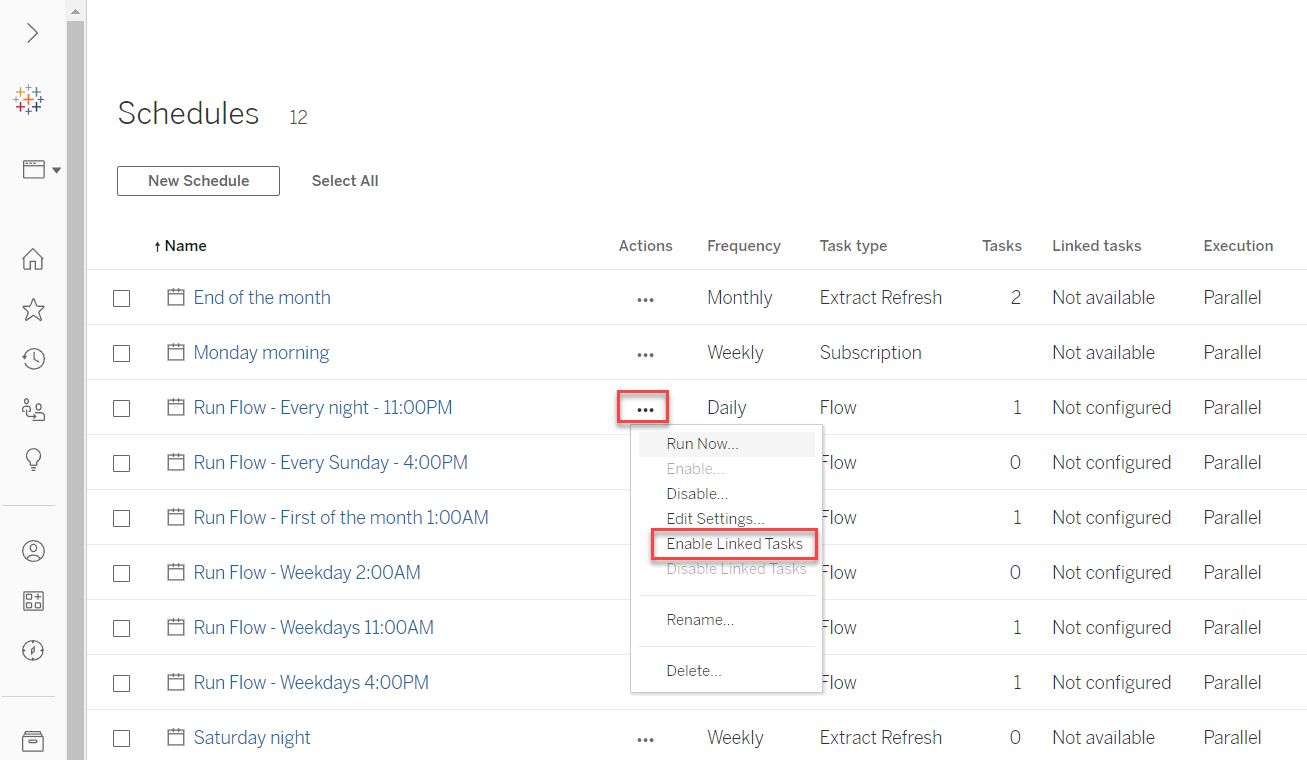
On Tableau Server, from [Schedules], Enable linked tasks function of the existing flow schedules by [Actions]>[Enable Linked Tasks] like below.
Option 2
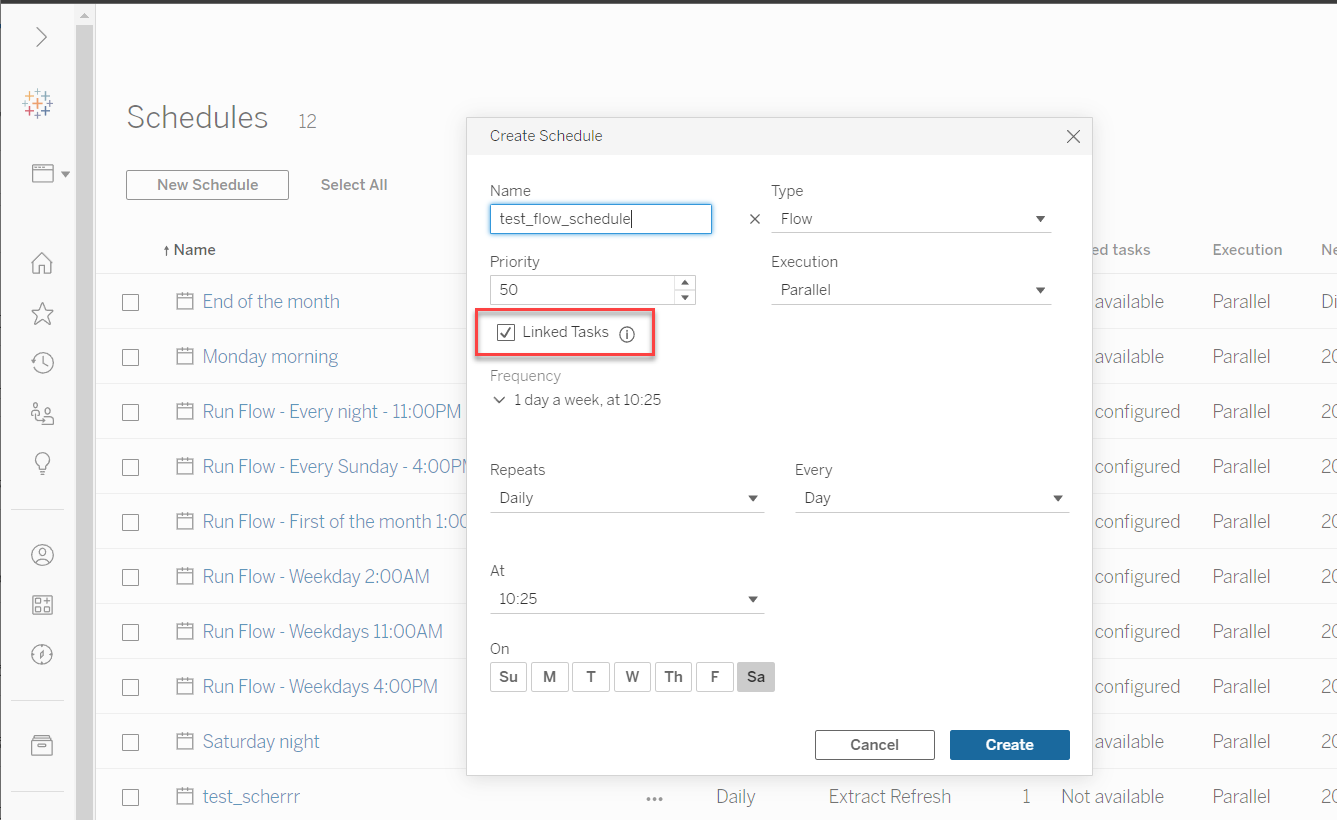
On Tableau Server, from [Schedules], create a new flow schedule and enable its linked tasks function like below.
Lisäresurssit
For those existing flow schedules created in prior versions, if you have not enabled linked tasks function for them, then you need to configure each of them to enable linked tasks function manually.
For more details, please refer to Create Schedules for Flow Tasks.
Knowledge-artikkelin numero
001498703
Ratkaisiko tämä artikkeli ongelmasi?
Anna palautetta, jotta voimme kehittyä!
