選擇組織
Cannot see any flow schedule when trying to use Linked Tasks
發佈日期: Mar 21, 2025
描述
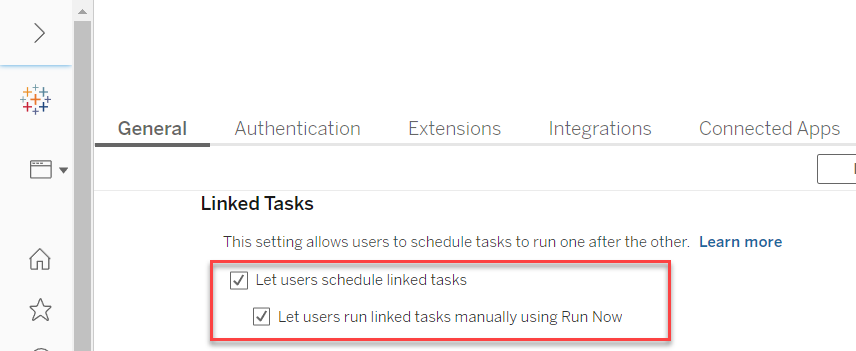
Even though the Linked Task is enabled on Tableau Server, no flow schedules are found when trying to use Linked Tasks from any flow>[New Task]>[Linked Tasks] tab.
"Not seeing your schedule? Talk to your administrator to enable the schedule for linked tasks."
Cause
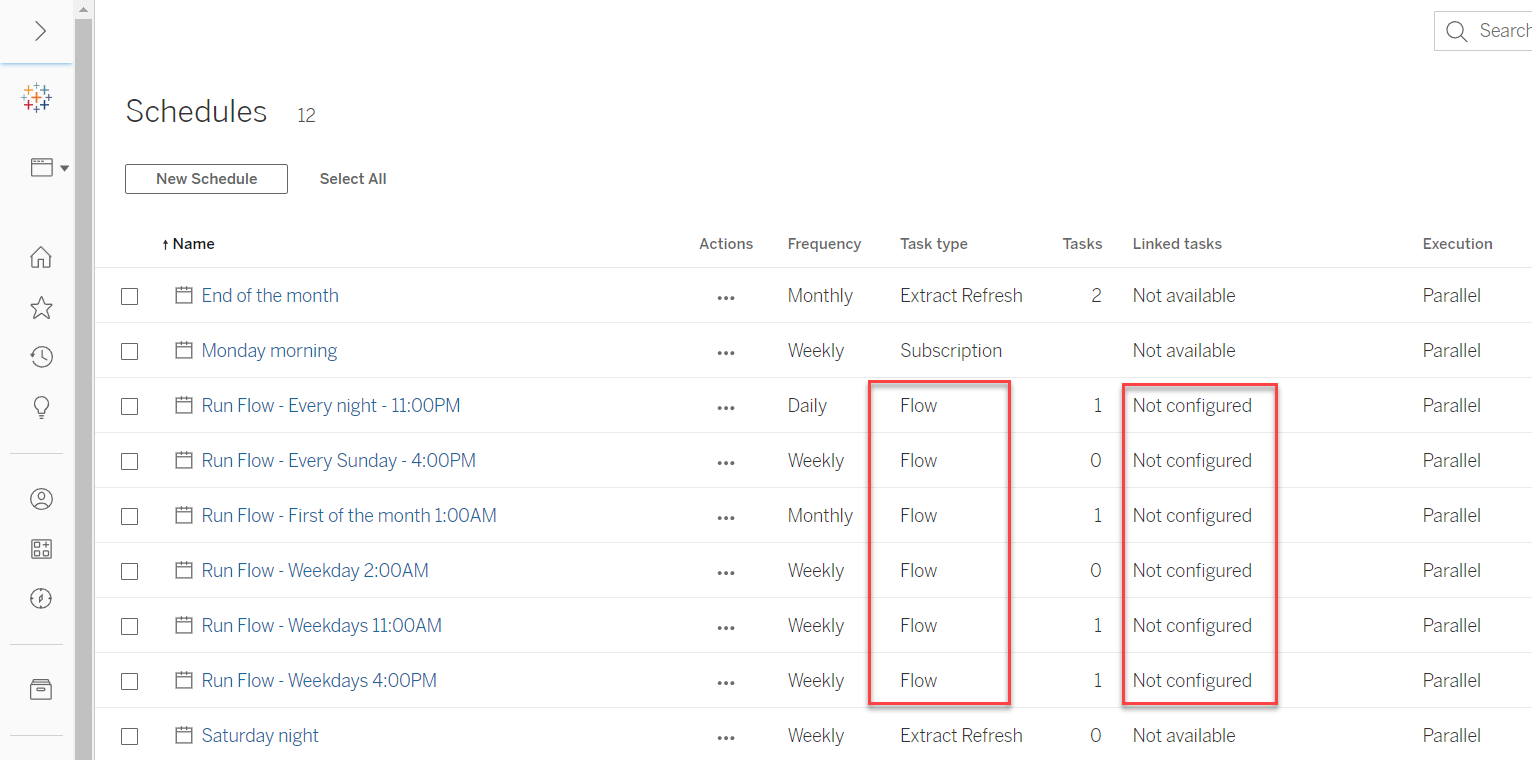
None of the existing flow schedules on Tableau Server has been configured for using Linked Tasks yet.On Tableau Server, from [Schedules], you can see the "Linked tasks" column of all existing flow schedules are marked as "Not configured".
解決方案
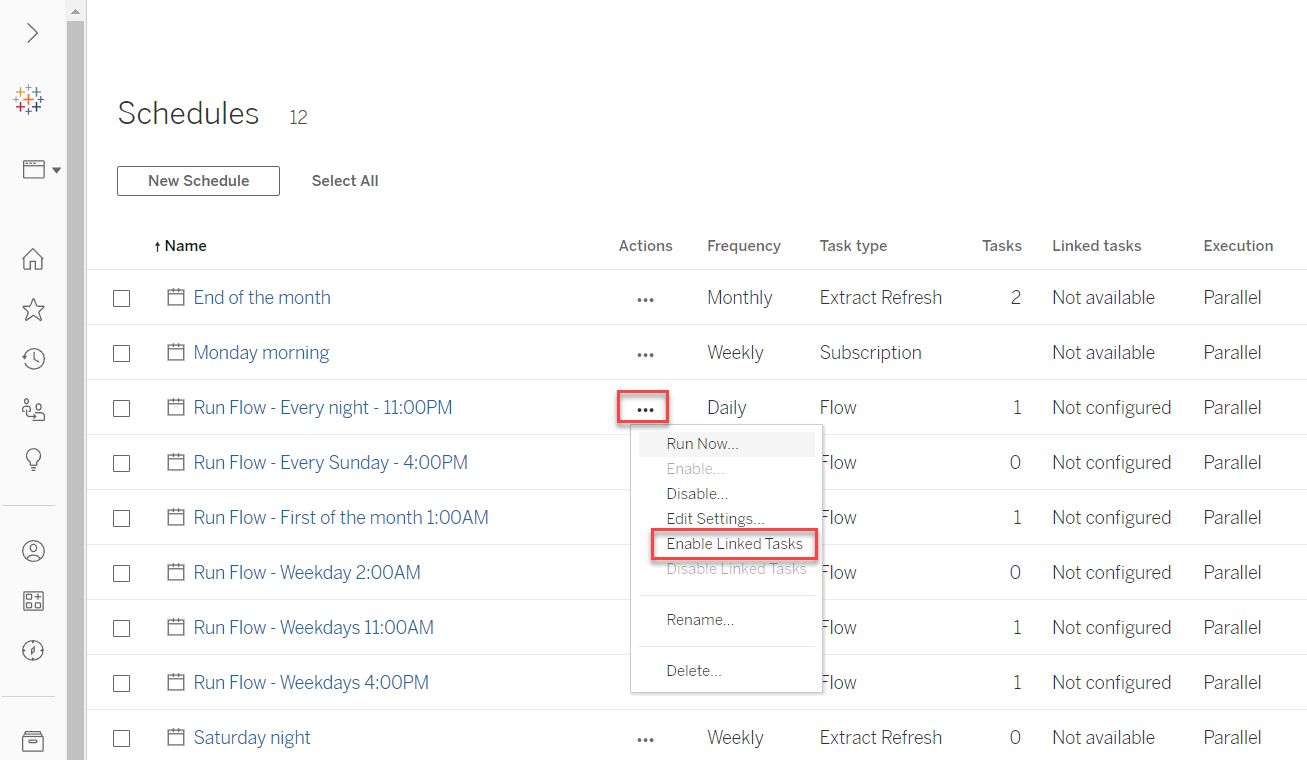
On Tableau Server, from [Schedules], Enable linked tasks function of the existing flow schedules by [Actions]>[Enable Linked Tasks] like below.
Option 2
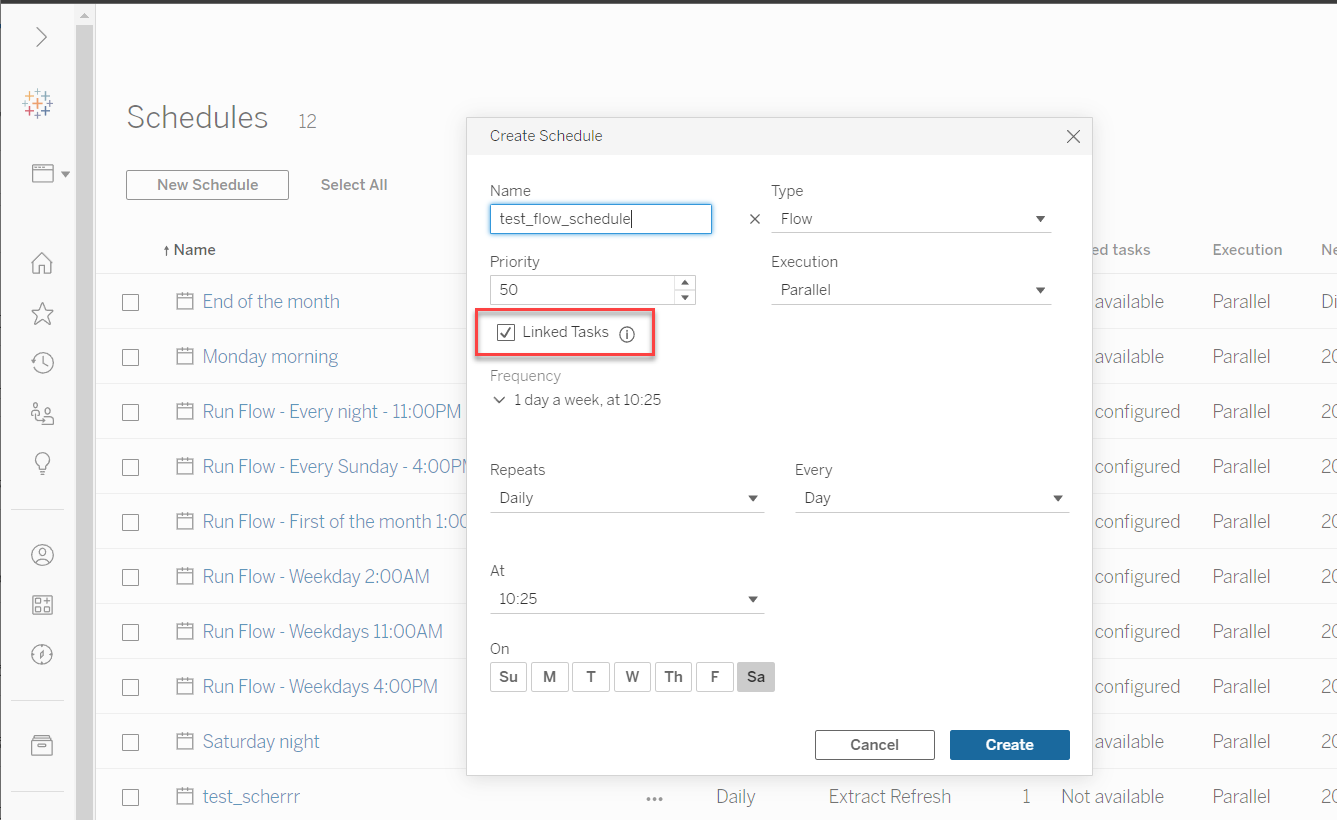
On Tableau Server, from [Schedules], create a new flow schedule and enable its linked tasks function like below.
其他資源
For those existing flow schedules created in prior versions, if you have not enabled linked tasks function for them, then you need to configure each of them to enable linked tasks function manually.
For more details, please refer to Create Schedules for Flow Tasks.
知識文章編號
001498703
此文章是否解決您的問題?
請讓我們知道,以便我們改進!
