Выбрать организацию
How to auto enable/disable horizontal scrollbar according to the dimension size in cross table
Дата публикации: May 7, 2026
Задача
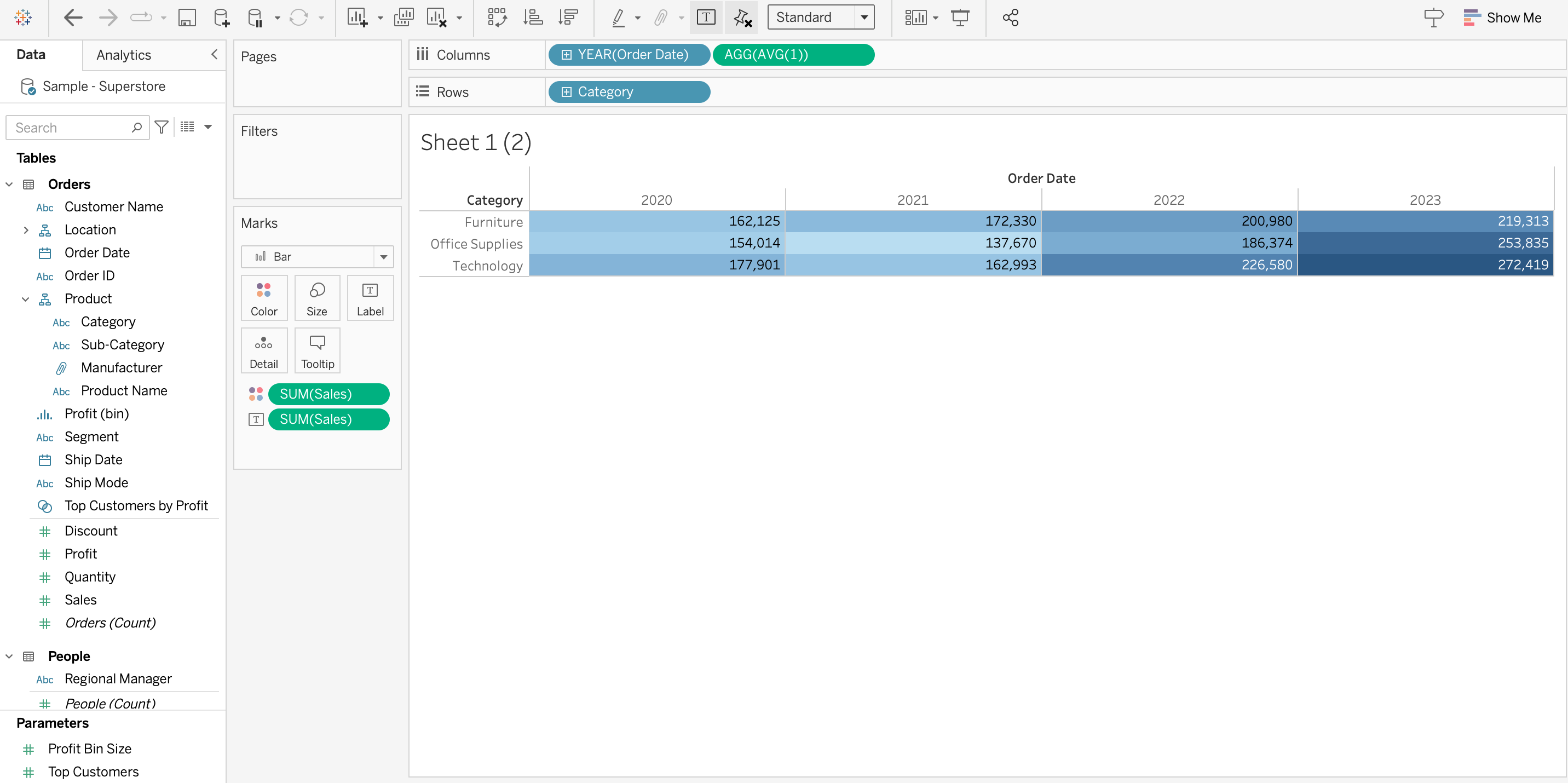
When there are few dimentions: (without a scrollbar)
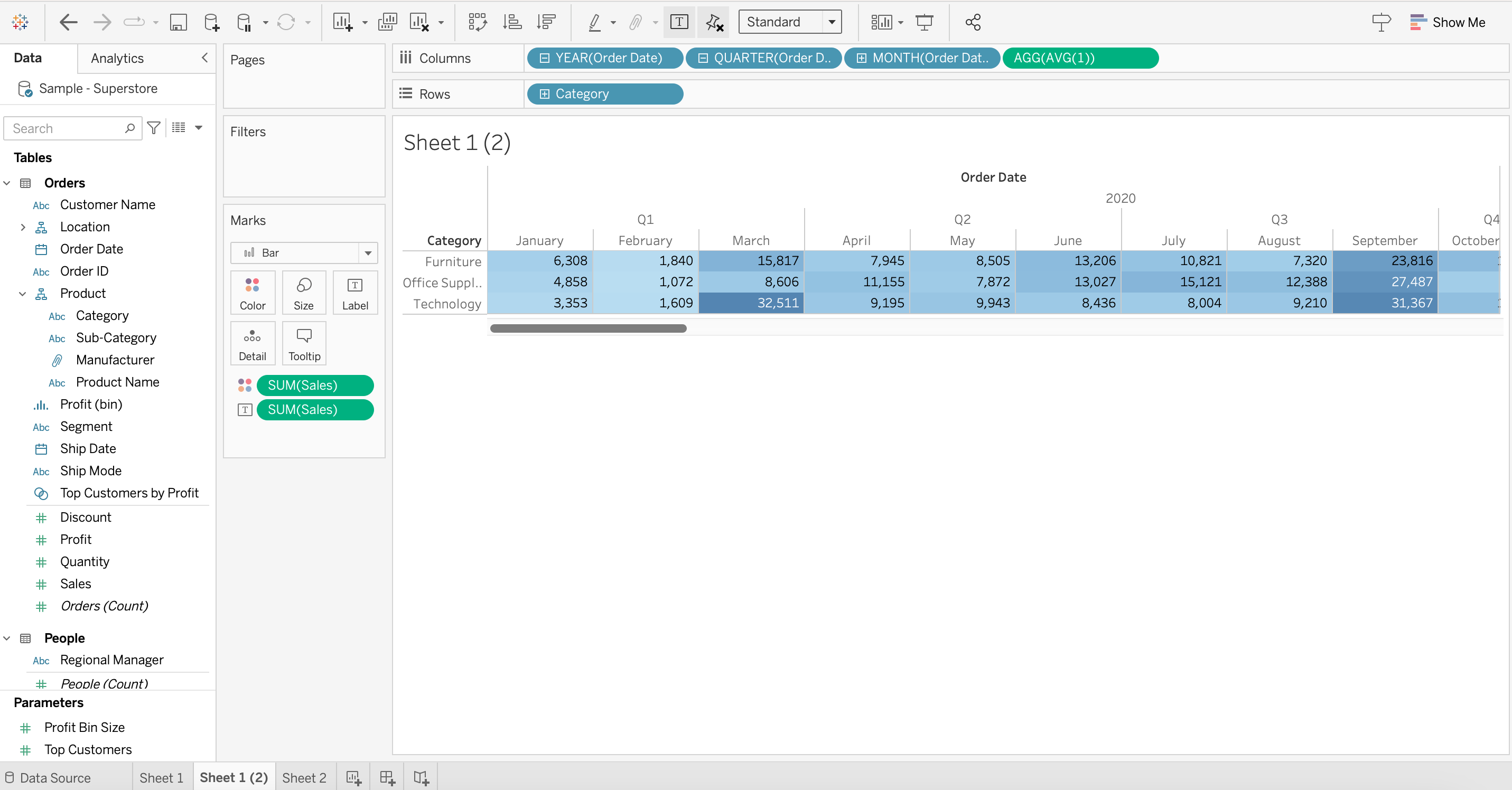
When there are many dimentions: (with a scrollbar)
Действия
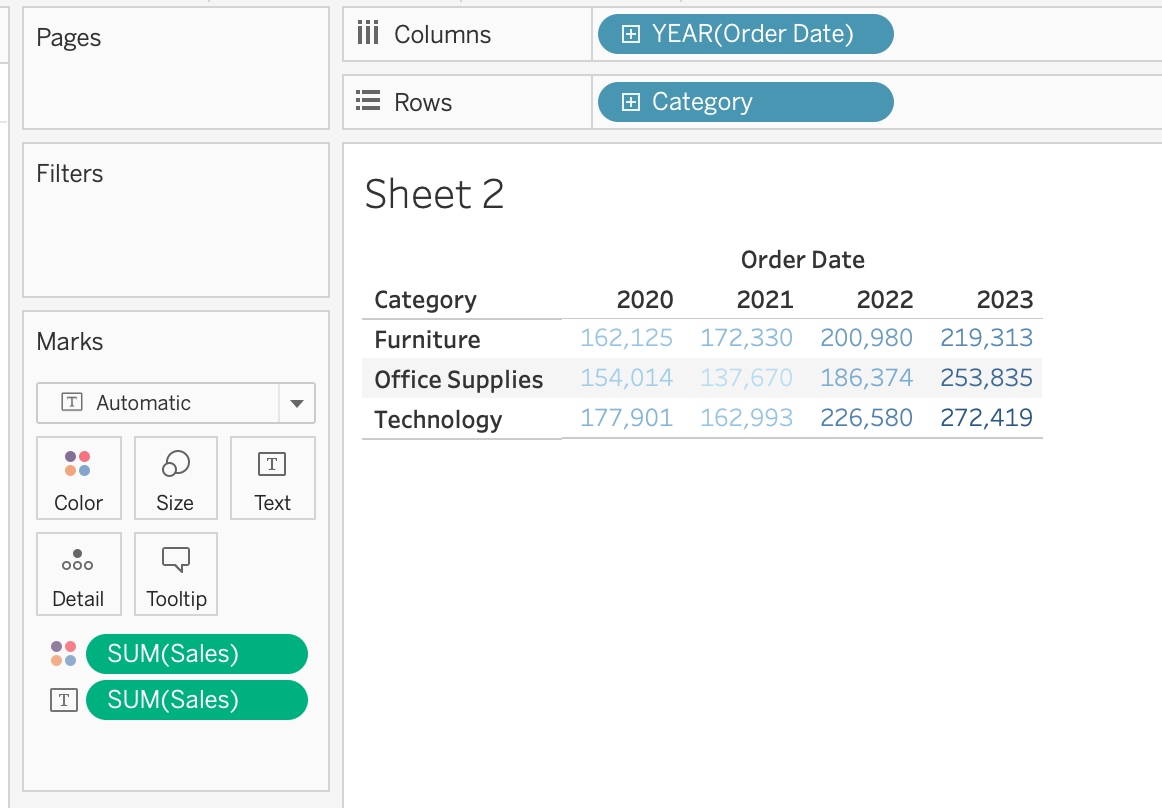
2. Double click on blank space in [Columns], enter AVG(1)

3. Right click on axis > [Edit Axis] > set [Range] as [Fixed]: start at 0 end at 1
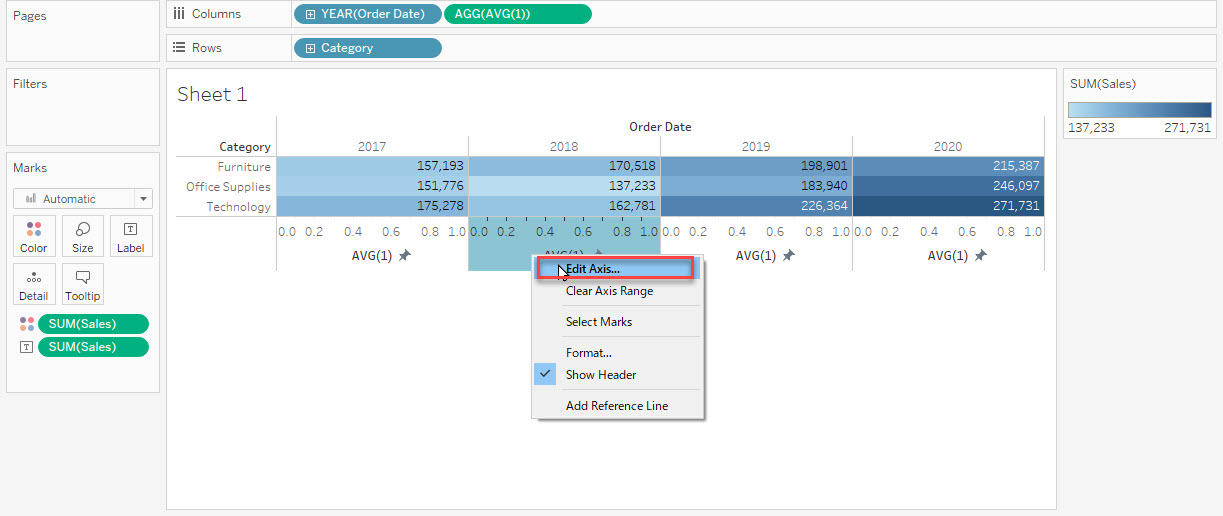
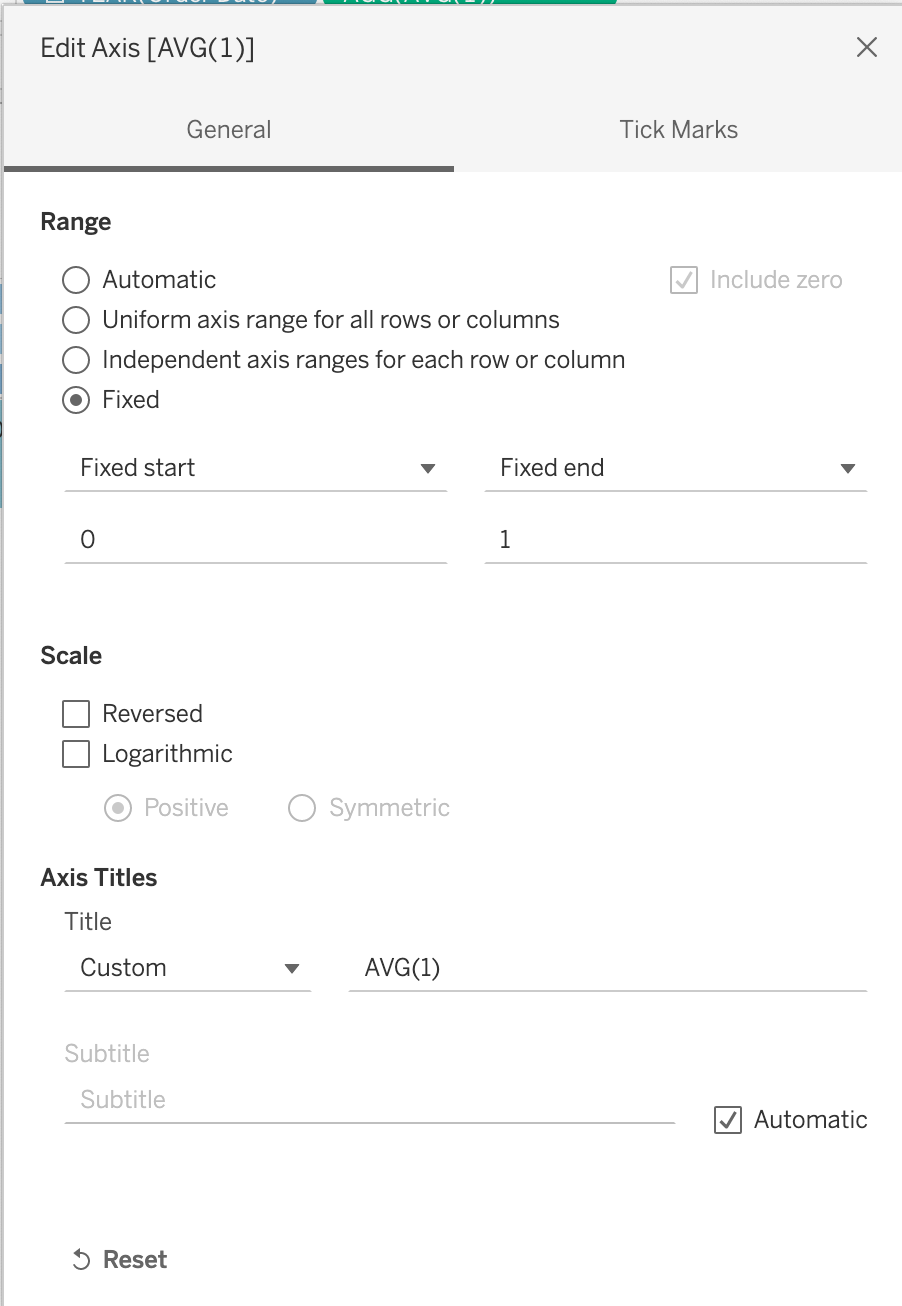
4. Right click on axis > Uncheck [Show Header]
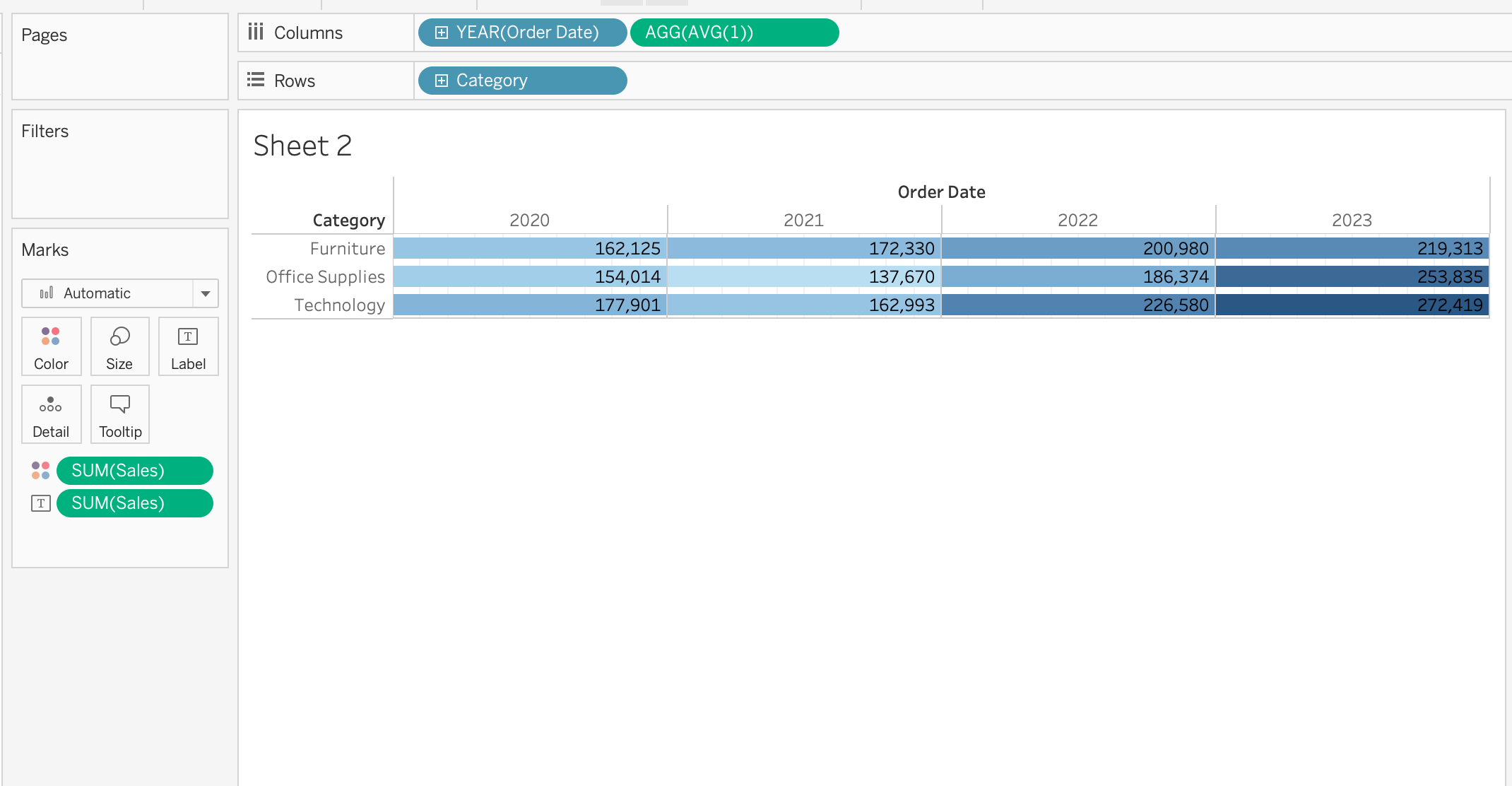
5. Keep [Fit] as [Standard]

Дополнительные ресурсы
Номер статьи базы знаний
001498726
Эта статья решила вашу проблему?
Оставьте свой отзыв, чтобы мы могли стать лучше!
