Seleziona un'organizzazione
How to Display RUNNING_SUM After a Specific Year and Month
Data pubblicazione: Feb 24, 2026
Operazione
How to display RUNNING_SUM after a specific year and month?
Fasi
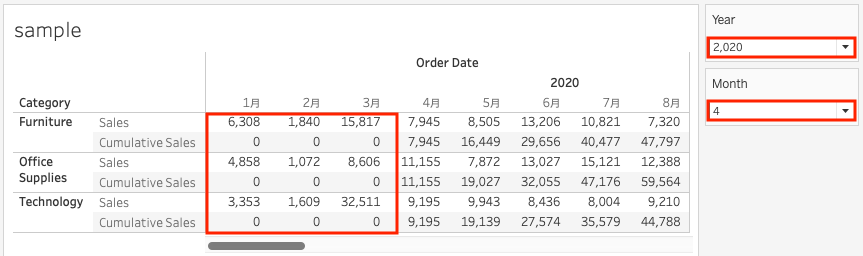
1. Add Year(Order Date) and Month(Order Date) to Columns.
2. Add Category to Rows.
3. Create parameters as follows;
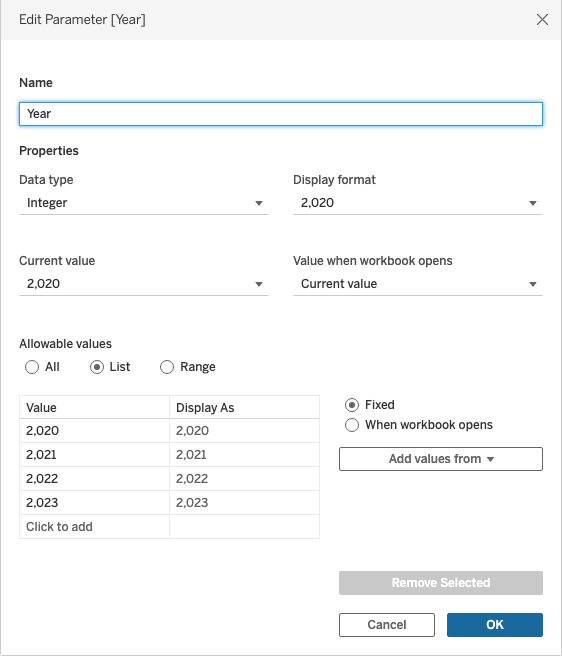
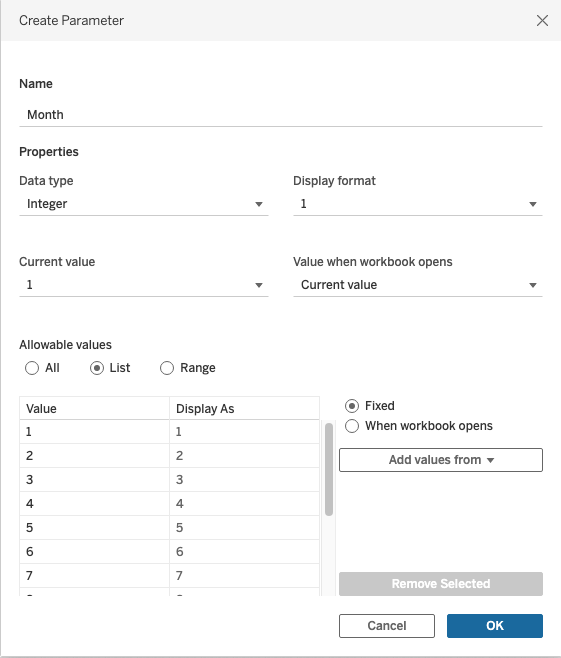
4. Create a calculated field and name it Cumulative Sales.
RUNNING_SUM(SUM(
    IF DATEPART('year', [Order Date]) >= [Year] AND DATEPART('month', [Order Date]) >= [Month] THEN [Sales]
    ELSE 0
    END
))
5. Add Cumulative Sales to Text.Numero articolo Knowledge
001498727
Questo articolo ha risolto il problema?
Facci sapere, così possiamo migliorare!
