Seleziona un'organizzazione
How to connect to JSON format files with Tableau Prep Builder
Data pubblicazione: May 7, 2025
Operazione
How to connect to JSON format files with Tableau Prep Builder?
Currently Tableau Prep Builder does not support JSON format files.
Fasi
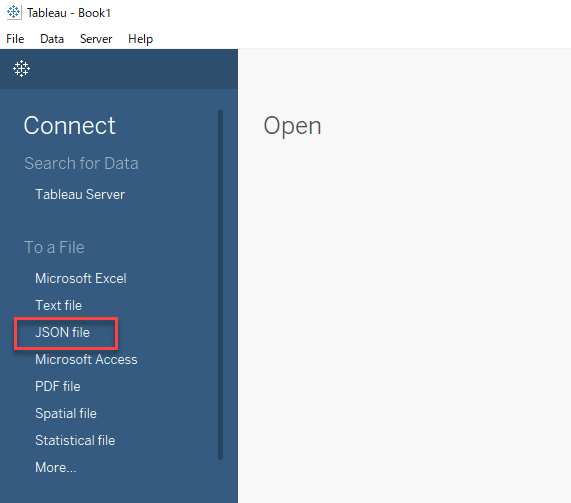
1. Open Tableau Desktop, click [JSON file] to connect to your JSON file.
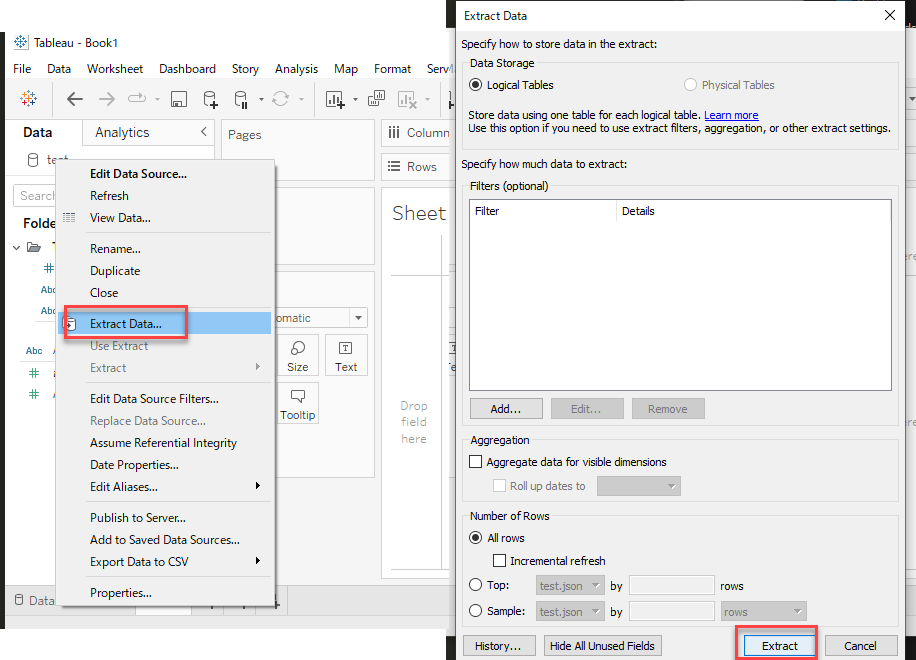
2. In Data Pane of Tableau Desktop, Right click your JSON datasource, then click [Extract Data...] > [Extract] to save your data as a .hyper file.
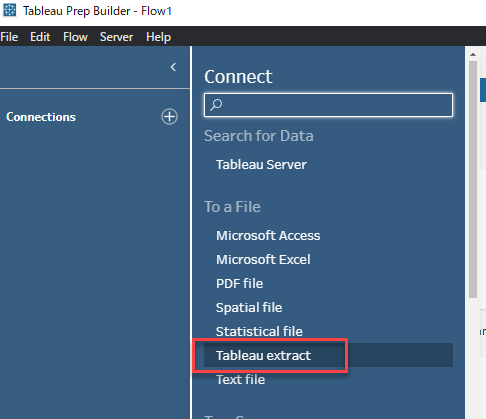
3. Open Tableau Prep Builder, click [Tableau extract] to connect to the .hyper file you saved at step 2.
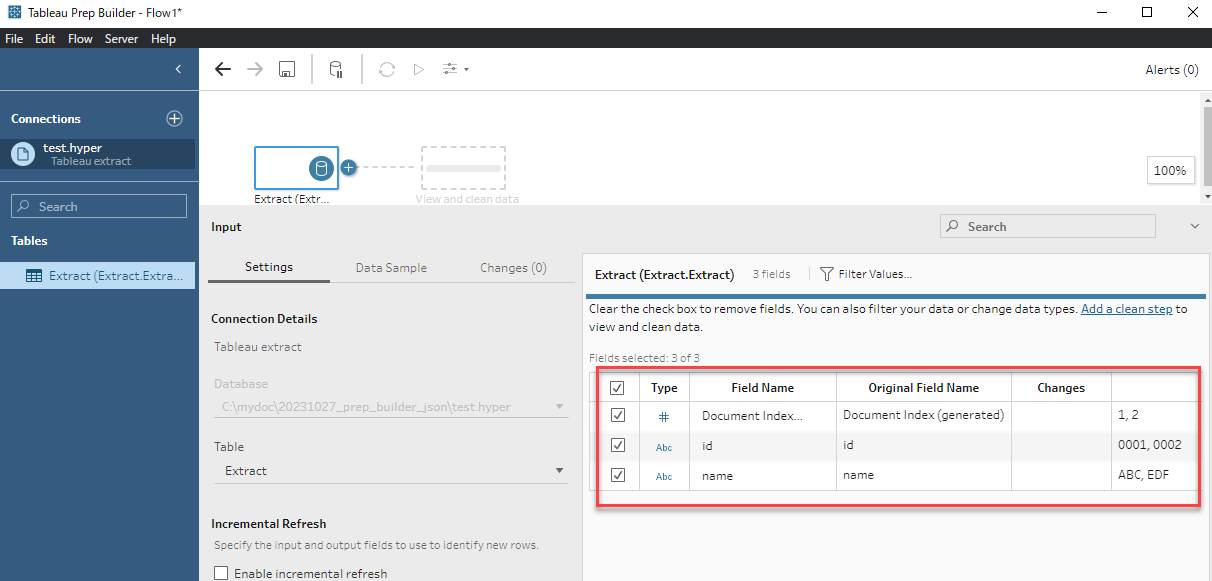
4. In Tableau Prep Builder, confirm the data is loaded well, then go ahead to do your data cleaning work.
Risorse aggiuntive
Please vote to include this function into Tableau Prep by voting in the Tableau Salesforce Idea to Add JSON File connector to Tableau Prep.
Numero articolo Knowledge
001498735
Questo articolo ha risolto il problema?
Facci sapere, così possiamo migliorare!
