Seleccionar una organización
Messages Not Loading in Chat Window on VPN or Secured Network
Fecha de publicación: May 19, 2026
Descripción
Issue Screenshot:
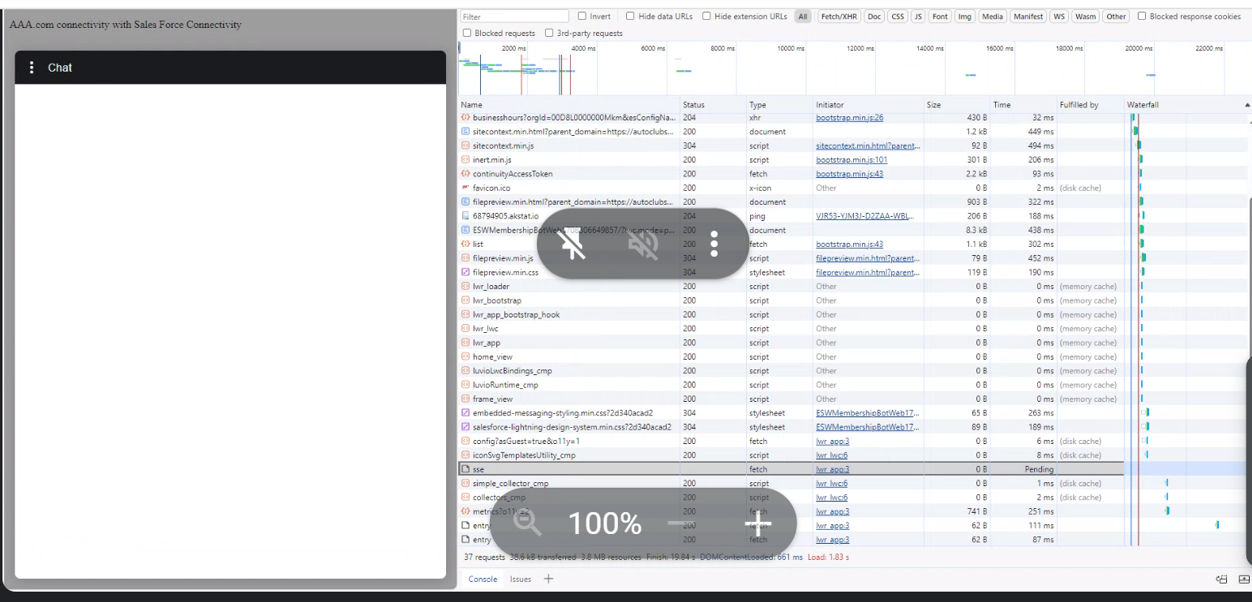
If you are on a VPN or using a secured/proxy network and messages in the Chat window are not automatically refreshing or appearing, this may be caused by your network proxy blocking Server-Sent Events (SSE) traffic used by Salesforce Chat.
Solución
This issue is caused by network proxy settings blocking SSE (Server-Sent Events) connections.
To resolve this:
1. Contact your IT/Network team and ask them to allow SSE traffic or disable chunked-encoding and buffering on your proxy for Salesforce domains.
2. If using a corporate VPN, try connecting without VPN to confirm if the VPN is the cause. 3. Review your browser's network settings for any proxy configurations that may be interfering.
Recursos adicionales
Número del artículo de conocimiento
001498777
¿Resolvió este artículo su problema?
¡Háganos saber cómo podemos mejorar!
