Seleziona un'organizzazione
Unable to Open Flow File When Connecting to Files in a Shared Folder
Data pubblicazione: Mar 20, 2026
Descrizione
An error will occur opening a Flow file in Tableau Prep Builder:
Can't open the flow
There was a problem opening the flow file. There might be a problem with the file path, file extension or the data may be corrupt.
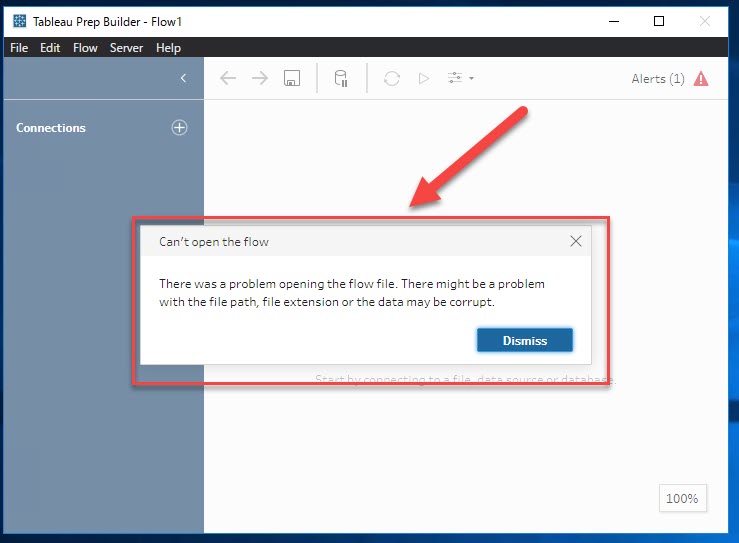
The log.txt file contained an error such as:
excp-msg : Unable to connect to the file "\\shared folder\tableau\XXXXX\fileName.xlsx". Check that the file exists and that you have sufficient access privileges for it.
Cause
The Flow is using files in a shared folder as input, and the end user does not have access to the shared folder.
Risoluzione
The Flow could be opened and run on Tableau Server or Tableau Cloud, but could not be opened on a local machine. Copy and paste the shared folder path to Windows File Explorer. If access is required, this means you could not use the Windows account on this local machine to access the files in the Flow.
Please consider the following options for this issue.
Option 1:
Work with your Network Team to grant access permission from the local machine to the shared folder.
Option 2:
Use another machine that has access to the shared folder to open and edit the flow.
Risorse aggiuntive
Visit the Tableau Community - Unable to Open a Prep Flow
Numero articolo Knowledge
001534130
Questo articolo ha risolto il problema?
Facci sapere, così possiamo migliorare!
