Valitse organisaatio
Could Not Start Tableau Desktop or Tableau Prep Because Uninstall Window(Modify Setup) Is Shown
Julkaisupäivä: Feb 28, 2025
Kuvaus
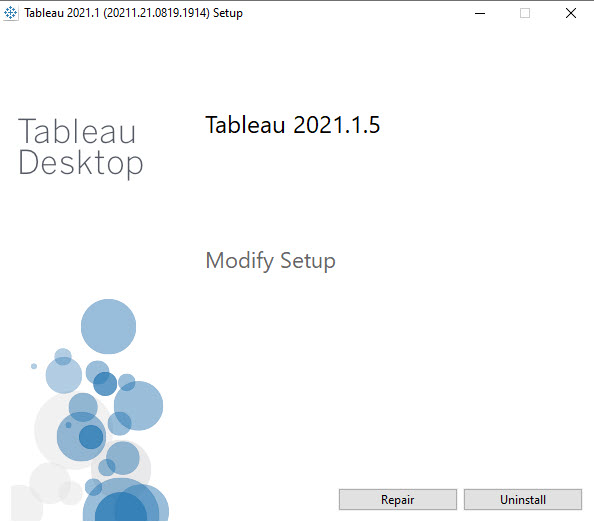
After installing Tableau Desktop or Tableau Prep Builder, double clicking the icon displays
[Modify Setup] dialog below and the application cannot be started.
Ratkaisu
For Tableau Desktop:
- Move to the folder in which Tableau Desktop is installed. For example, the default path is : [C:\Program Files\Tableau\Tableau 2021.3]
- Move to [bin] folder.
- Find [tableau.exe] and right-click it, select [Create Shortcut].
- After creating the shortcut in Desktop, double click it to start Tableau Desktop.
- Move to the folder in which Tableau Prep is installed. For example, the default path is : [C:\Program Files\Tableau\Tableau Prep Builder 2021.3]
- Find [Tableau Prep Builder.exe] and right-click it, select [Create Shortcut].
- After creating the shortcut in Desktop, double-click it to start Tableau Prep.
Knowledge-artikkelin numero
001534218
Ratkaisiko tämä artikkeli ongelmasi?
Anna palautetta, jotta voimme kehittyä!
