選擇組織
Ability To Show Tooltip Only On Click And Not On Hover
發佈日期: Feb 18, 2025
描述
Cause
The ability to show Tooltip only on click and not on hover is currently not built into Tableau Desktop.解決方案
Creating the graph to be displayed in tooltips.
1. Connect to Sample Superstore.
2. Create a new sheet named 'Drill Down'.
3. Drag Sub-Category to Rows and Sales to Text.
Step 2
Creating the main graph.
4. Create a new sheet named 'Main Sheet'.
5. Drag Sales to Columns and Category to Rows.
6. Click on Tooltip > Insert > Sheets > Drill Down > OK
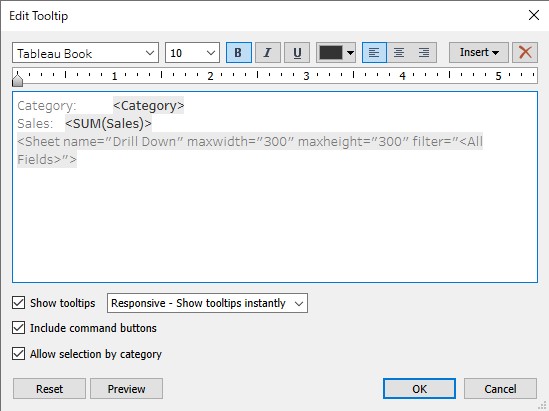
7. Create new Calculated Field as following.
Name : ON
Calculation : 1
8. Create new Calculated Field as following.
Name : OFF
Calculation : 0
9. Drag ON and OFF to Detail > Right clicking > Change both to Attribute.
10. Create new Parameter as following.
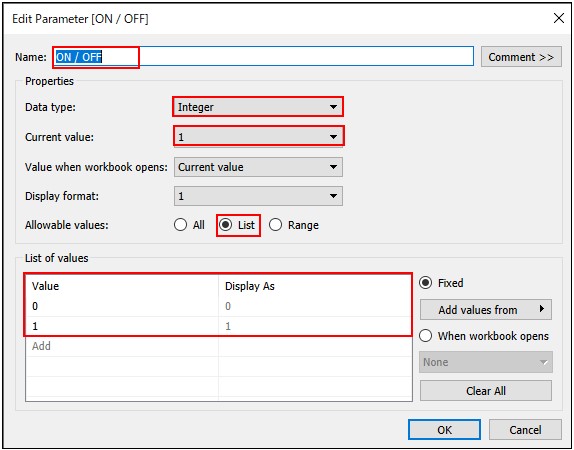
11. Create new Calculated Field as following.
Name : ON / OFF
Calculation : IF [ON / OFF] = 1
THEN TRUE
ELSE FALSE
END
12. Move to Sheet -Drill Down > drag ON / OFF to Filter pane and check 'TRUE' .
Step 3
Creating the Dashboard and Parameter Actions.
13. Create new Dashboard and drag sheet -Main Sheet to view.
14. In toolbar Dashboard > Actions > Add Action > Change Parameter > Create 2 parameter actions as following.
Parameter Action 1
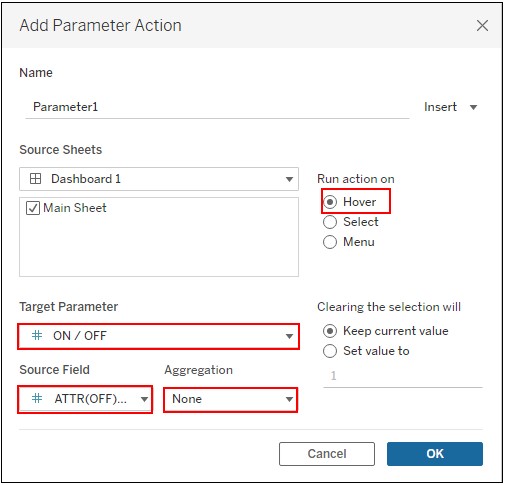
Parameter Action 2
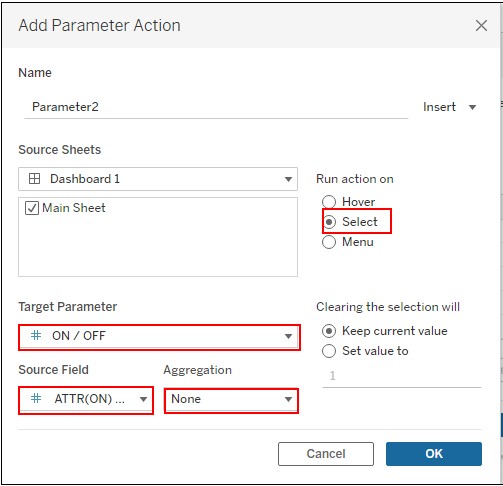
IMAGE
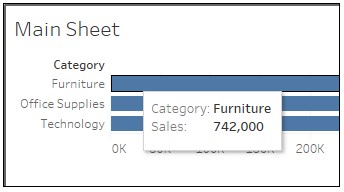
When hovering
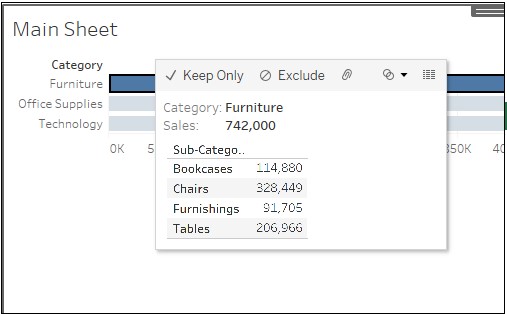
When Clicking
知識文章編號
001534251
此文章是否解決您的問題?
請讓我們知道,以便我們改進!
