Выбрать организацию
Activating Tableau Server with a Forward Proxy that Performs SSL Inspection Prompts for an Offline Activation
Дата публикации: Mar 3, 2025
Описание
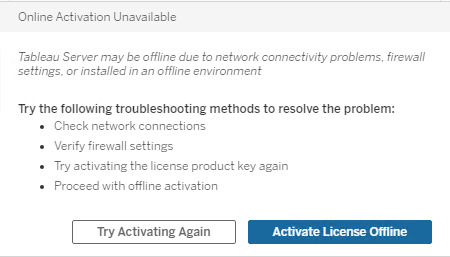
When activating/deactivating Tableau Server, the prompt "Online Activation Unavailable" will appear and request to "Activate License Offline".
Cause
Tableau Server is unable to validate certificates presented from the Proxy/Load Balancer configurations that performs SSL Inspection.Решение
Workarounds
Option 1: Disable SSL Inspection
By disabling SSL inspection, the appropriate certificates will be presented to Tableau Server allowing for the SSL handshake to complete.Option 2: Bypass the proxy for licensing.tableau.com
An exception can be granted to calls heading toward licensing.tableau.com:443 so that requests headed to our Tableau licensing servers will not have the SSL certificates intercepted and modified.Дополнительные ресурсы
ERROR com.tableausoftware.tabadmin.webapp.GlobalExceptionHandler - RestException: Licensing Error: Licensing Service Unavailable
com.tableausoftware.tabadmin.webapp.exceptions.RestException: com.tableausoftware.license.dll.ConnectException: Function flxActSvrReturnSend returned error (50041, 41143, 34) LM_TS_CONNECTION_FAILED
Tableau could not connect to the licensing server or FlexNet Operations Server. Verify the product key is correct and the primary or online licensing server can be accessed by ports 27000-27009.
A network capture may display the following "Unknown CA" alert during the SSL handshake to Tableau's licensing servers:

Номер статьи базы знаний
001534280
Эта статья решила вашу проблему?
Оставьте свой отзыв, чтобы мы могли стать лучше!
