Velg en organisasjon
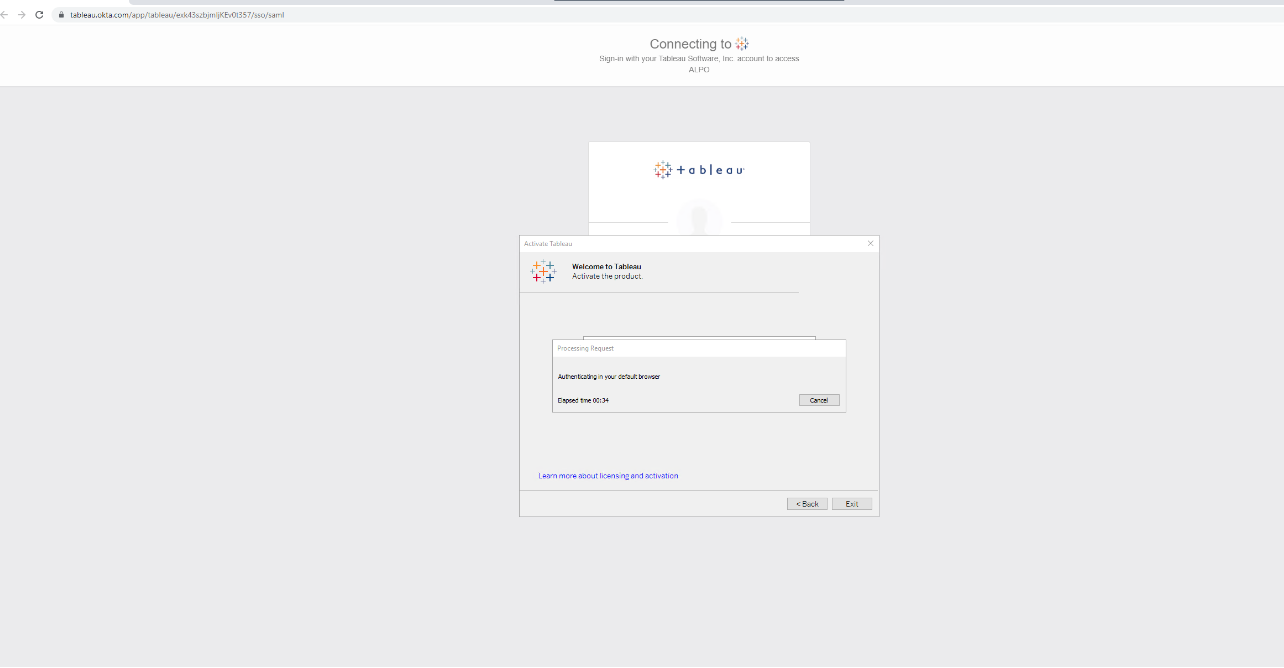
Activating Tableau Desktop via LBLM, the pop-up browser authentication page is covered by the activation dialog
Publiseringsdato: Feb 20, 2025
Beskrivelse
When activating Tableau Desktop via LBLM, the pop-up browser authentication page can be covered by the activation dialog menu. If the display screen is small (e.g 13 inch), then it is difficult to adjust the browser size and location of this pop up in order to complete the authentication.
Cause
By design.Løsning
On Tableau Server instance, open the Command Prompt and perform the following:
- tsm configuration set -k wgserver.authentication.desktop_externalbrowser -v false
- tsm pending-changes apply
Knowledge-artikkelnummer
001534323
Hjalp denne artikkelen med å løse problemet ditt?
La oss få vite det slik at vi kan forbedre!
