Velg en organisasjon
Scroll Bar Missing from Parameter Dropdown after Upgrade to Tableau Server 2023.1.4
Publiseringsdato: Jan 28, 2025
Beskrivelse
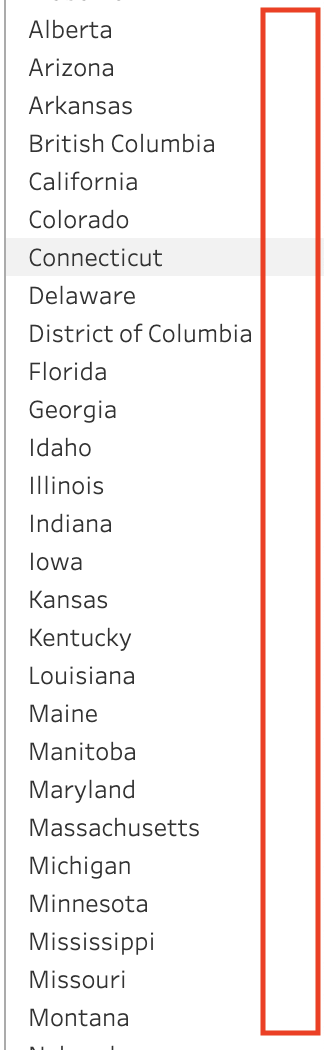
After upgrading to Tableau Server 2023.1.4, workbooks that contain a parameter dropdown are not displaying the scroll bar as expected.
Cause
This issue is now fixed. More information can be found on the Salesforce Known Issue website with ID W-13916322.
Løsning
Option 1: Upgrade to Tableau Server 2023.1.5 or later
Option 2: Utilize alternate Parameter control list option
-
For example, if 'Single Value (dropdown)' parameter control list does not display scroll bar, utilize 'Single Value (list)', 'Single Value (Slider)', or 'Type In' parameter control options. See Show a parameter control in the viz
Option 3: Hover Over Scroll Bar Area in Dropdown
- In some cases, hovering your mouse over the area of the dropdown menu where the scroll bar typically appears (right-hand side) allows for the scroll bar to render as expected
Option 4: Utilize Keyboard Arrow Keys
- Utilizing keyboard arrow keys and typing the first letter of the search item should help drive navigation
Knowledge-artikkelnummer
001534815
Hjalp denne artikkelen med å løse problemet ditt?
La oss få vite det slik at vi kan forbedre!
