Выбрать организацию
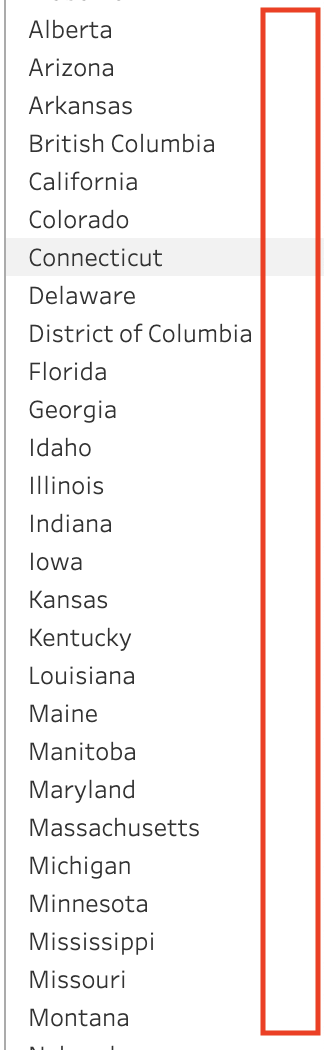
Scroll Bar Missing from Parameter Dropdown after Upgrade to Tableau Server 2023.1.4
Дата публикации: Jan 28, 2025
Описание
After upgrading to Tableau Server 2023.1.4, workbooks that contain a parameter dropdown are not displaying the scroll bar as expected.
Cause
This issue is now fixed. More information can be found on the Salesforce Known Issue website with ID W-13916322.
Решение
Option 1: Upgrade to Tableau Server 2023.1.5 or later
Option 2: Utilize alternate Parameter control list option
-
For example, if 'Single Value (dropdown)' parameter control list does not display scroll bar, utilize 'Single Value (list)', 'Single Value (Slider)', or 'Type In' parameter control options. See Show a parameter control in the viz
Option 3: Hover Over Scroll Bar Area in Dropdown
- In some cases, hovering your mouse over the area of the dropdown menu where the scroll bar typically appears (right-hand side) allows for the scroll bar to render as expected
Option 4: Utilize Keyboard Arrow Keys
- Utilizing keyboard arrow keys and typing the first letter of the search item should help drive navigation
Номер статьи базы знаний
001534815
Эта статья решила вашу проблему?
Оставьте свой отзыв, чтобы мы могли стать лучше!
