Sélectionner une organisation
Tableau Desktop Freezes When Using Crosstab to Excel Function With a Large Amount of Data
Date de publication: Apr 13, 2024
Description
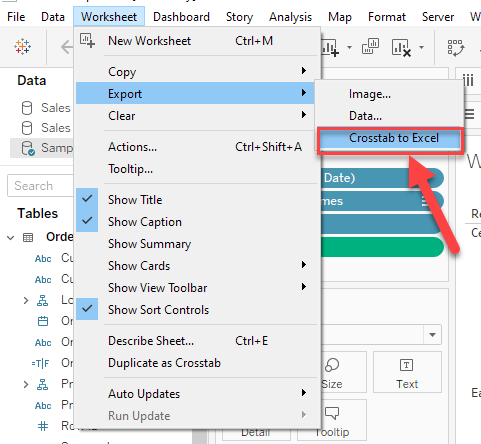
Tableau Desktop freezes when exporting data with the Worksheet > Export > Crosstab to Excel function and using a very large data set.
Generally, Tableau Desktop will not be responsive until Excel opens with the exported data.
For small data in the view, it takes seconds to complete export and Tableau Desktop freezes for a short time.
But when the data is large in the view(e.g. 1 million rows of data), Tableau Desktop can freeze for over 1 hour.
Cause
Tableau Desktop stops functioning before the export process is complete when the time is excessive for Excel to build the file.Résolution
Download Views and Workbooks
Numéro d’article de la base de connaissances
001534946
Cet article a-t-il résolu votre problème ?
Dites-nous ce que nous pouvons améliorer !
