Velg en organisasjon
Tableau Desktop Freezes When Using Crosstab to Excel Function With a Large Amount of Data
Publiseringsdato: Apr 13, 2024
Beskrivelse
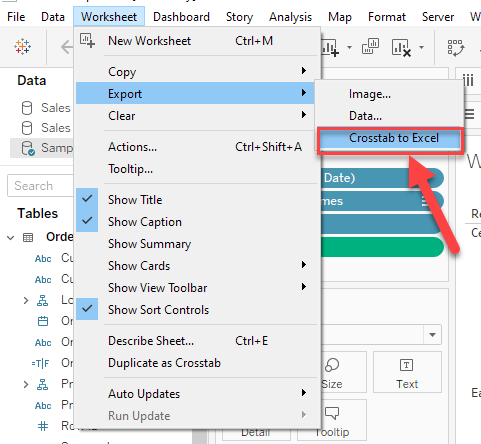
Tableau Desktop freezes when exporting data with the Worksheet > Export > Crosstab to Excel function and using a very large data set.
Generally, Tableau Desktop will not be responsive until Excel opens with the exported data.
For small data in the view, it takes seconds to complete export and Tableau Desktop freezes for a short time.
But when the data is large in the view(e.g. 1 million rows of data), Tableau Desktop can freeze for over 1 hour.
Cause
Tableau Desktop stops functioning before the export process is complete when the time is excessive for Excel to build the file.Løsning
Download Views and Workbooks
Knowledge-artikkelnummer
001534946
Hjalp denne artikkelen med å løse problemet ditt?
La oss få vite det slik at vi kan forbedre!
