Выбрать организацию
Changing The Background Color Of The Tooltip
Дата публикации: Apr 13, 2024
Описание
Cause
This feature is not built in Tableau Desktop yet.Решение
As a workaround try the following steps.
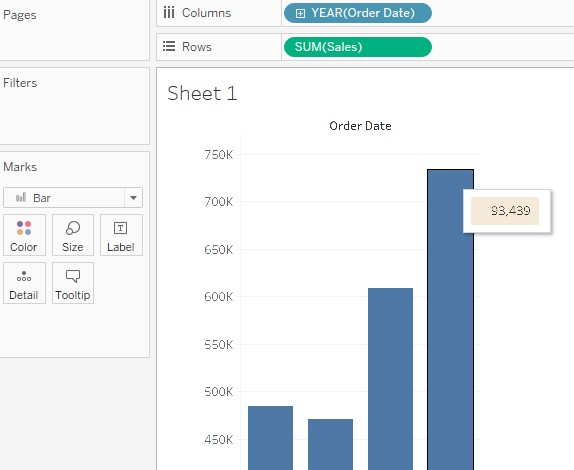
Procedure
1. Connect to Sample - Superstore.
2. Drag and drop [Order Date] to Columns.
3. Drag and drop [Sales] to Rows.
4. Create a new sheet.
5. Drag and drop [Profit] to Text.
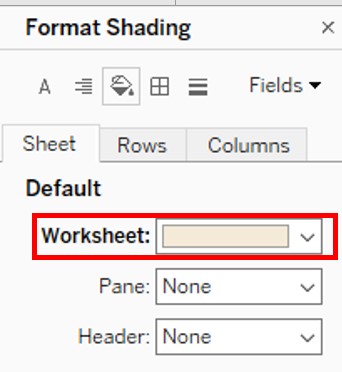
6. Click Format in tool bar, and click Shading.
7. In Format Shading, configure the shading settings.
8. In Sheet1, click the Tooltip in the Marks card.
9. Enter the following
<Sheet name="Sheet 2" maxwidth="300" maxheight="300" filter="<All Fields>">
Номер статьи базы знаний
001534977
Эта статья решила вашу проблему?
Оставьте свой отзыв, чтобы мы могли стать лучше!
