組織を選択
How to display Data quality warning notifications for extract refreshes that use Tableau Bridge
公開日: Aug 24, 2026
説明
When the extract refresh is via Tableau Bridge, even if the job succeeds, the label does not disappear, with the following steps on Tableau Cloud
- Access to a data source that connected via Tableau Bridge with private network.
- Change the Network type to "Tableau Cloud", and run refresh extracts now, the job fails, and the “Extract refresh failed” data label appears.
- Change the Network type back to "Private network", and run refresh extracts now, the job succeeds, but the “Extract refresh failed” data label does not disappear.
Cause
Data quality warning notifications aren't displayed for extract refreshes that use Tableau Bridge.https://help.tableau.com/current/server/en-us/dm_dqw.htm#sitewide-monitoring-for-extract-refresh-and-flow-run-failures
解決策
Workaround
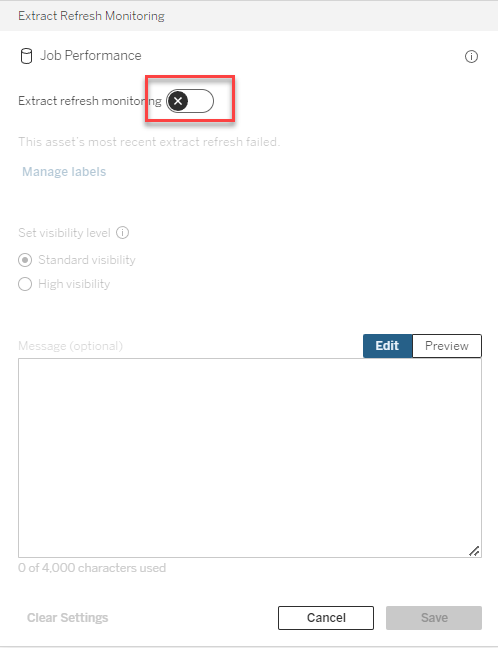
Disable "Extract refresh monitoring" and re-enable it. Then the data label will disappear.
ナレッジ記事番号
001537578
この記事で問題は解決されましたか?
ご意見をお待ちしております。
