조직 선택
How to display Data quality warning notifications for extract refreshes that use Tableau Bridge
게시 일자: Aug 24, 2026
상세 설명
When the extract refresh is via Tableau Bridge, even if the job succeeds, the label does not disappear, with the following steps on Tableau Cloud
- Access to a data source that connected via Tableau Bridge with private network.
- Change the Network type to "Tableau Cloud", and run refresh extracts now, the job fails, and the “Extract refresh failed” data label appears.
- Change the Network type back to "Private network", and run refresh extracts now, the job succeeds, but the “Extract refresh failed” data label does not disappear.
Cause
Data quality warning notifications aren't displayed for extract refreshes that use Tableau Bridge.https://help.tableau.com/current/server/en-us/dm_dqw.htm#sitewide-monitoring-for-extract-refresh-and-flow-run-failures
솔루션
Workaround
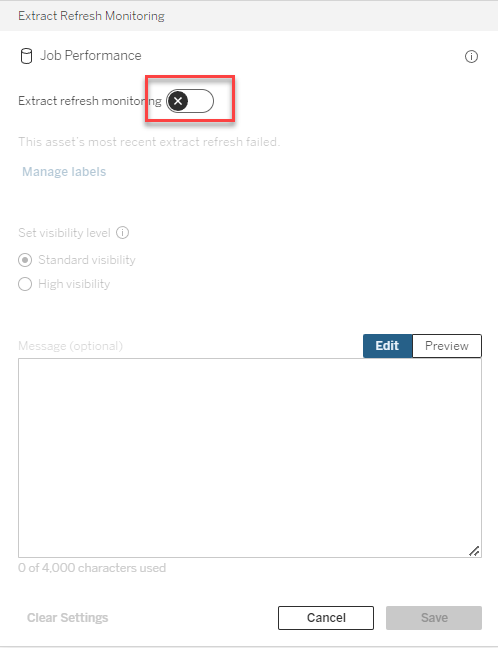
Disable "Extract refresh monitoring" and re-enable it. Then the data label will disappear.
Knowledge 기사 번호
001537578
이 기사를 통해 문제를 해결했습니까?
개선을 위한 의견을 보내주세요.
