Выбрать организацию
Tableau Cloud Getting Started and Unable To Access Site After Purchase
Дата публикации: Mar 11, 2026
Описание
When initially making a purchase for Tableau Cloud, you are unable to:
- Find a link to get started
- You are unable to login to Tableau Cloud
- You cannot add users to your site
- You cannot create the initial user
Prior to following the resolution steps, review and understand the following:
- Getting Started: When you purchase a Tableau Creator or select to purchase Tableau Creators, Explorers, and Viewers by selecting "Fully hosted by Tableau" or "Tableau-hosted with Tableau Cloud", you will be issued a Tableau Cloud tenant.
- If you converted a Tableau Cloud trial during your purchase, you may sign in to your existing tenant at https://online.tableau.com rather than following the steps below.
- Who is the Administrator: The Administrator is the individual named during the purchase process, or the Contact Information entered by your Account Representative during the purchase.
Решение
To successfully access your Tableau Cloud tenant, complete the following in order:
1. Activate your Tableau account
If you have never created a Tableau account, please activate your Tableau account first by following the instructions in the email received with the subject, "Tableau Software Account Activation" (be sure to check your inbox and spam folders). If you already have a Tableau account, you can skip this step.
2. Locate the Tableau Cloud invitation email
The Tableau Cloud Administrator will receive an invitation link via email once provisioning has been completed. Provisioning is not always immediate and can take up to 24 hours to receive the link.
Check your email inbox and spam folder for the title, "Welcome to Tableau Cloud". Please allow up to 24 hours to receive this email.
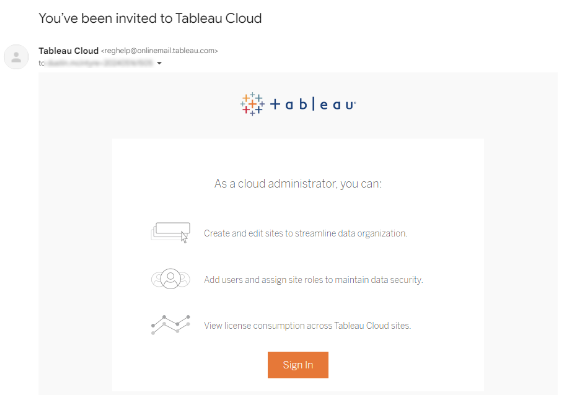
If you do not see your email after 24 hours, check the following:
- Check your SPAM folder for an email from "@cloudmail.tableau.com"
- Is your company allowing emails from "@cloudmail.tableau.com"
- See Resolution section of this Knowledge Article to learn how to allow emails
If no email is located, you can skip directly to the next step to log in to Tableau Cloud.
3. Log in to Tableau Cloud
Log in to Tableau Cloud with your username and password via the URL online.tableau.com. Your username is your email address entered in step 1 above.
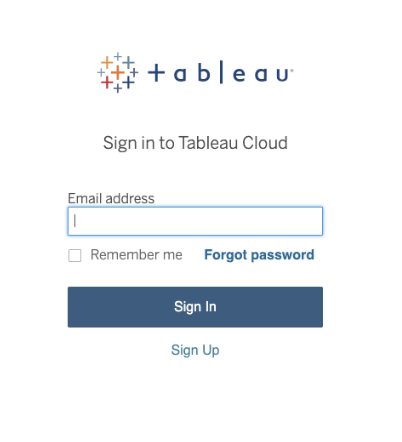
If you did not receive the Tableau Cloud invitation email from step 2, and/or your username is a member of more than one site, you may be asked for your “site URI.”
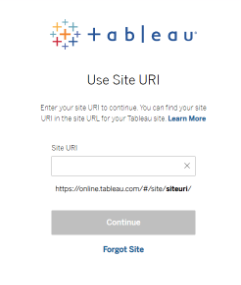
You can choose “Forgot Site” which initiates an identity verification process. This allows you to access Tableau Cloud without the original invitation email.
4. Create your site(s)
As a Cloud Administrator, you can create, edit and delete Tableau Cloud sites in the region of your choice. Cloud Administrators can also be a Site Administrator, or you can delegate this role to other users – learn more at Add, Delete, or Activate Sites.
5. Add users
If you have purchased multiple Creator, Explorer, or Viewer roles, add users to the site by following the steps in this article. The Creator users can start to use Tableau Desktop or Tableau Prep by signing in to a Server when activating. For more information on using Tableau Desktop with your new site, please review Getting Started with Tableau Cloud and Login-based License Management.
Дополнительные ресурсы
Add, Delete, or Activate Sites
Getting Started with Tableau Cloud and Login-based License Management
Resending Tableau Cloud Email Invitation When Adding a User to Tableau Cloud
Номер статьи базы знаний
001920432
Эта статья решила вашу проблему?
Оставьте свой отзыв, чтобы мы могли стать лучше!
