Selecionar uma organização
SelectRow event of the datatable embedded inside Child Flex Card is not updating the data on the Parent flexcard by event listener on UI
Data da publicação: Dec 2, 2025
Descrição
The datatable does not display a check mark when a row is selected, although the backend events are being triggered as shown in the Data JSON. The child FlexCard is configured with a datatable that includes an event listener (selectrow). This pubsub event is captured by the parent FlexCard, which uses a set-value action to update its data accordingly.
This behavior can be observed in the configuration shown below.
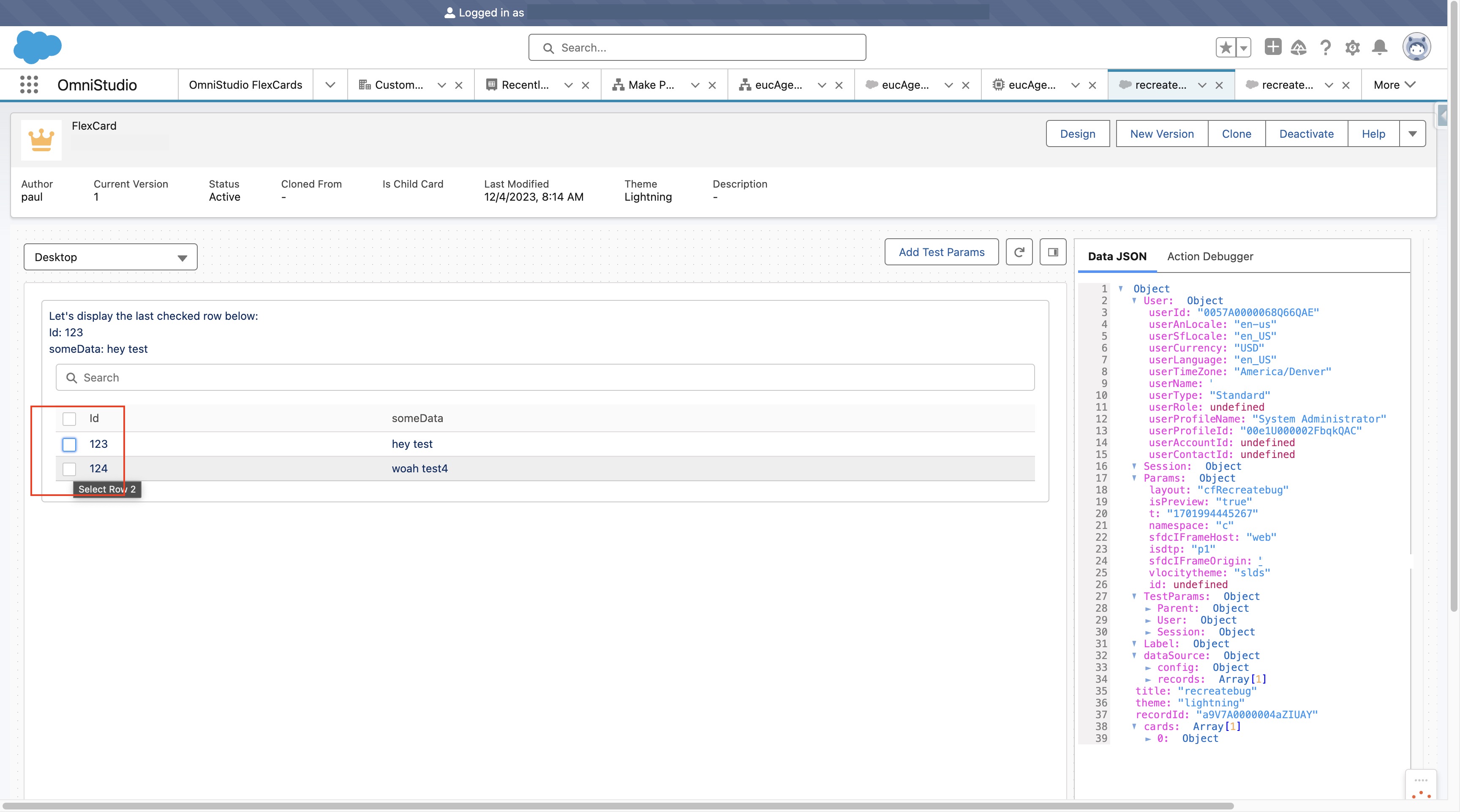
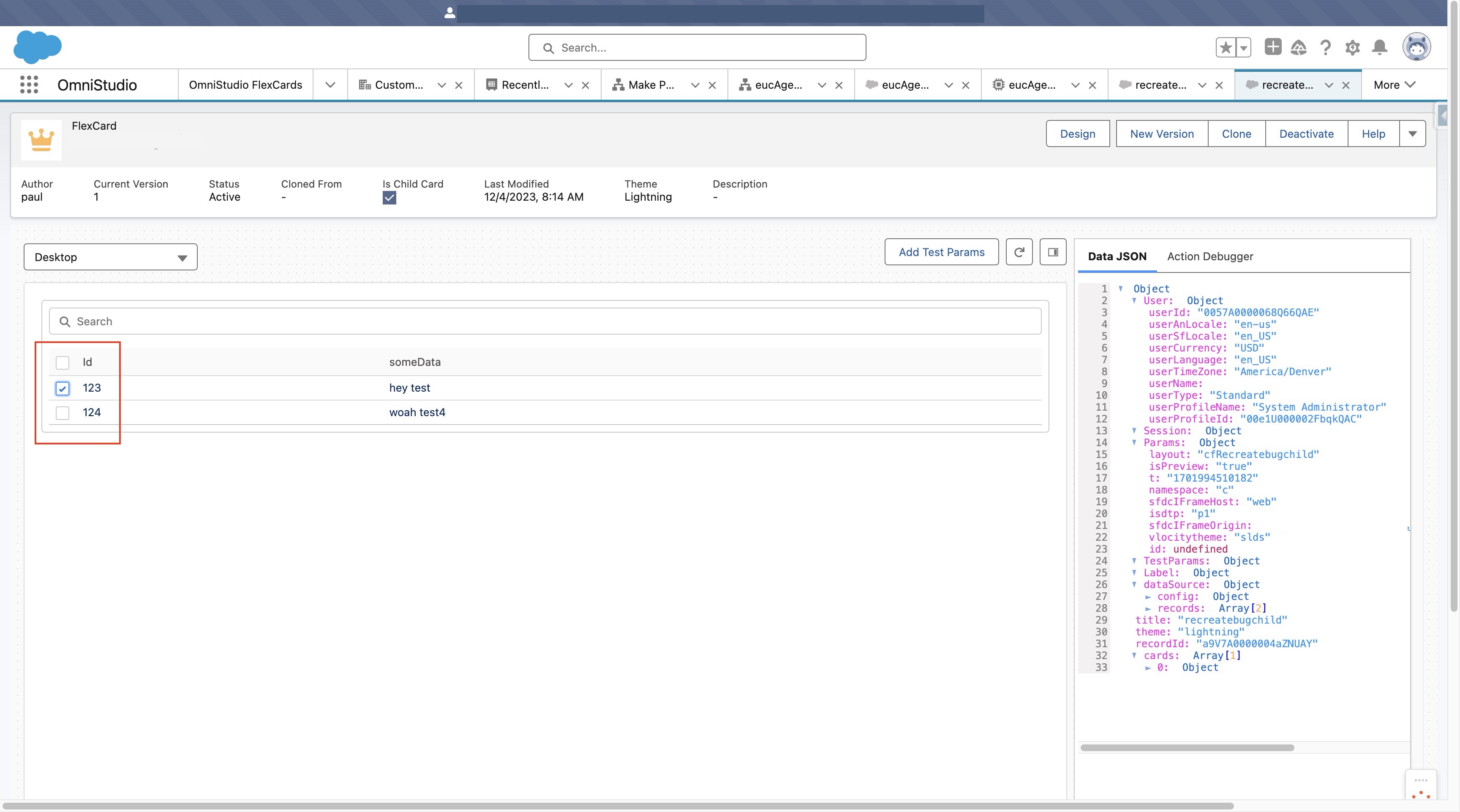
In the child FlexCard, a row can be selected, and the selection is correctly registered in the backend within the datasource object.
This behavior is expected.
Resolução
The alternate approach would be:
- Use child datasource and do not pass data from parent to child.
- SetValue to a Session Value in parent card instead of the record passed to the child.
Recursos adicionais
Set Values - Documentation to configure the workaround #2
User can setvalue to a {Session.someValue} and then pass that Session value down to the childcard using Parent attributes.
Ref. Flexcard Context Variables
Número do artigo do Knowledge
001927676
Este artigo resolveu seu problema?
Diga-nos para podermos melhorar!
