Organisation auswählen
"Open Okta Verify" Button Not Clickable When Signing In to Tableau Server or Tableau Cloud
Veröffentlichungsdatum: Feb 17, 2025
Beschreibung
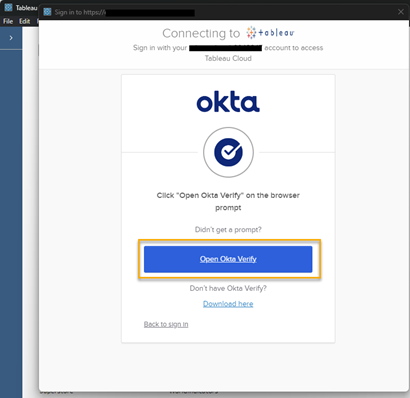
After configuring Okta SAML for SSO, the "Open Okta Verify" button in Okta FastPass is not clickable when using an embedded browser to sign in from Tableau Desktop/Tableau Prep Builder to Tableau Server/Tableau Cloud.
Lösung
Option 1:
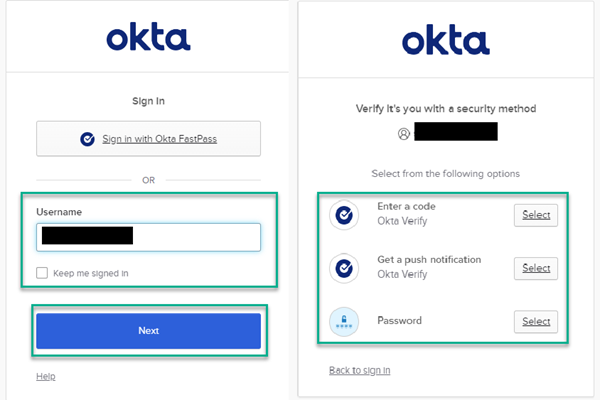
Enable and select a different security method in Okta for sign-in, such as Push Notification or Authentication Code. For more information, see okta Docs Verification options*.
Option 2:
For Tableau Desktop and Tableau Server, use the default browser on the machine instead of the embedded browser.
* Although we make every effort to ensure links to external websites are accurate, up to date, and relevant, Tableau cannot take responsibility for the accuracy or freshness of pages maintained by external providers. Contact the external site for answers to questions regarding its content.
Nummer des Knowledge-Artikels
001977269
Konnten Sie Ihr Problem mithilfe dieses Artikels lösen?
Geben Sie uns Feedback, damit wir uns verbessern können.
