Выбрать организацию
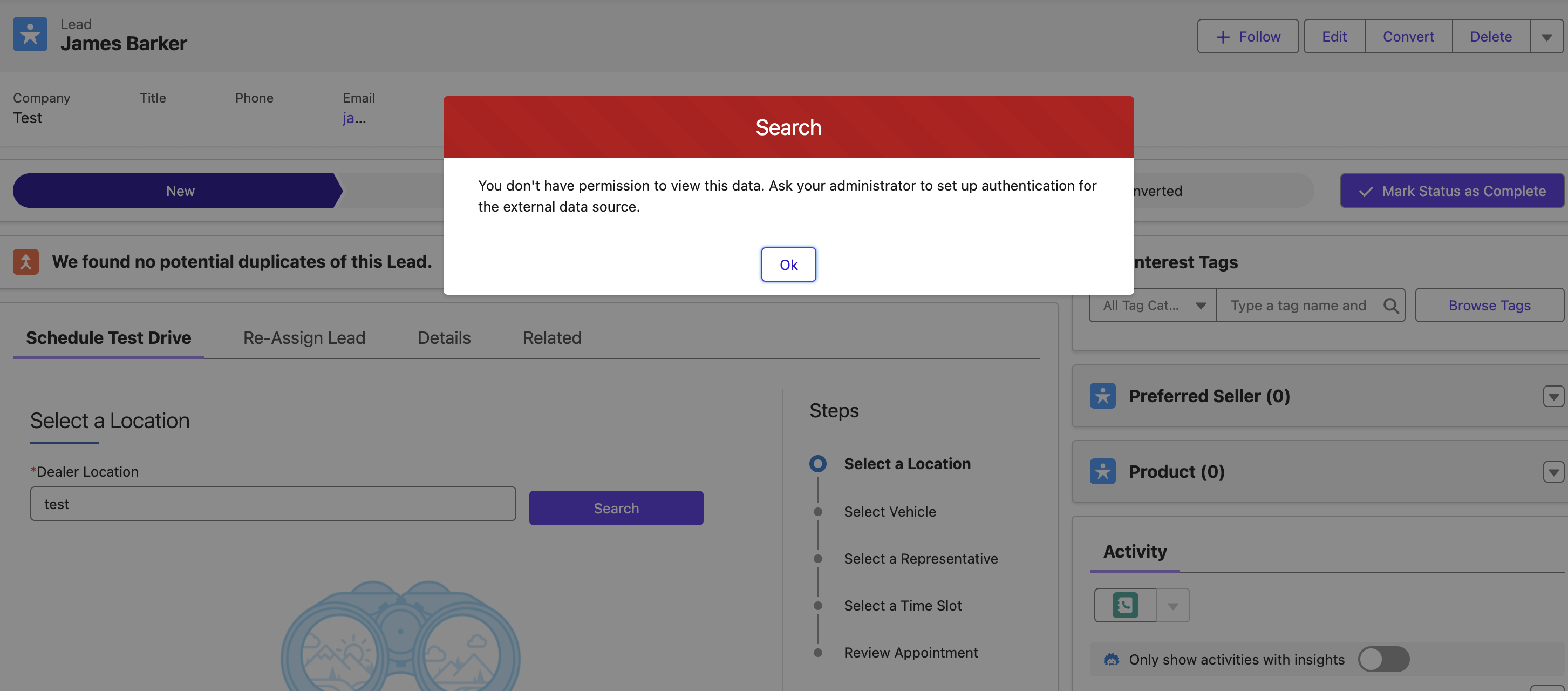
Resolve Error 'You don't have permission to view this data. Ask your administrator to set up authentication for the external data source.'
Дата публикации: Jun 10, 2025
Описание
In Automotive cloud, while trying to book an test drive appointment for a lead or an opportunity users may encounter the error 'You don't have permission to view this data. Ask your administrator to set up authentication for the external data source'
In 'AutomotiveScheduler/TestDriveAppointment' Predefined OmniScripts for Automotive Scheduler while trying to schedule a test drive you may encounter the error 'You don't have permission to view this data. Ask your administrator to set up authentication for the external data source' this is likely due to not setting up ConnectedApp properly for Salesforce Scheduler.
Follow the steps given in the below article to overcome this issue.
Create a Named Credential for Automotive Scheduler: https://help.salesforce.com/s/articleView?id=sf.auto_scheduler_named_credential.htm&type=5
Дополнительные ресурсы
Номер статьи базы знаний
002068969
Эта статья решила вашу проблему?
Оставьте свой отзыв, чтобы мы могли стать лучше!
