Sélectionner une organisation
Salesforce Voice with Amazon Connect - Update Video Permissions in Security Profile
Date de publication: Apr 8, 2026
Description
For Salesforce orgs that were created after March 2024, the browser requests permission to access their camera. Although we do not use the camera, customers want to ensure they are not being recorded for privacy and security purposes. This article introduces the solution that, when implemented, automatically removes the camera from the list of permissions asked of the user when they log in to an org.
Résolution
For Salesforce orgs to remove the camera from the list of permissions asked of the user when they log in to an org, perform the following:
- Login as admin on Salesforce.
- Setup → Amazon Contact Centers → Telephony Provider Settings → This will open a new tab to Amazon Connect.
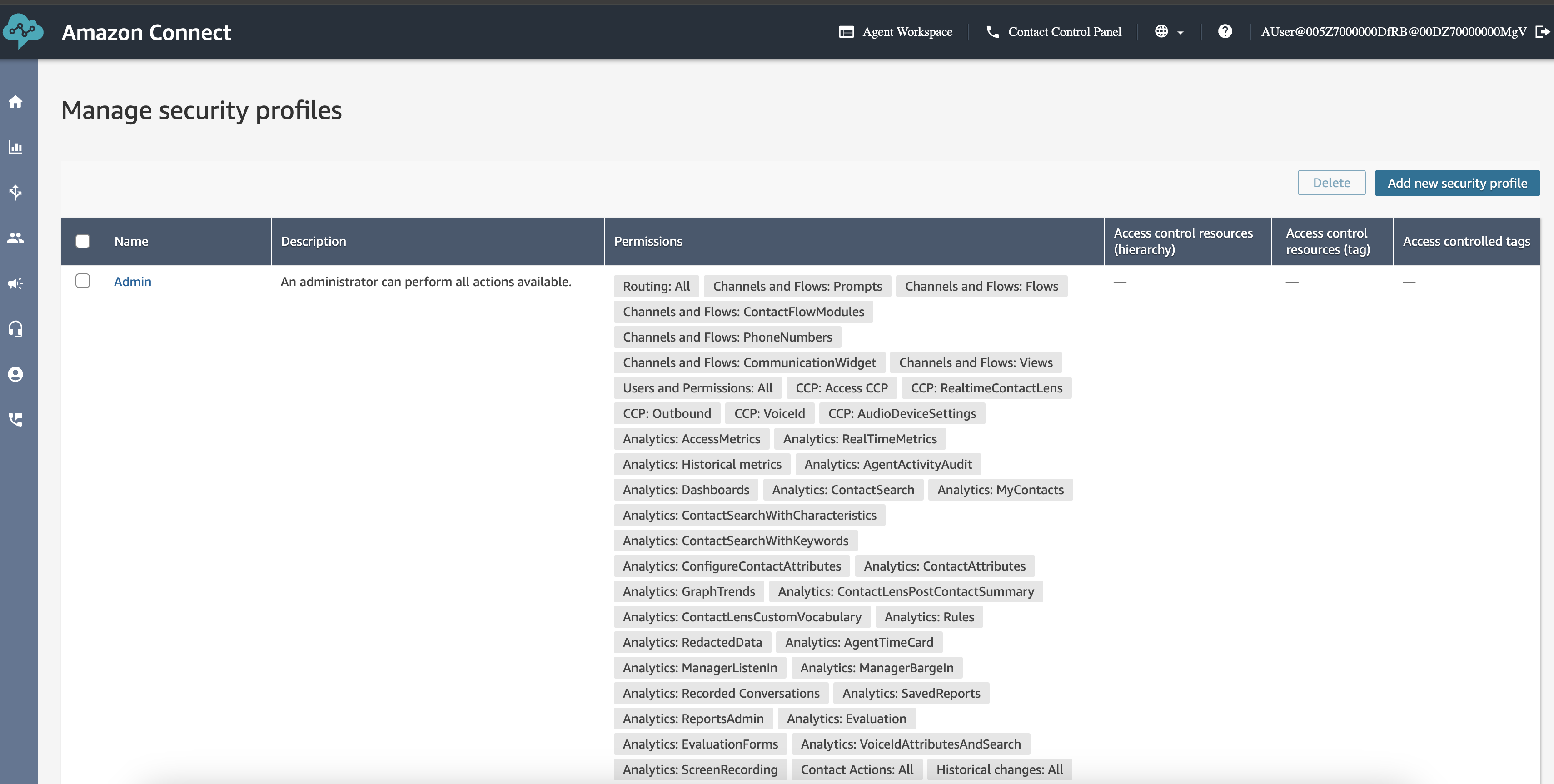
- In Amazon Connect, go to Users → Security Profiles and click on the name of the role which you would like to remove the camera permissions.
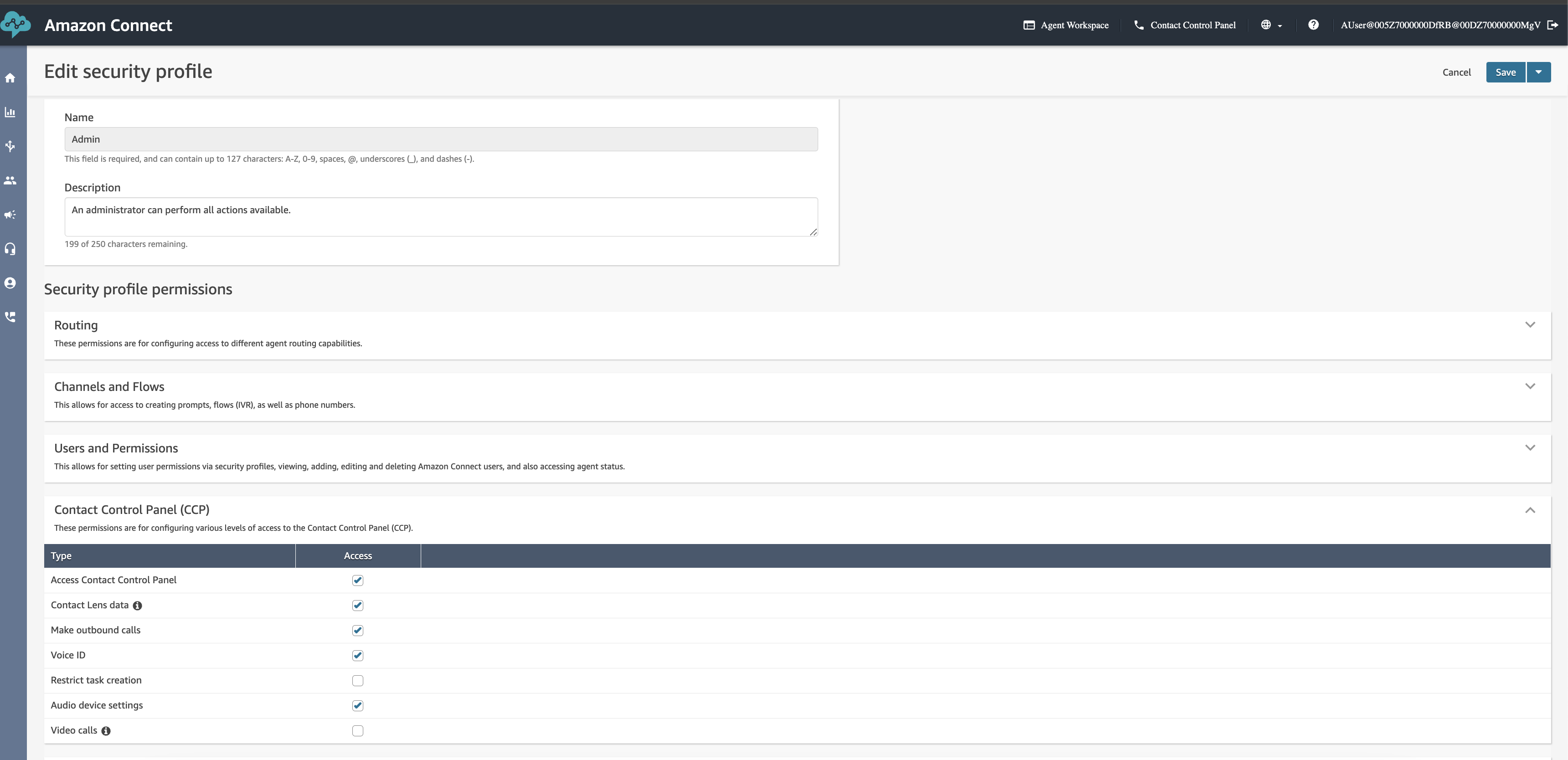
- Scroll down to Contact Center Panel (CCP), expand it, uncheck Video Calls, and click Save.
- Refresh your Salesforce org to let the changes take effect.
Numéro d’article de la base de connaissances
002068977
Cet article a-t-il résolu votre problème ?
Dites-nous ce que nous pouvons améliorer !
