組織を選択
When trying to open tfl file created on Windows that contains wildcard union on macOS, unable to open the flow.
公開日: May 7, 2026
説明
When trying to open a .TFL file created on Windows that contains wildcard union on mac, the following window appeared then unable to open the flow.
"Can't open the flow
There was a problem opening the flow file. There might be a problem with the file path, file extension or data may be corrupt."
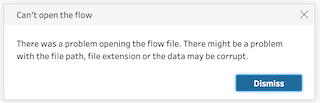
*This does not happen with all tfl files that contain wildcard unions.
解決策
Workarounds
- Option 1: Export flow as tflx file on Windows.
- Option 2: When creating a tfl file on Windows, note the following: When creating an input step and then setting up “Include subfolders” on Tables tab, do not save the flow once in the middle. Save the flow only after all necessary settings have been made in the input step.
- Option 3: Re-create the flow as a new file on MacOS.
Reproduce steps:
- Start Tableau Prep Builder on Windows then connect to a csv file.
- Change input step settings as below:
- Select "Union multiple tables" in Tables tab.
- Click apply.
- Save the flow as a tfl file.
- Change input step settings as below:
- Check "Include subfolders" in Tables tab.
- Click apply.
- Save Overwrite.
- Copy the tfl file to MacOS from Windows.
- Start Tableau Prep Builder on macOS then open the tfl file.
ナレッジ記事番号
002139161
この記事で問題は解決されましたか?
ご意見をお待ちしております。
