Sélectionner une organisation
Partner Product Catalog Layout: Display "Partner Product Name"
Date de publication: Jun 12, 2024
Description
To add the name of the underlying Salesforce Product field on Partner Product Catalog page layout, follow below mentioned steps
- Go to setup → Object Manager → Partner Product Catalog → Page Layout
- Edit Partner Product Catalog Layout page
- Go to fields and search “Partner Product Name” field in “Quick Find” to find the field in available fields
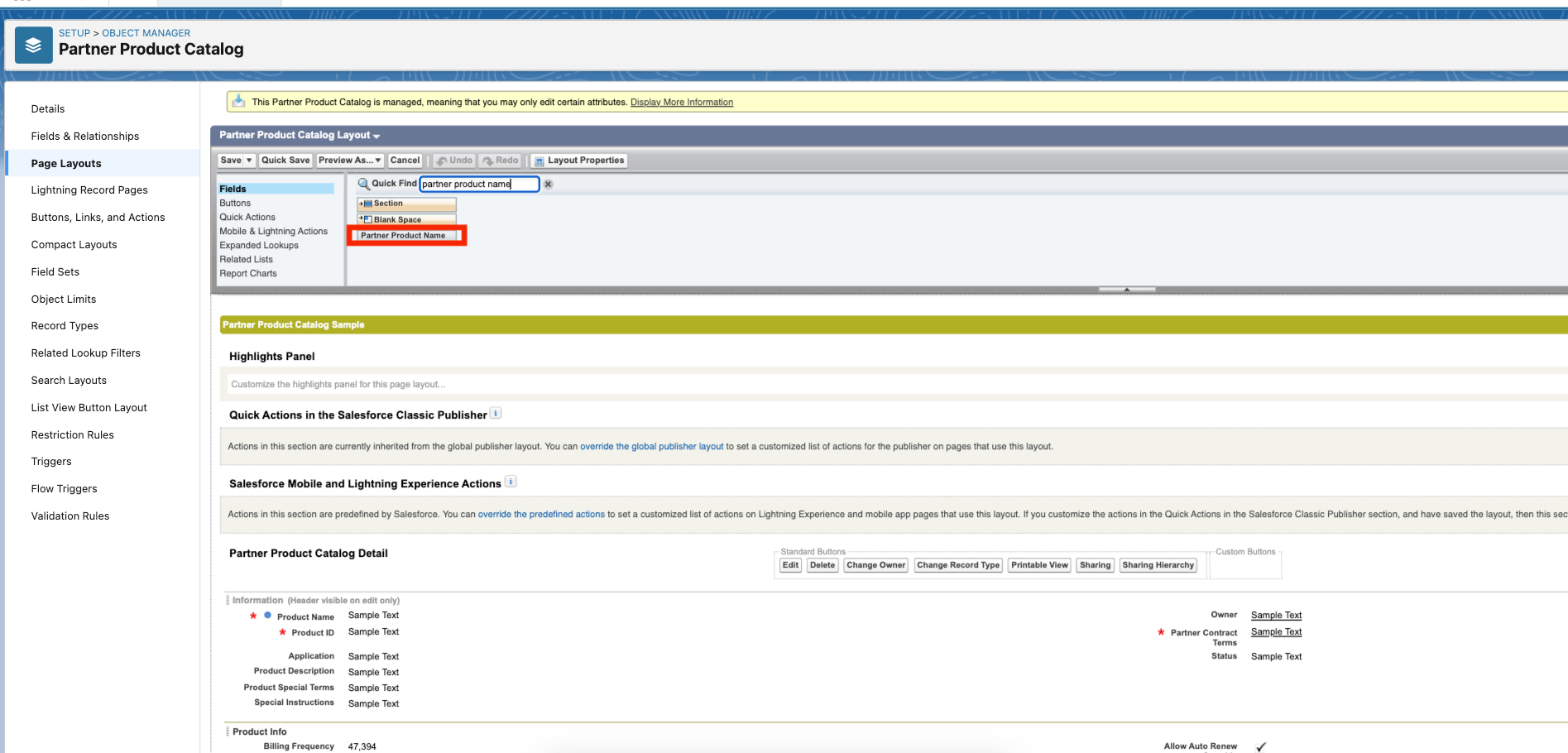
- Drag and drop the “Partner Product Name” field to the Partner Product Catalog Detail section under the “Product Name“ field.
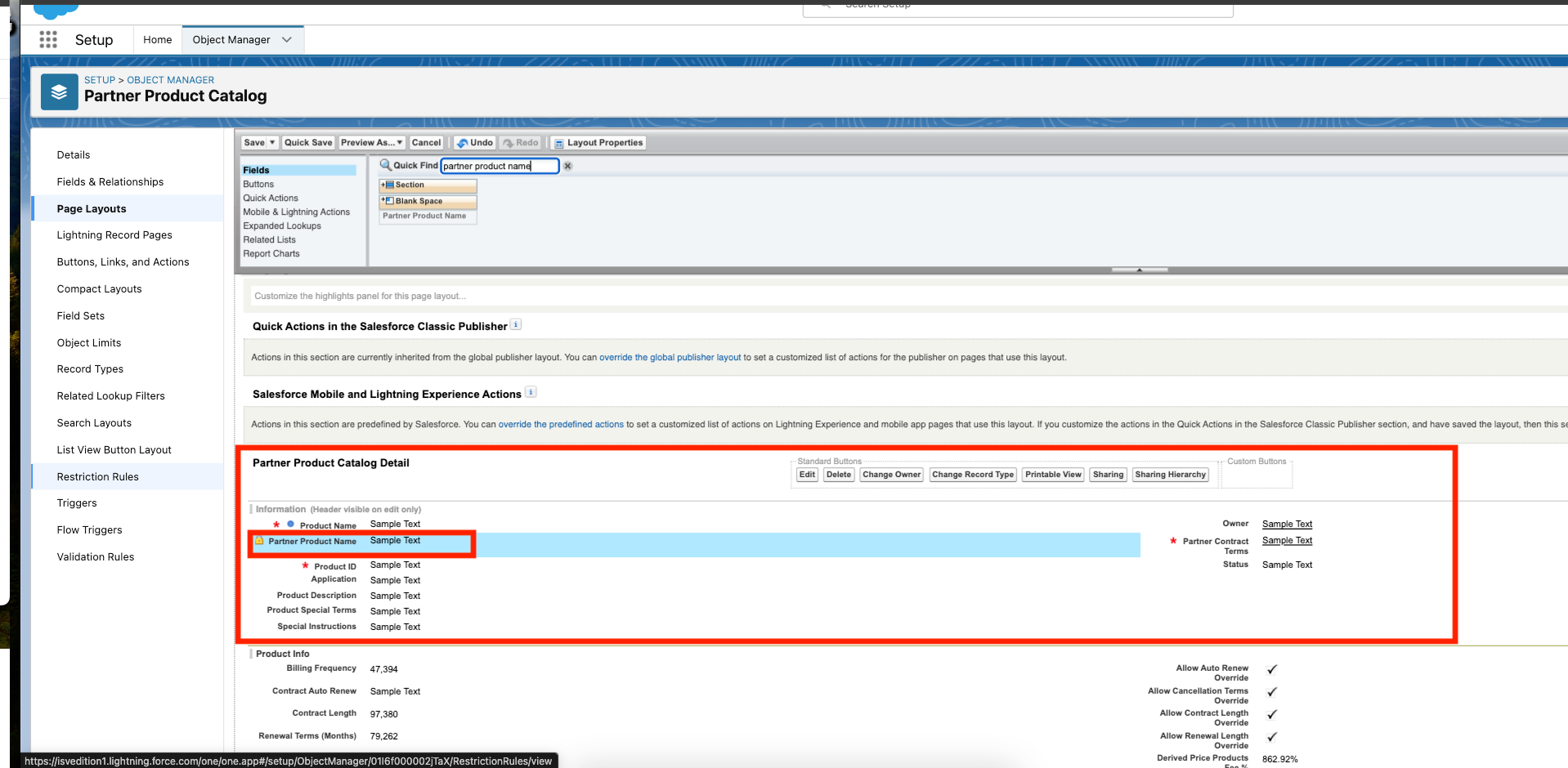
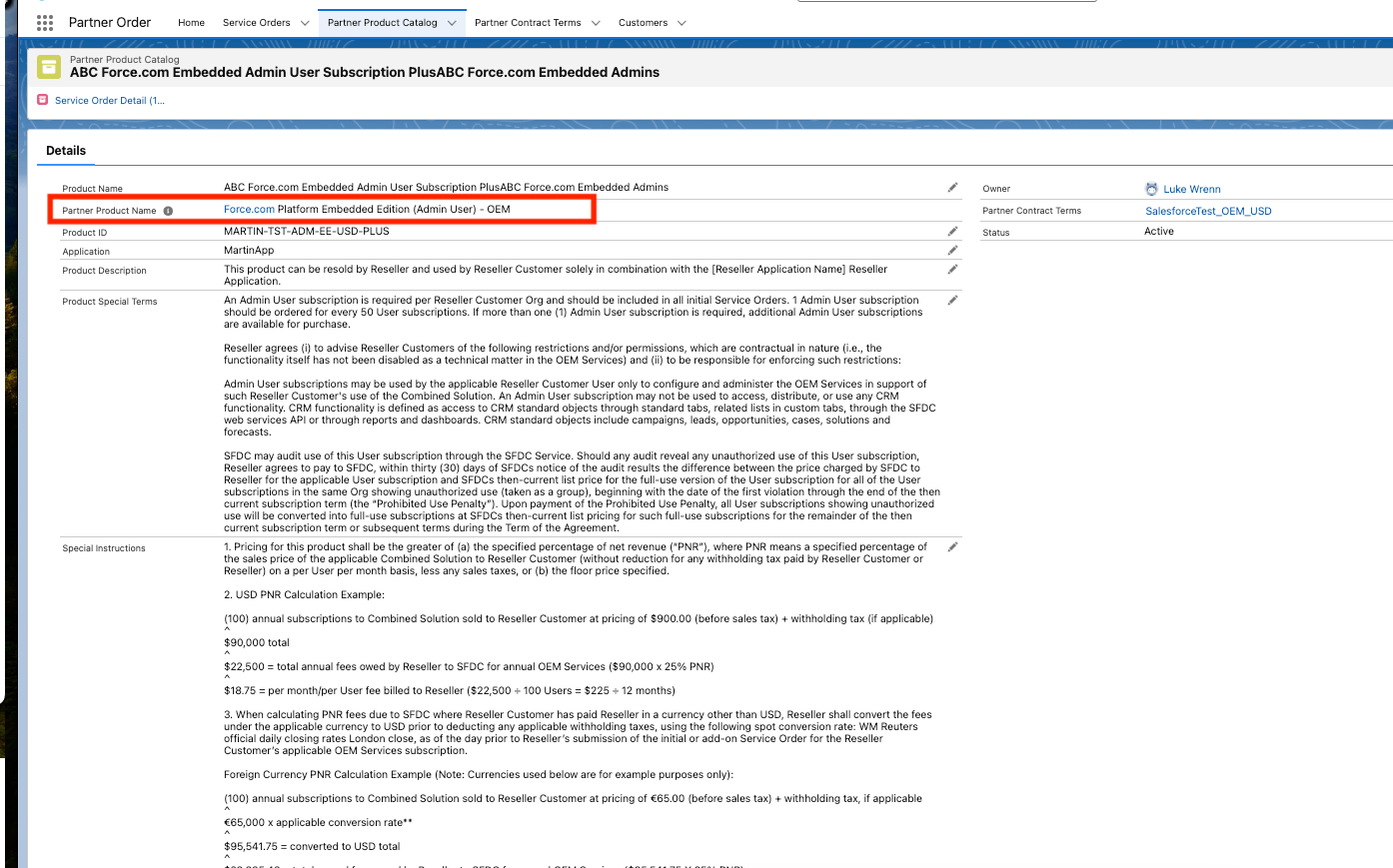
- Click on save. Once saved go to the Partner Product Catalog object and verify the field on page layout.
Numéro d’article de la base de connaissances
002183039
Cet article a-t-il résolu votre problème ?
Dites-nous ce que nous pouvons améliorer !
