Sélectionner une organisation
How to Work with Omniscript Conditional Views and Formulas When Using Special Characters in Words
Date de publication: Jun 12, 2024
Description
In OmniScript, special characters in words are not recognized by conditional views and formulas. To ensure proper functionality, it is recommended to set words containing special characters to the value of an element name using the SetValue component. Once set, you can use the element name in your formulas or conditional views. This approach helps in maintaining the integrity and functionality of your OmniScript logic.
Résolution
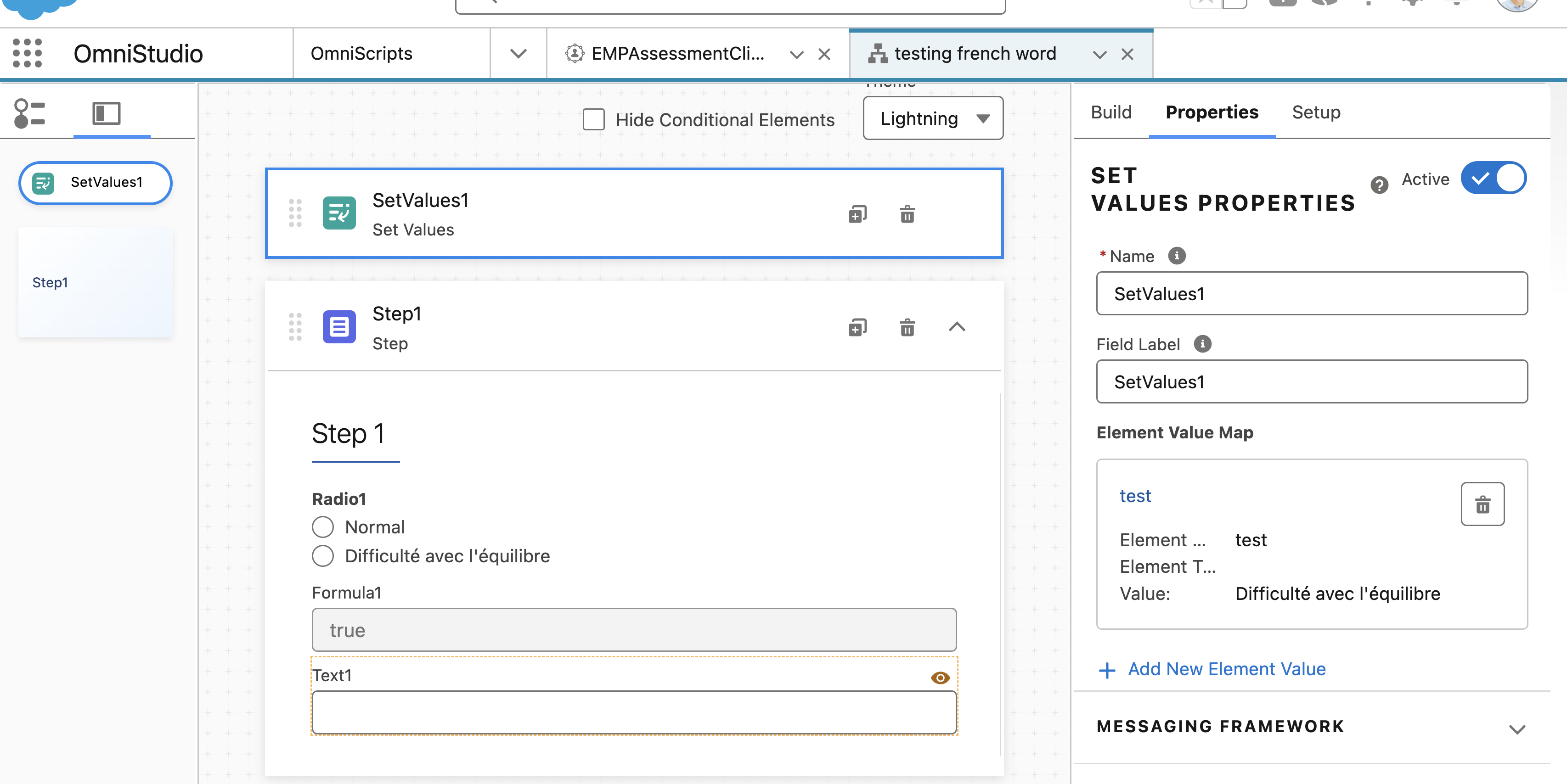
- Add set value to the omniscript and create New element value.
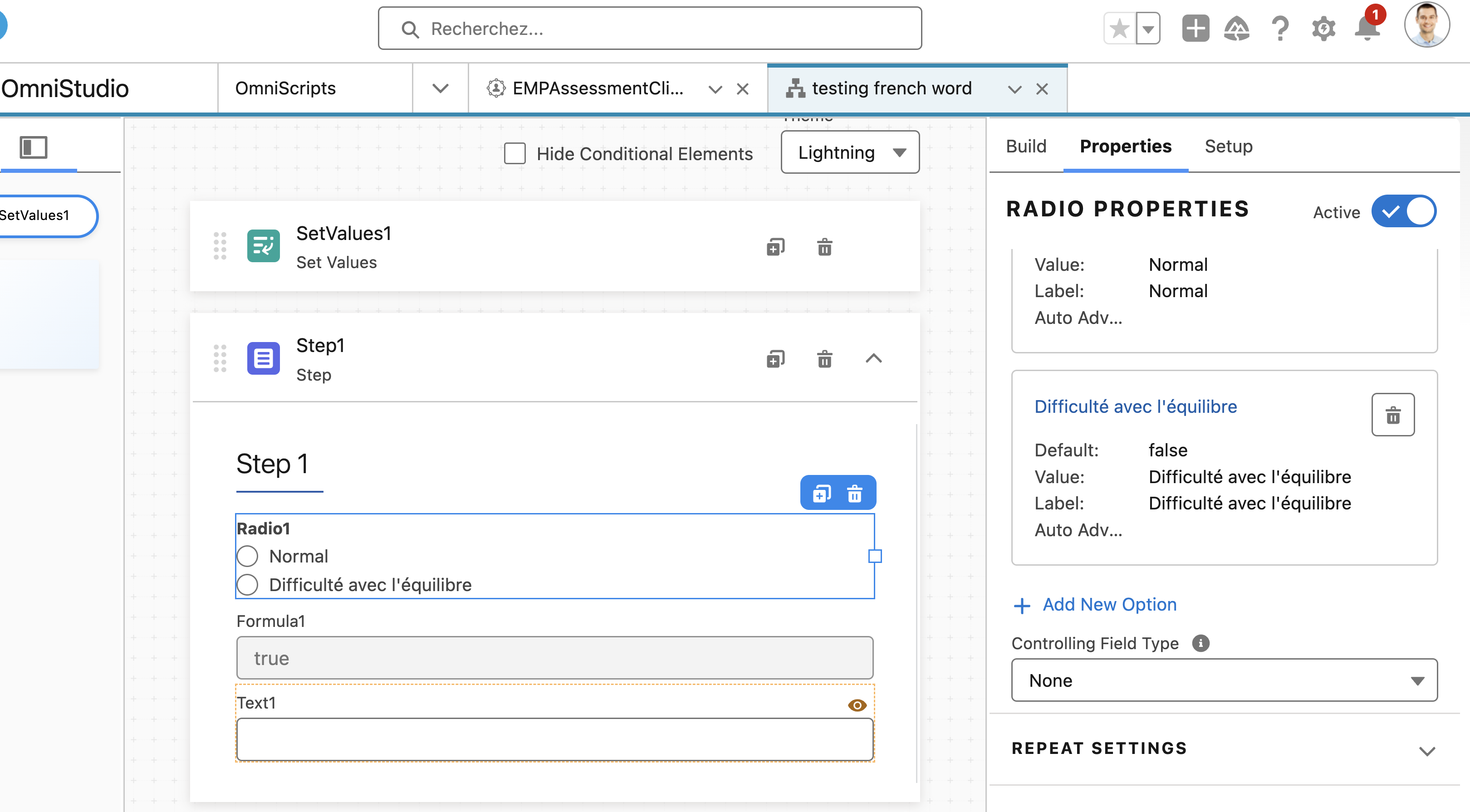
Example----> Element Name : test Value: Difficulté avec l'équilibre
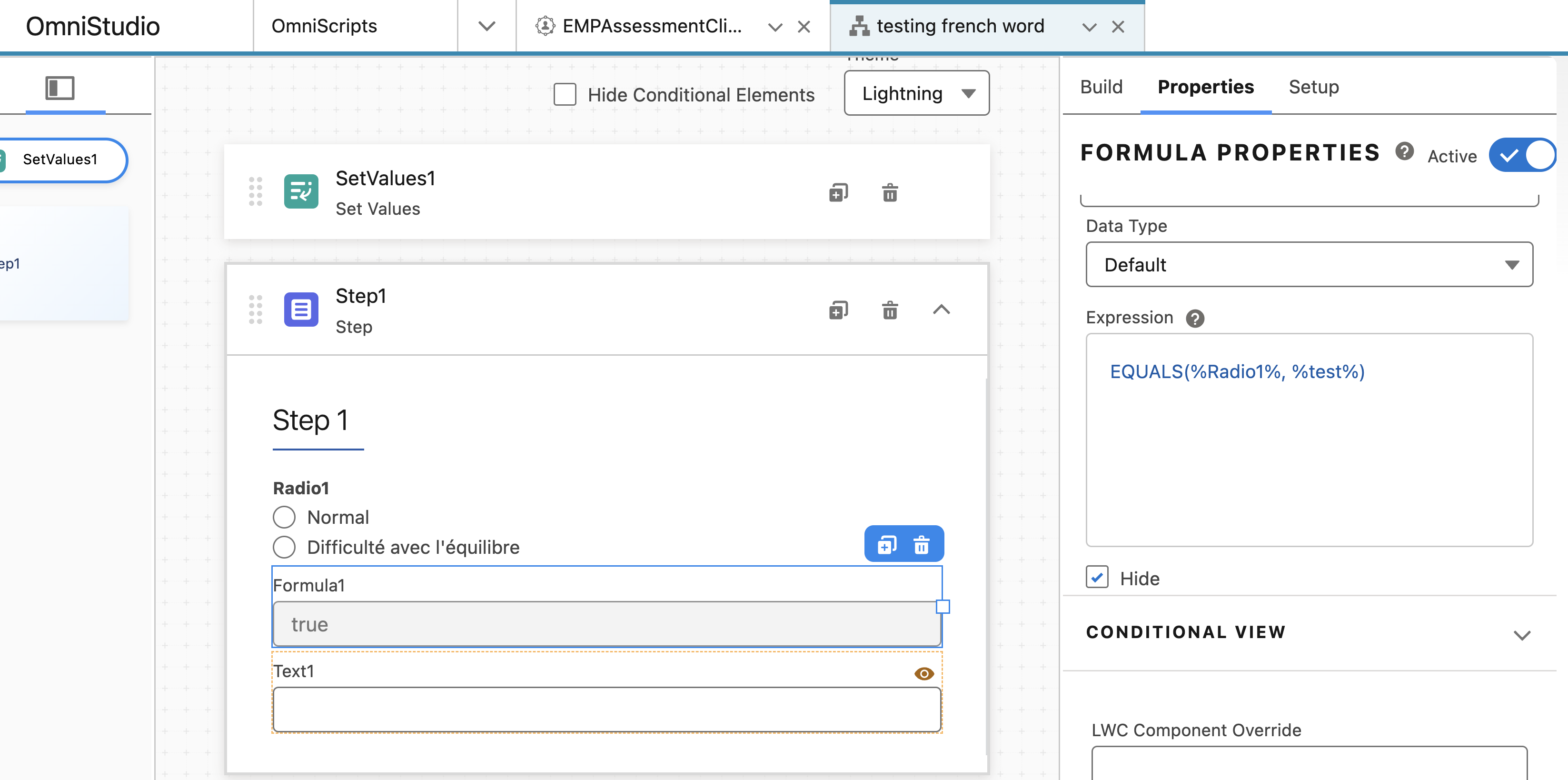
- Add a formula and use the element name in the formula for the condition check.
Formula-----> EQUALS(%component name of to compare%, %test%)
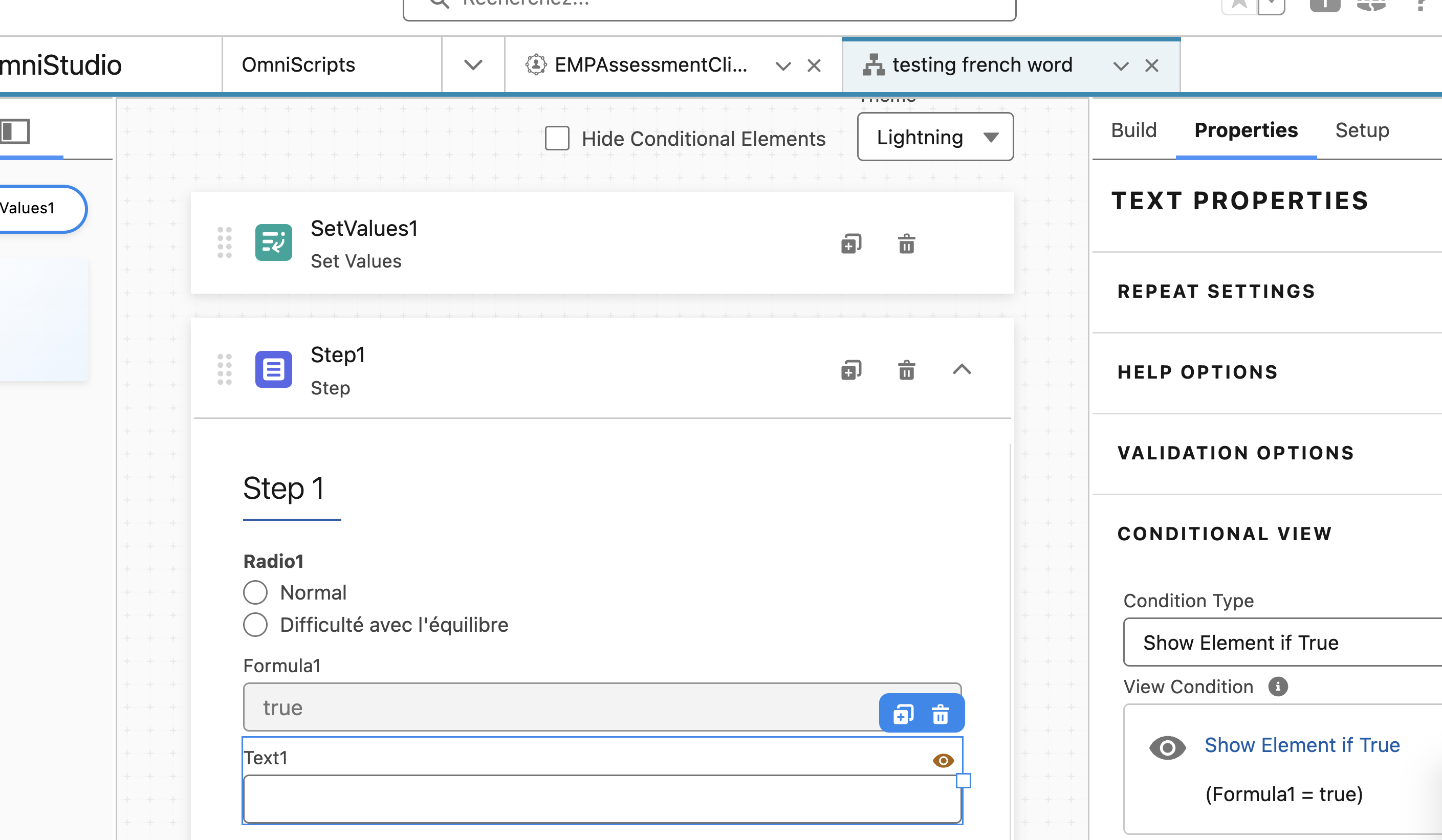
- In conditional view of any omniscript element use the above formula component to check the condition.
Example:
Numéro d’article de la base de connaissances
002183040
Cet article a-t-il résolu votre problème ?
Dites-nous ce que nous pouvons améliorer !
