Vælg en organisation
How to Configure Azure OAuth for Tableau Desktop
Udgivelsesdato: Oct 4, 2024
Opgave
How do I configure Azure OAuth for data connectivity in Tableau Desktop?
Trin
No configuration is needed in Tableau Desktop like in Tableau Server.
In Microsoft Azure:
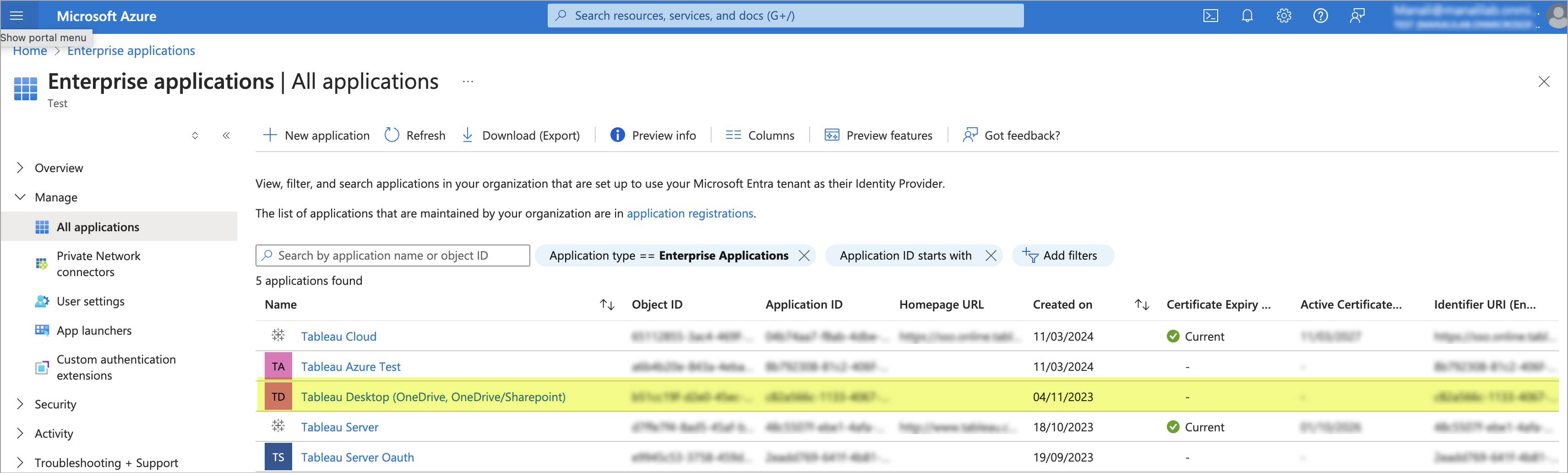
- In Microsoft Azure, an Enterprise Application should be present for Tableau Desktop.
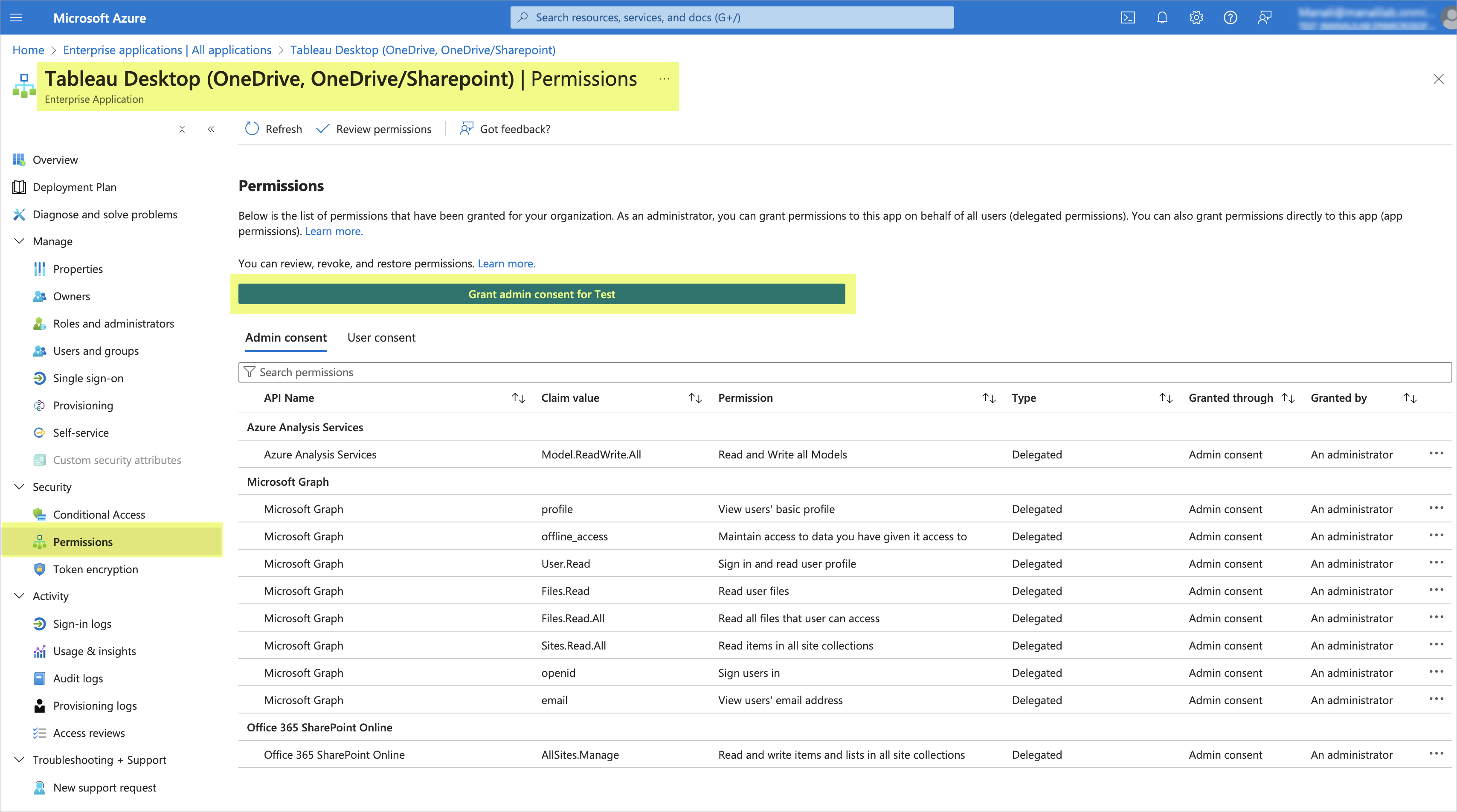
- Open Tableau Desktop app in Microsoft Azure and go to permissions. Click on "Grant admin consent consent for <user>" and Tableau Desktop should now be able to use Azure OAuth to connect to the data source.
Yderligere ressourcer
No Azure OAuth configuration is needed in Tableau Desktop like in Tableau Server.
For information about how to configure Tableau Server to use Azure OAuth, see Configure Azure AD for OAuth and Modern Authentication.
Vidensartikelnummer
002183044
Løste denne artikel dit problem?
Giv os besked, så vi kan forbedre os!
