組織を選択
How to Configure Azure OAuth for Tableau Desktop
公開日: Oct 4, 2024
タスク
How do I configure Azure OAuth for data connectivity in Tableau Desktop?
ステップ
No configuration is needed in Tableau Desktop like in Tableau Server.
In Microsoft Azure:
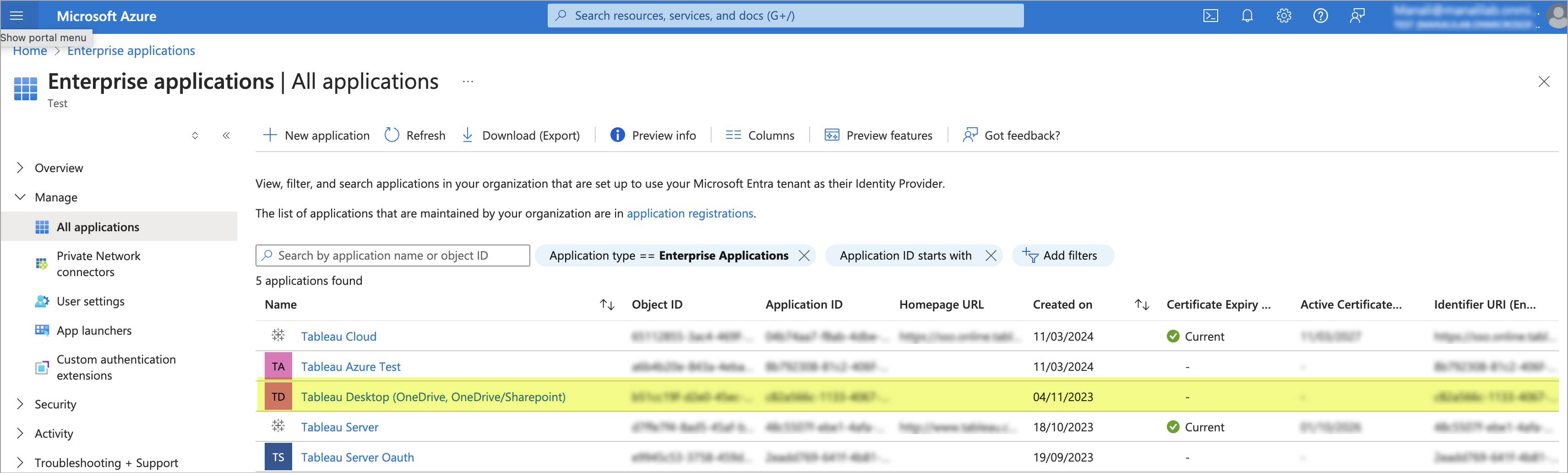
- In Microsoft Azure, an Enterprise Application should be present for Tableau Desktop.
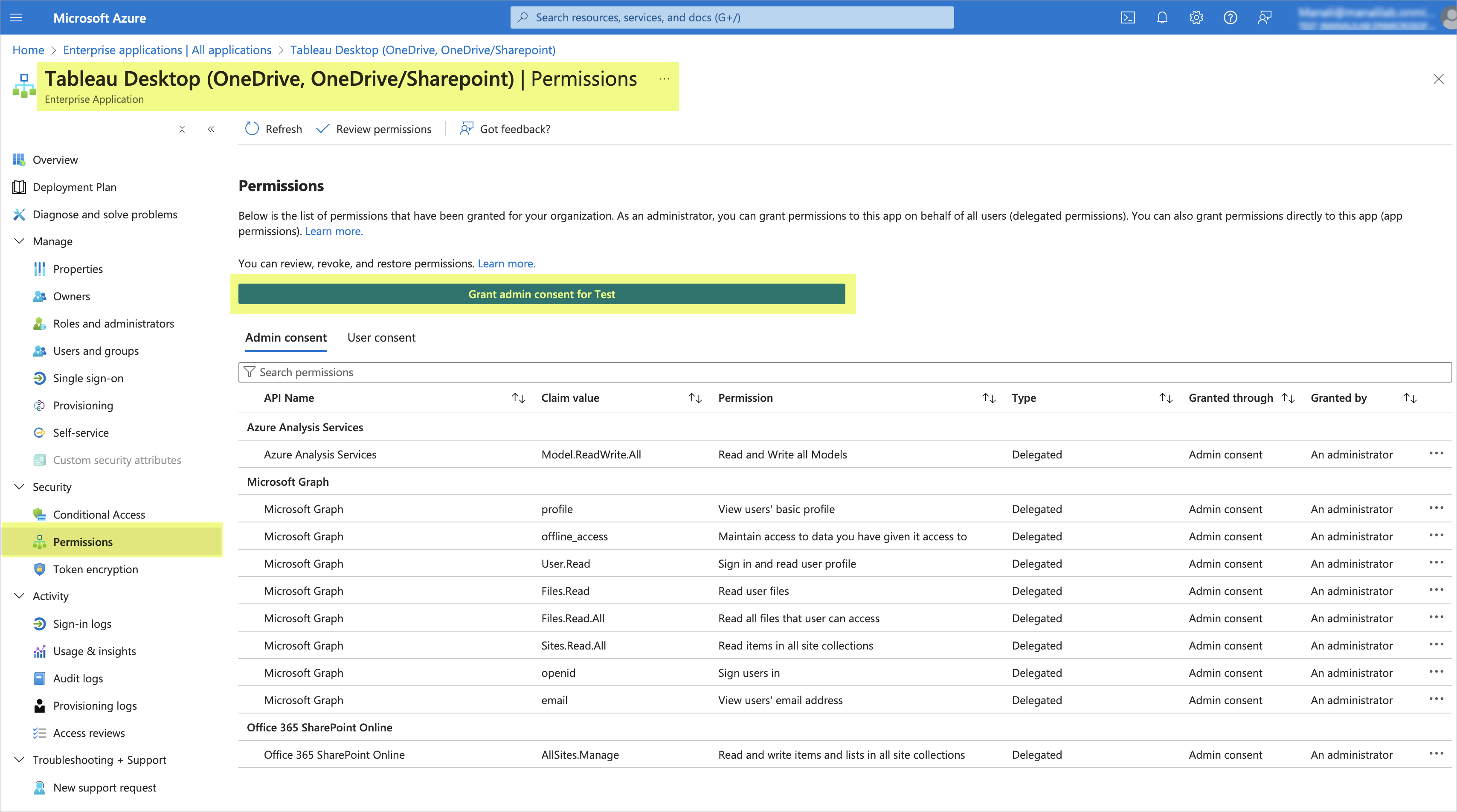
- Open Tableau Desktop app in Microsoft Azure and go to permissions. Click on "Grant admin consent consent for <user>" and Tableau Desktop should now be able to use Azure OAuth to connect to the data source.
その他のリソース
No Azure OAuth configuration is needed in Tableau Desktop like in Tableau Server.
For information about how to configure Tableau Server to use Azure OAuth, see Configure Azure AD for OAuth and Modern Authentication.
ナレッジ記事番号
002183044
この記事で問題は解決されましたか?
ご意見をお待ちしております。
