参照関係項目を作成しようとすると、次のようなエラーが表示されます。
An internal server error has occurred.Error ID:XXXXXXXXX-XXXXXX (-1680058168) (内部サーバーエラーが発生しました。エラー ID: XXXXXXXXX-XXXXXX (-1680058168))
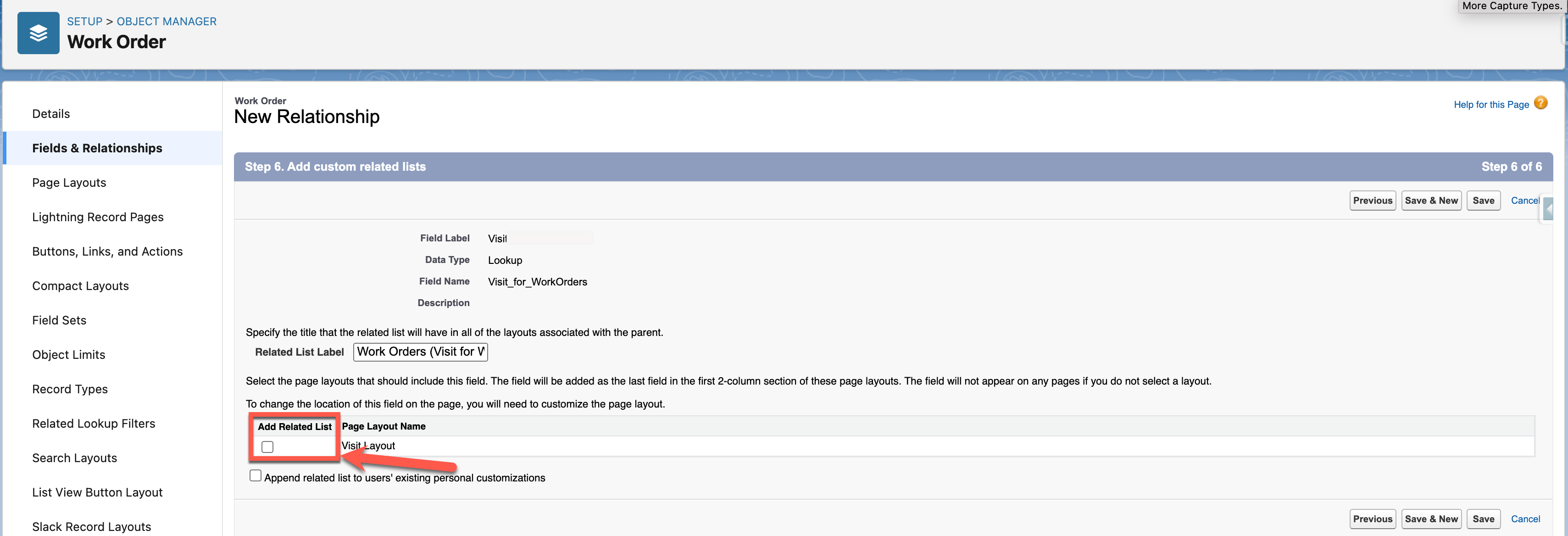
特定のオブジェクトで「関連リストの追加」オプションが内部競合を引き起こすため、このエラーが発生します。 エラーなく参照項目を作成するには、項目作成時はこのオプションをオフにして、後で手動で関連リストを加えます。
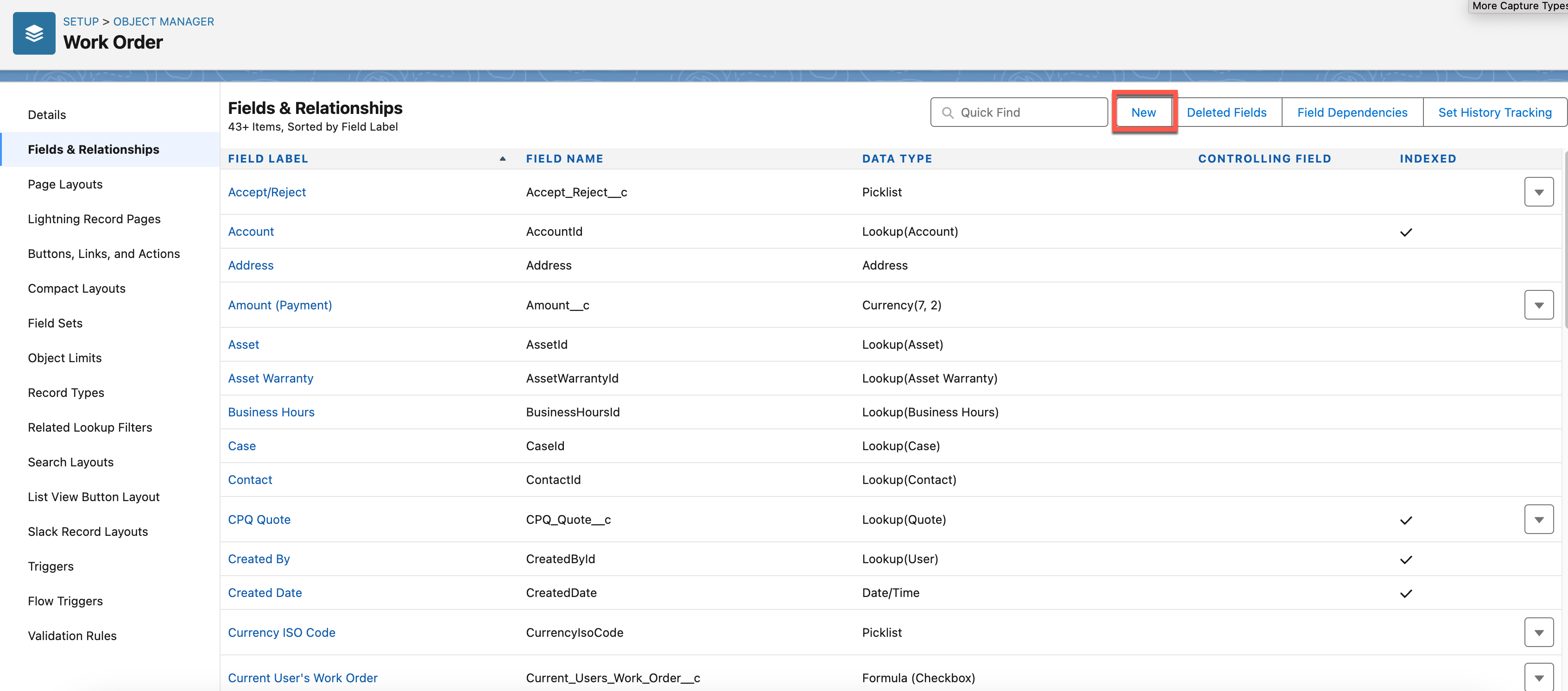
1) 参照項目を作成するオブジェクトに移動します (この場合は [作業指示])。 設定 -> オブジェクトマネージャー
2) 「項目とリレーション」をクリックして、それから [新規] をクリックします。
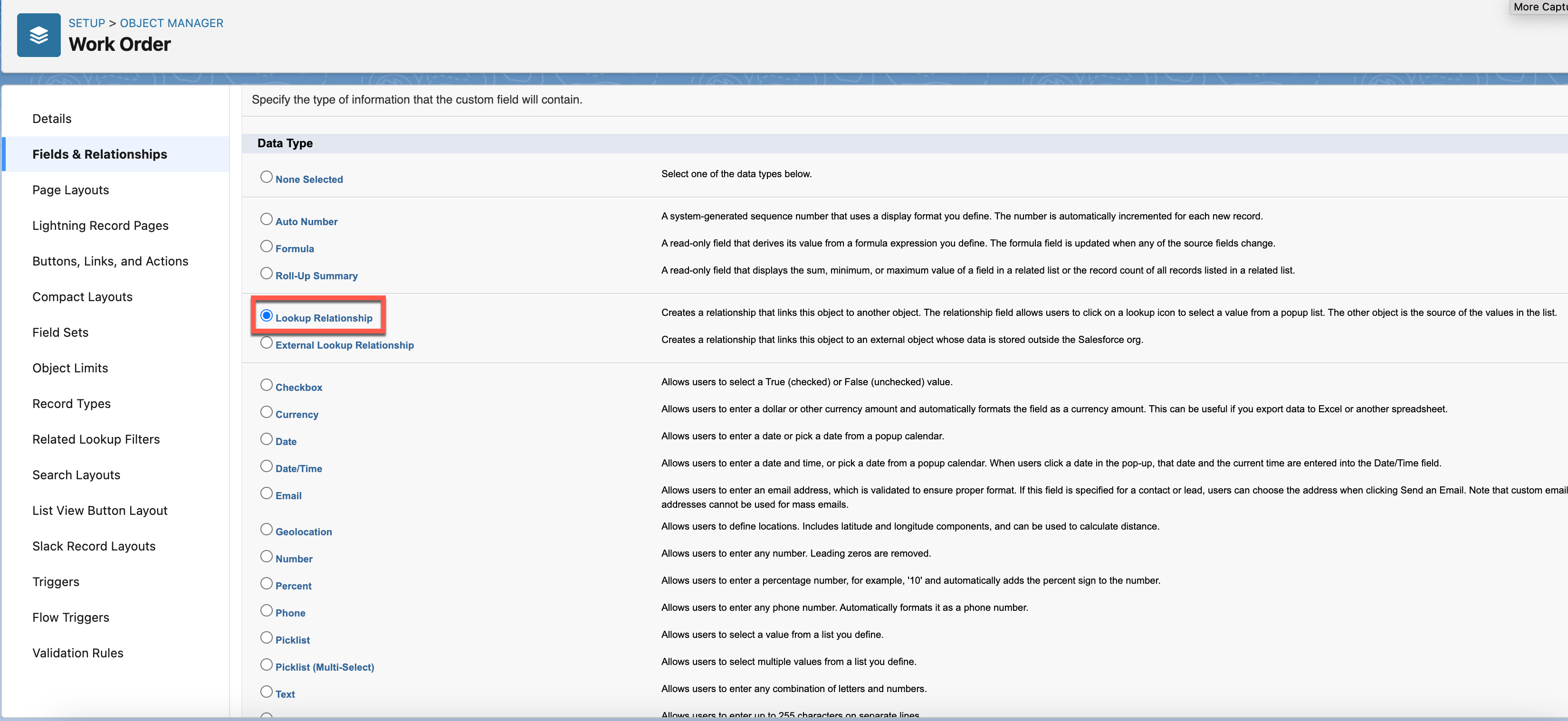
3) [データタイプ] として [参照関係] ラジオボタンを選択し、 [次へ] をクリックします。
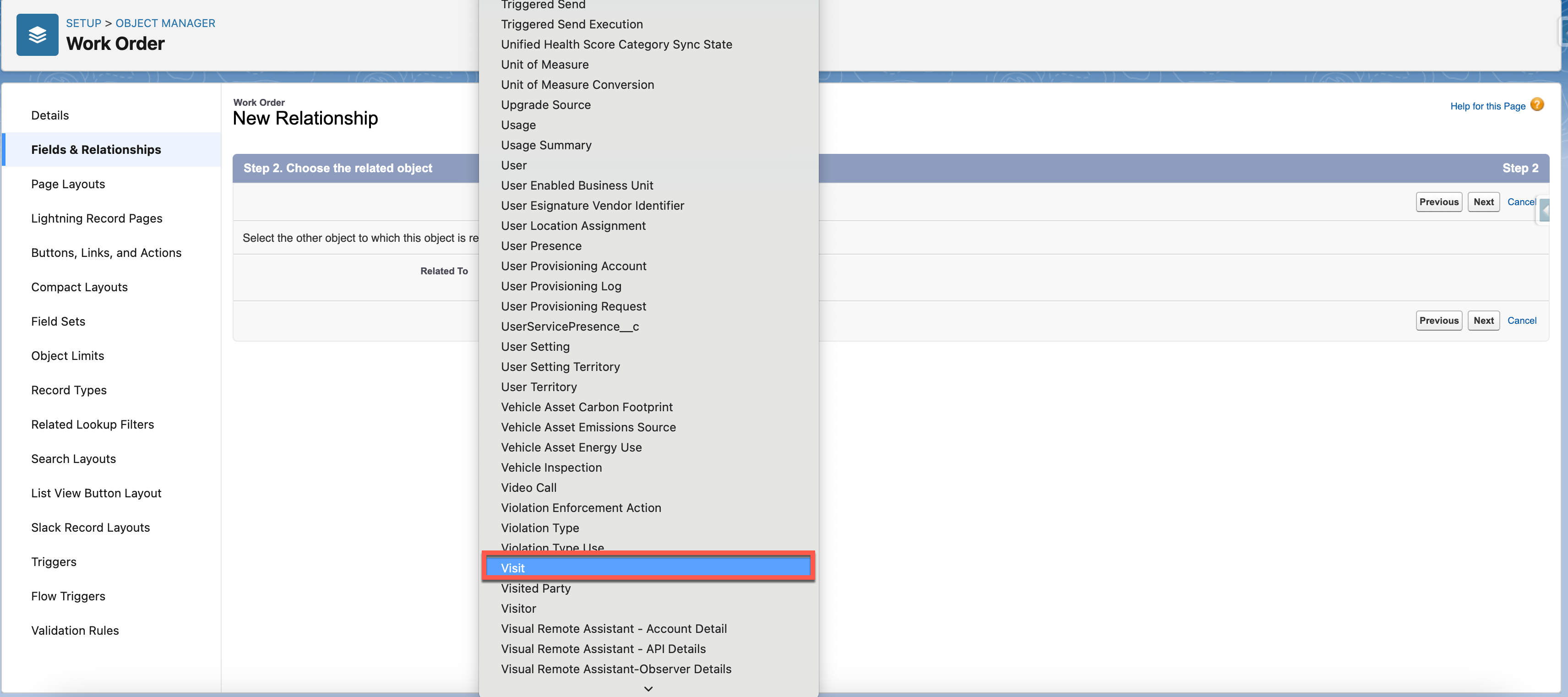
4) 参照関係の関連オブジェクトを選択し (この場合は [訪問])、 [次へ] をクリックします。
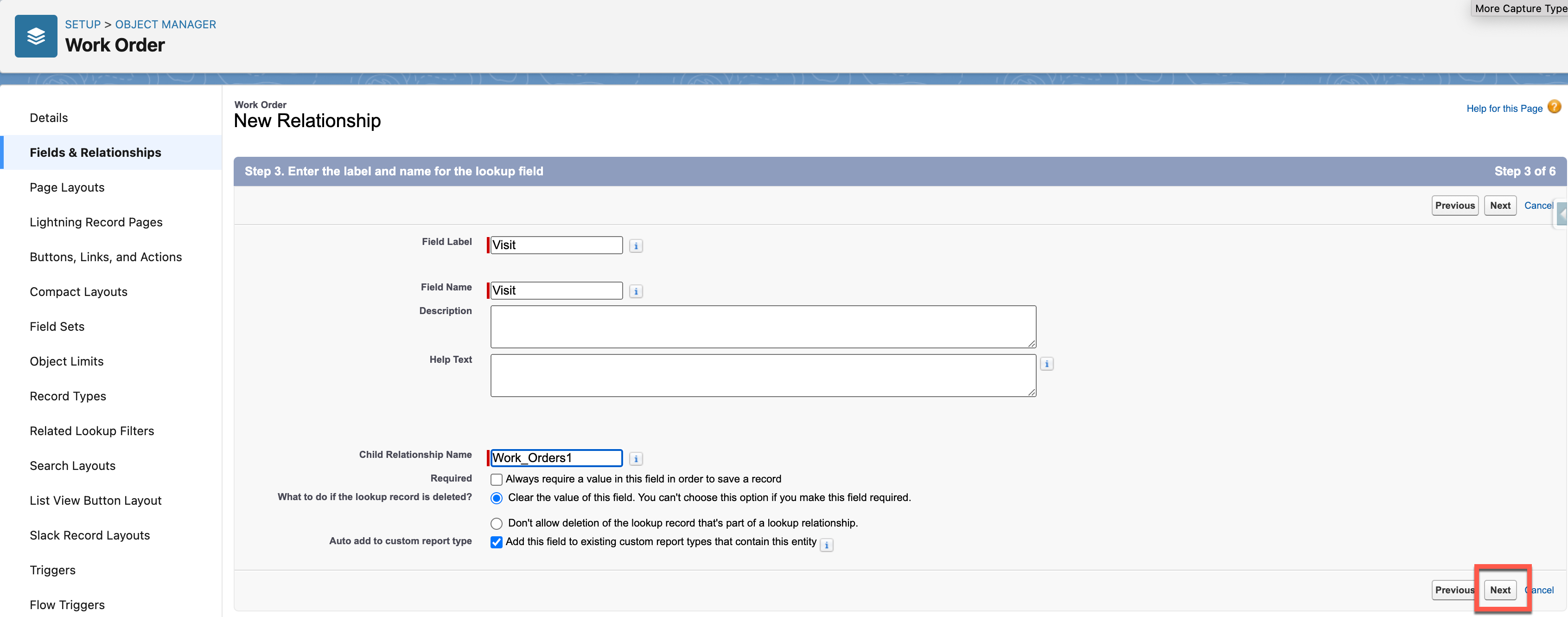
5) 必須項目を入力して、[次へ] をクリックします。
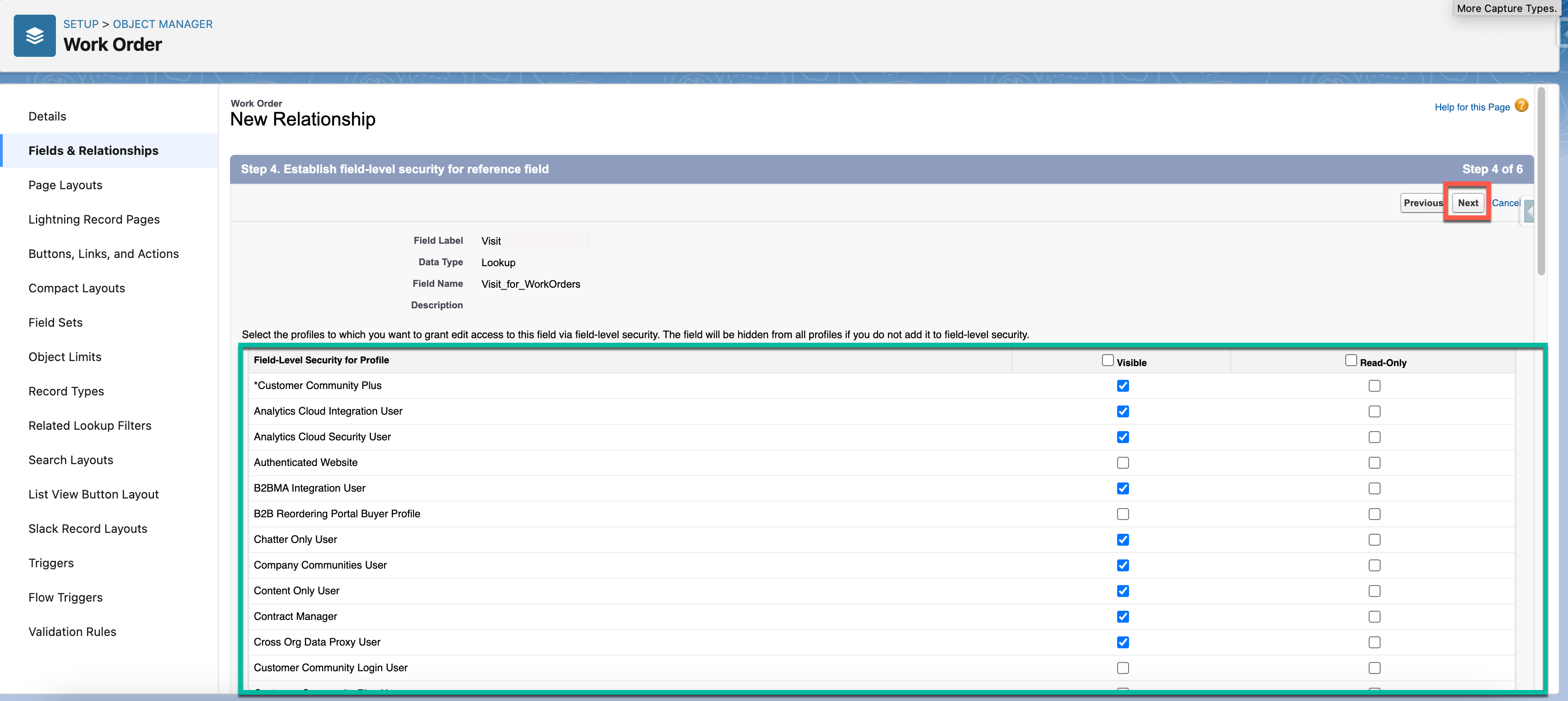
6) 項目の項目レベルセキュリティを調整して、[次へ] をクリックします。
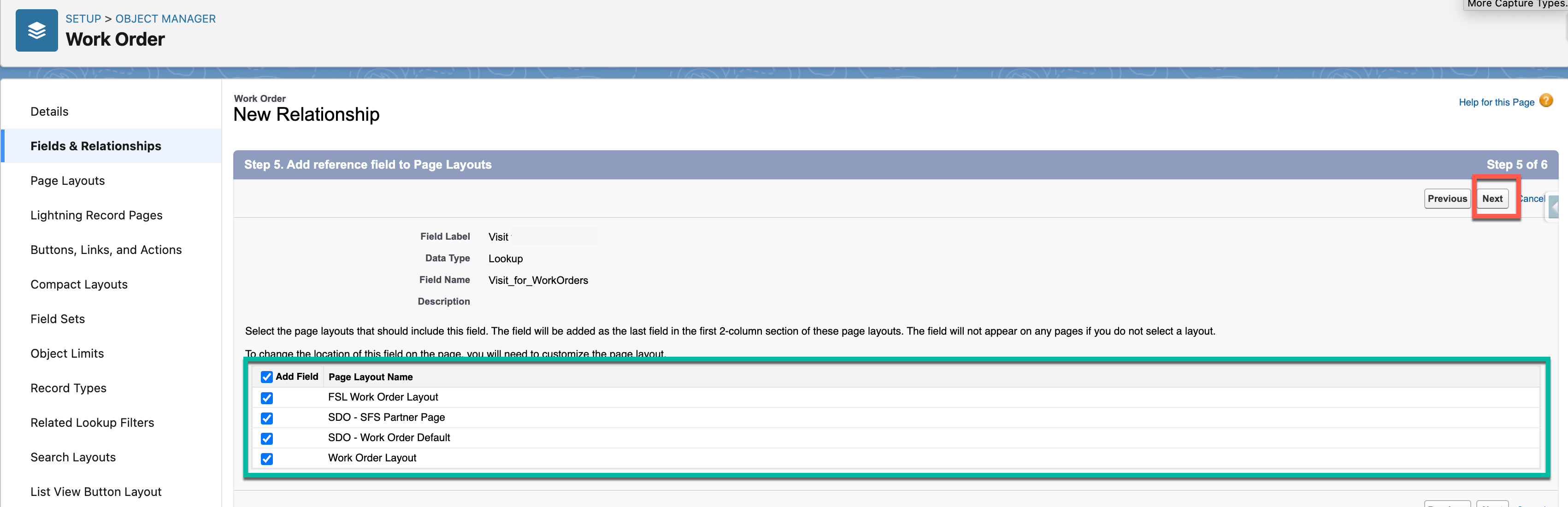
7) ページレイアウトステップで、項目を表示するページレイアウトを割り当てて、[次へ] をクリックします。8) 重要: 項目を保存して作成する前に、[Add Related List] (関連リストを追加) チェックボックスをオフにして、[保存] をクリックします。 これにより内部サーバーエラーの発生を回避できます。
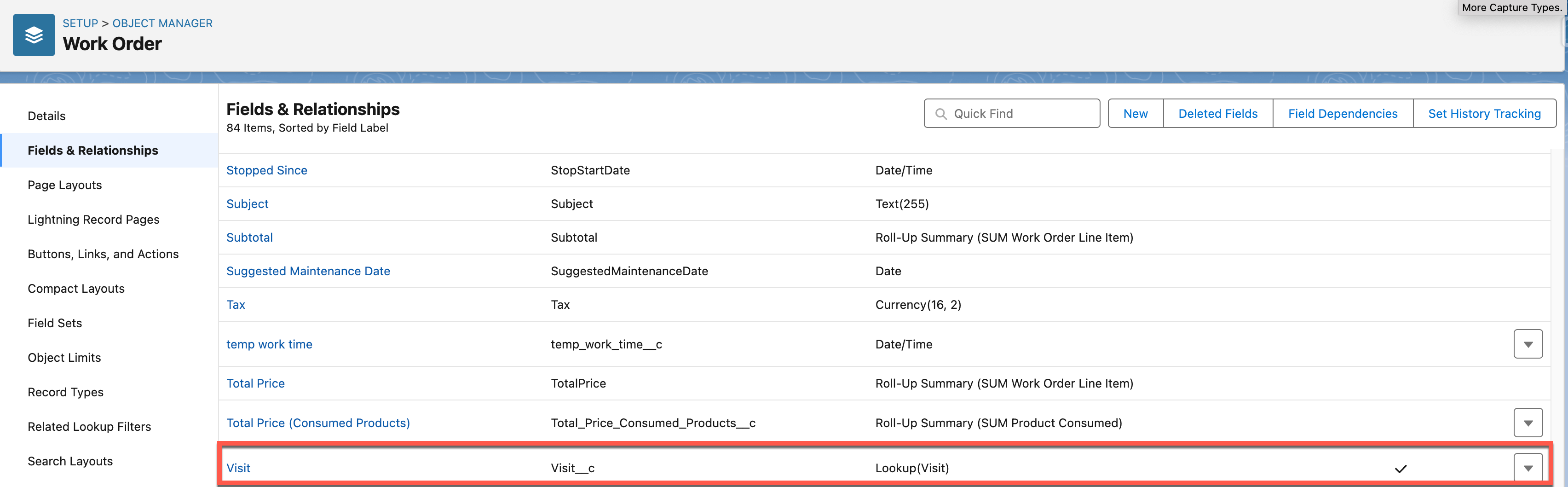
9) 作成された参照項目を確認します。
参照項目が正常に作成されたら、関連リストをオブジェクトのページレイアウトに手動で追加します。
既知の問題:
https://issues.salesforce.com/issue/a028c00000gAzYV/error-when-creating-lookup-field-on-some-objects
002234041

We use three kinds of cookies on our websites: required, functional, and advertising. You can choose whether functional and advertising cookies apply. Click on the different cookie categories to find out more about each category and to change the default settings.
Privacy Statement
Required cookies are necessary for basic website functionality. Some examples include: session cookies needed to transmit the website, authentication cookies, and security cookies.
Functional cookies enhance functions, performance, and services on the website. Some examples include: cookies used to analyze site traffic, cookies used for market research, and cookies used to display advertising that is not directed to a particular individual.
Advertising cookies track activity across websites in order to understand a viewer’s interests, and direct them specific marketing. Some examples include: cookies used for remarketing, or interest-based advertising.