Выбрать организацию
Salesforce Field Service: Error 'Failed to invoke future method on class FSL.TR005_UserTerritoryUtils' When Creating a Service Territory with a Custom Profile User
Дата публикации: May 15, 2026
Описание
Error When Creating a Service Territory with a Custom Profile User
A custom profile user receives the following error while creating a Service Territory in Salesforce Field Service (SFS):
A custom profile user receives the following error while creating a Service Territory in Salesforce Field Service (SFS):
"Failed to invoke future method 'public static void removeAndThenAddGroupMembers(List, List, List, List)' on class 'FSL.TR005_UserTerritoryUtils' for job id 'XXXXXXXX00XAX1V'"
caused by: System.DmlException: Insert failed. First exception on row 0; first error: INSUFFICIENT_ACCESS_ON_CROSS_REFERENCE_ENTITY, insufficient access rights on cross-reference id: []
(System Code)
What This Error Means
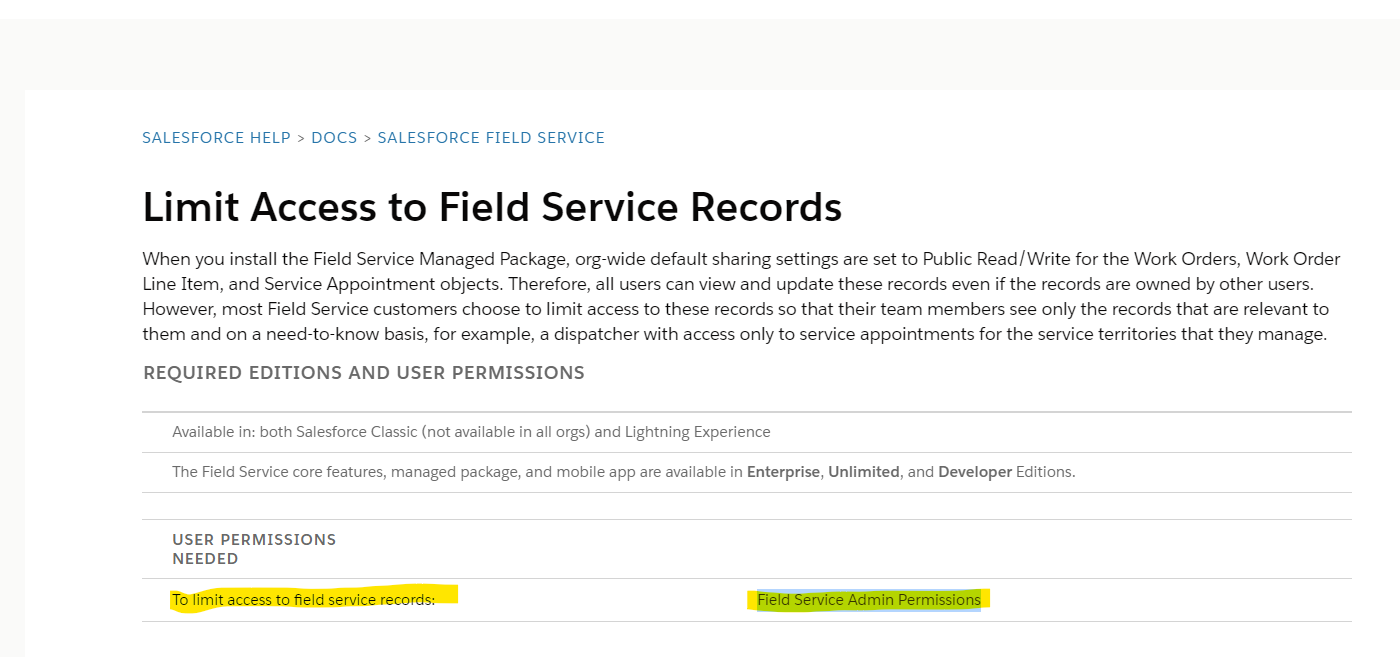
This error (INSUFFICIENT_ACCESS_ON_CROSS_REFERENCE_ENTITY) means the user does not have sufficient access rights to a referenced record during Service Territory creation. FSL (Field Service Lightning) creates User Territory records and assigns group membership during this process, which requires the 'View All Users' and 'Manage Users' system permissions. These permissions are included in the 'Field Service Admin Permissions' permission set. This error occurs most commonly when limited record access is enabled in the org.
Changes made: Added the "What This Error Means" section as a new H2-level header to explain root cause in full text sentences; defined FSL abbreviation on first use as "FSL (Field Service Lightning)"; added INSUFFICIENT_ACCESS_ON_CROSS_REFERENCE_ENTITY explanation.
Решение
How to Resolve the Error
To resolve this error, the user creating the Service Territory must be assigned the 'Field Service Admin Permissions' permission set, as required by the product documentation for orgs using limited record access.
Follow these steps:
To resolve this error, the user creating the Service Territory must be assigned the 'Field Service Admin Permissions' permission set, as required by the product documentation for orgs using limited record access.
Follow these steps:
- Go to Setup > Users and select the affected user.
- Under Permission Set Assignments, click Edit Assignments.
- Add the 'Field Service Admin Permissions' permission set.
- Verify the permission set includes the 'View All Users' and 'Manage Users' system permissions.
- Re-attempt Service Territory creation — the error should no longer appear.
Why This Is Required
An impacted user needs the 'Field Service Admin Permissions' permission set — which includes the 'View All Users' and 'Manage Users' system permissions — to create User Territories during Service Territory setup. This is required when your org uses limited record access, as documented in the Field Service Sharing Settings – Salesforce Help.
Changes made: Added H2 section headers ("How to Resolve the Error", "Why This Is Required") for section-aware chunking; replaced screenshot-only resolution with explicit numbered text steps; replaced non-descriptive "Click Here" link text with descriptive anchor text "Field Service Sharing Settings – Salesforce Help"; added intent paragraph before steps.
Дополнительные ресурсы
Номер статьи базы знаний
002370785
Эта статья решила вашу проблему?
Оставьте свой отзыв, чтобы мы могли стать лучше!
