Välj en organisation
Data 360: How to Create a New Data Stream using the Knowledge Data Bundle
Publiceringsdatum: Nov 4, 2026
Beskrivning
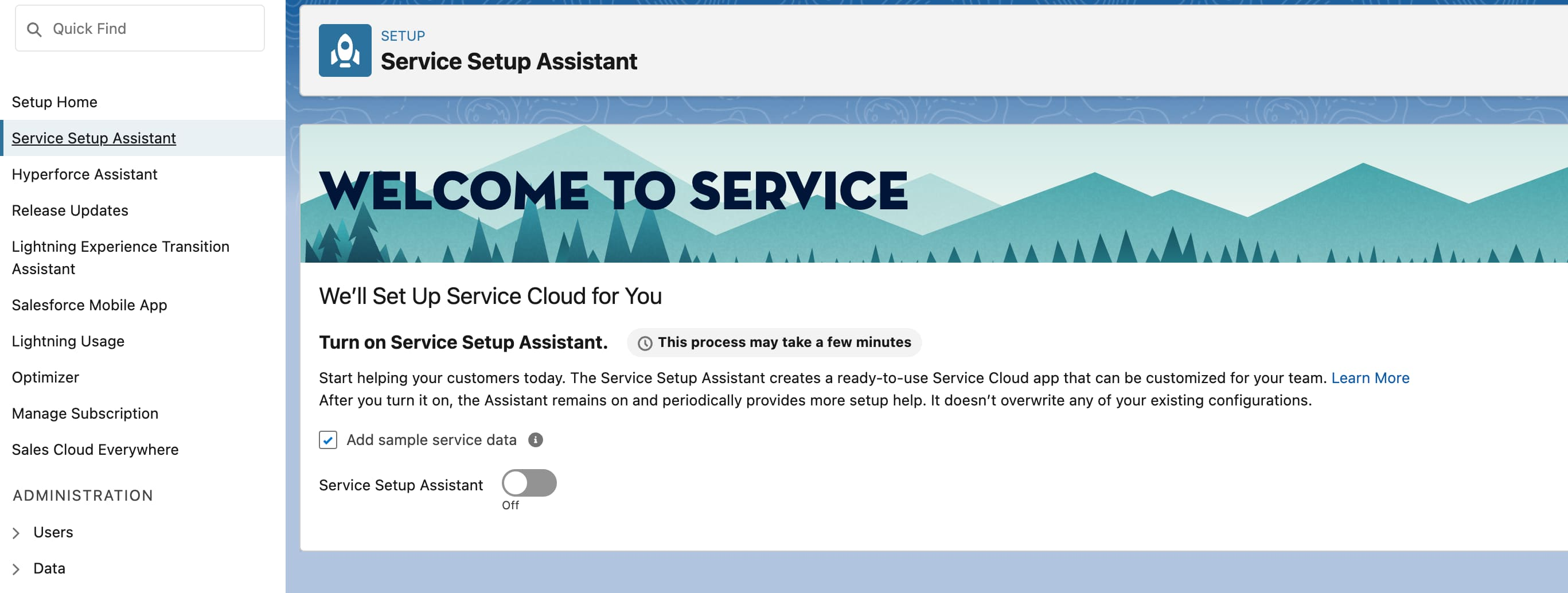
1. Navigate to Setup → Service Setup Assistant (SSA) → toggle on, if not already.
2. In Data Cloud Setup → Salesforce CRM → connect the source CRM org to the Data Cloud org, if not done already.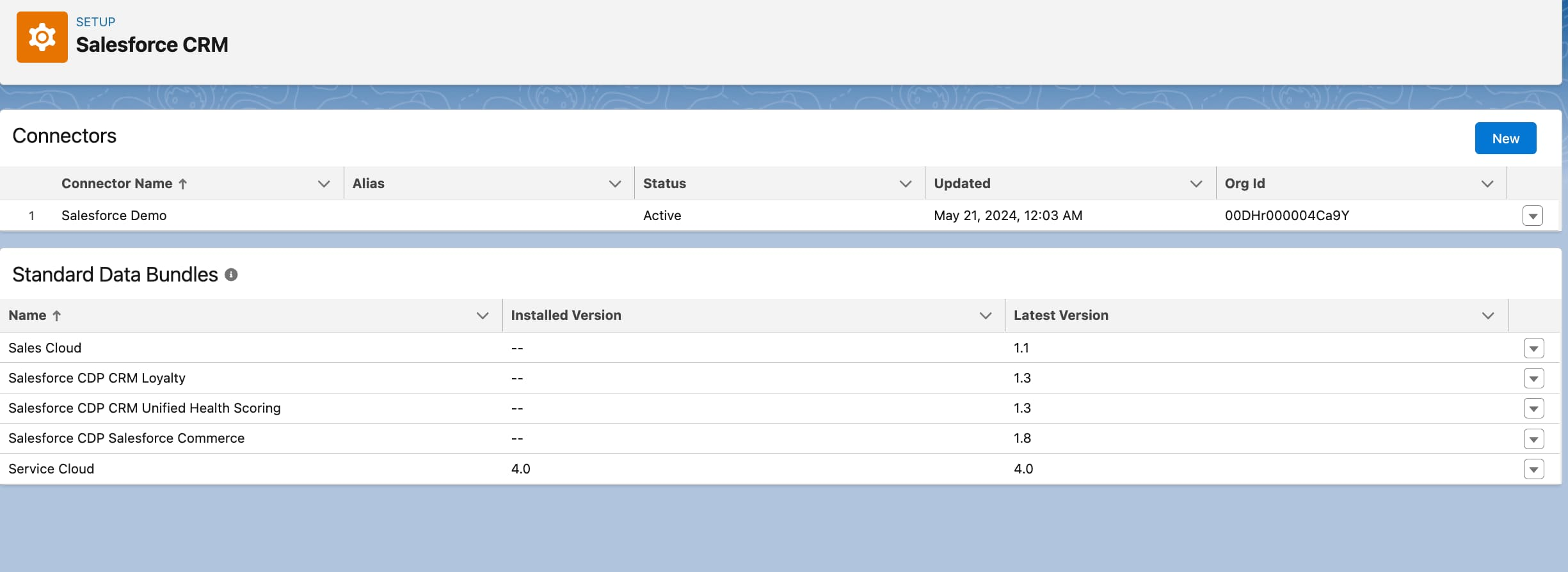
3. Install Service Cloud Data Bundle in Data Cloud Setup → Salesforce CRM.

4. Now, grant access to the Data Cloud Salesforce Connector permission set.
a. Navigate to Permission Sets and select Data Cloud Salesforce Connector.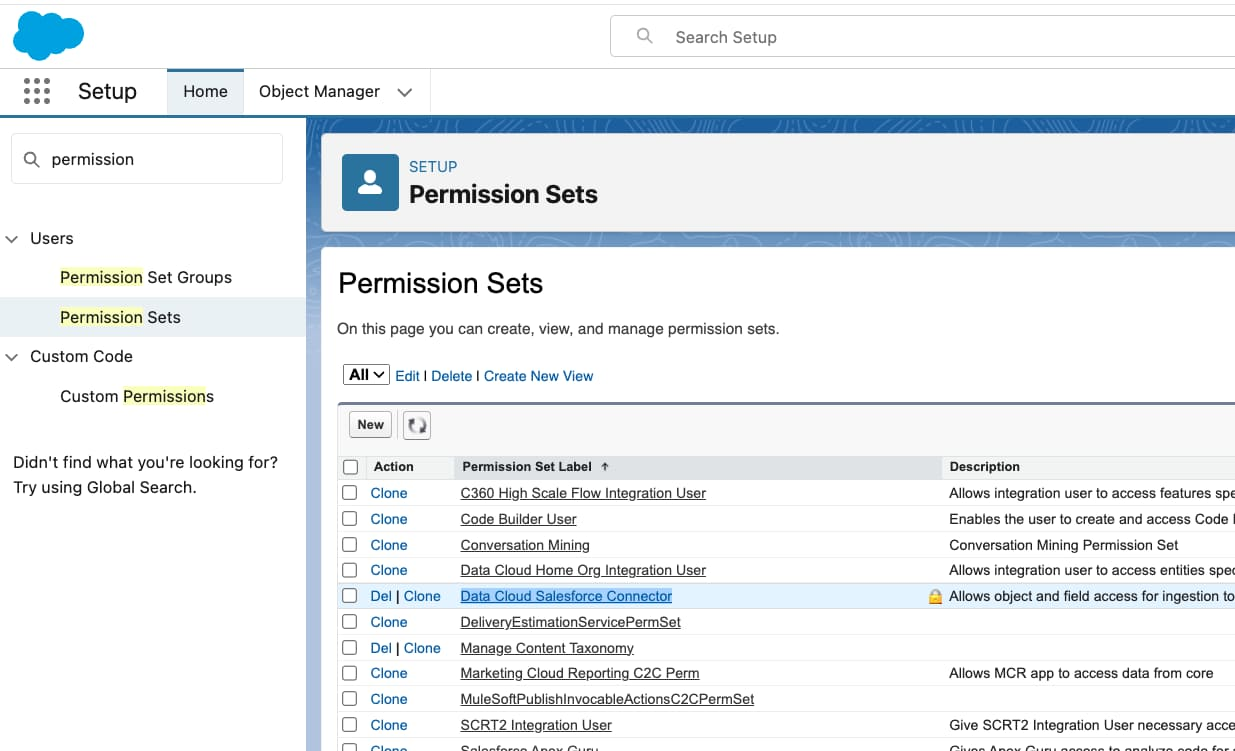
b. Navigate to Object Settings → Knowledge → Object Permissions → select Enabled for "Read" and "View All".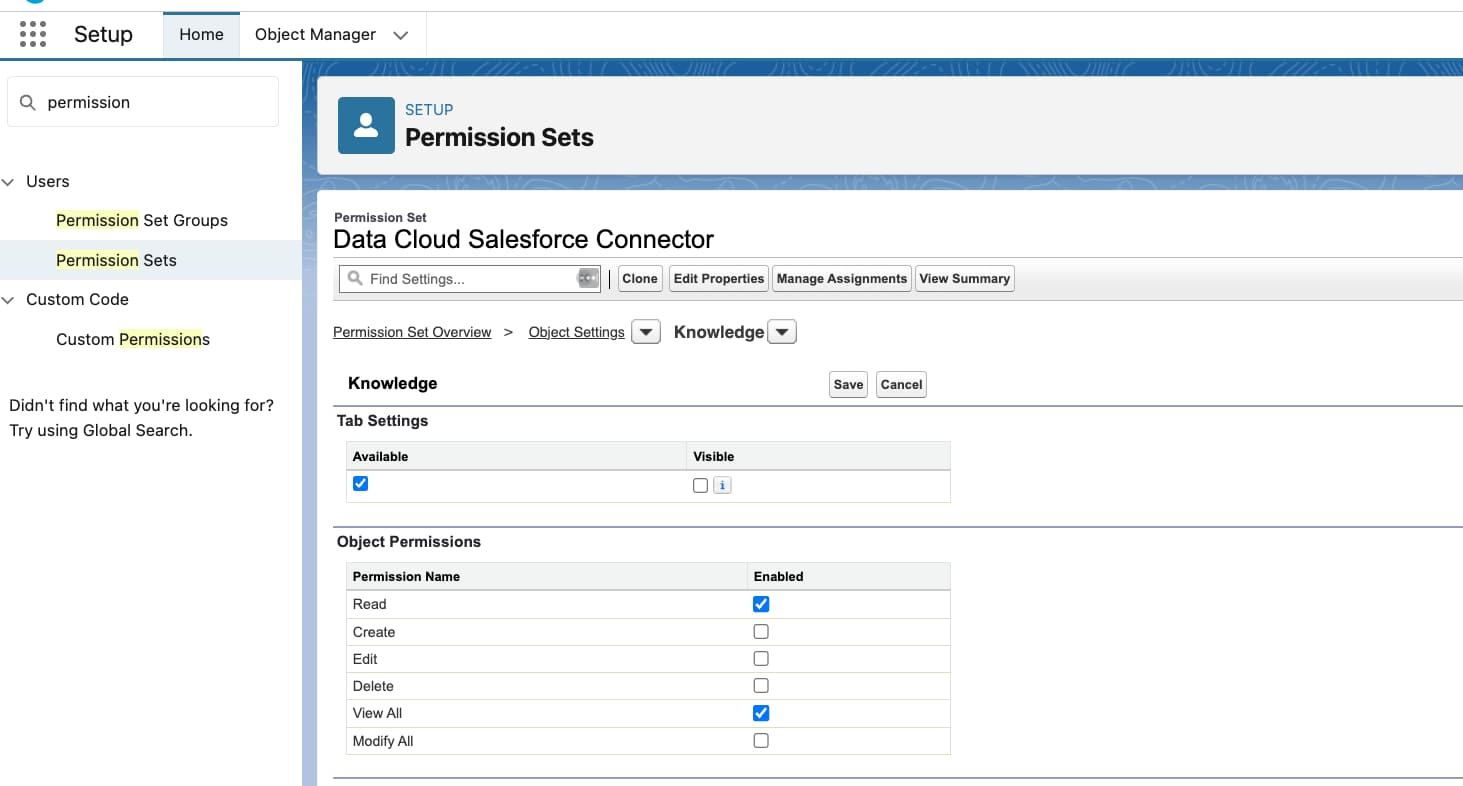
c. Grant additional permissions. In the permission set, navigate to App Permissions → Knowledge Management → select Enabled for "Allow View Knowledge".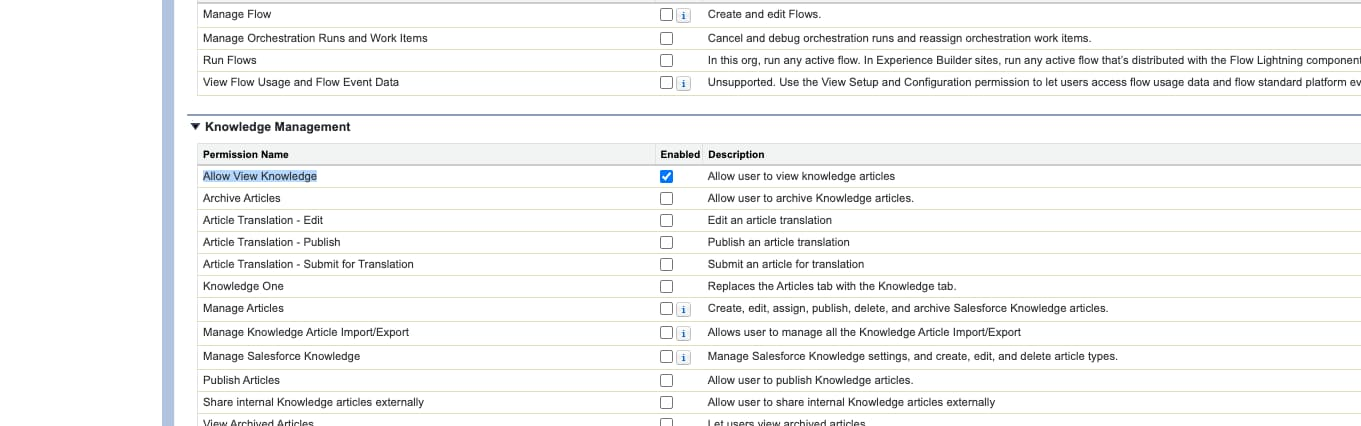
d. Also, select Enabled for "Manage Articles".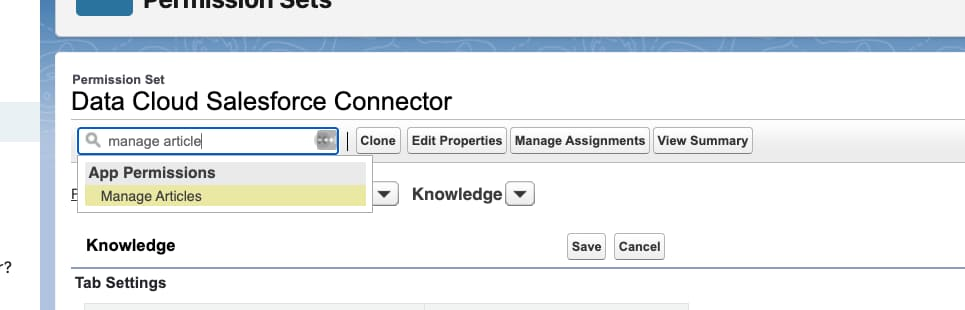
e. Grant "Read" and "View All" to at least one entity from the list:
- WorkType
- WorkOrderWorkOrder
- SocialPost
- LiveChatTranscript
- MessagingSession
- VoiceCall
- Problem
- Incident
- ChangeRequest
- SvcCatalogItemDef
5. Now, navigate to your Data Cloud org and create a data stream, using the Knowledge data bundle.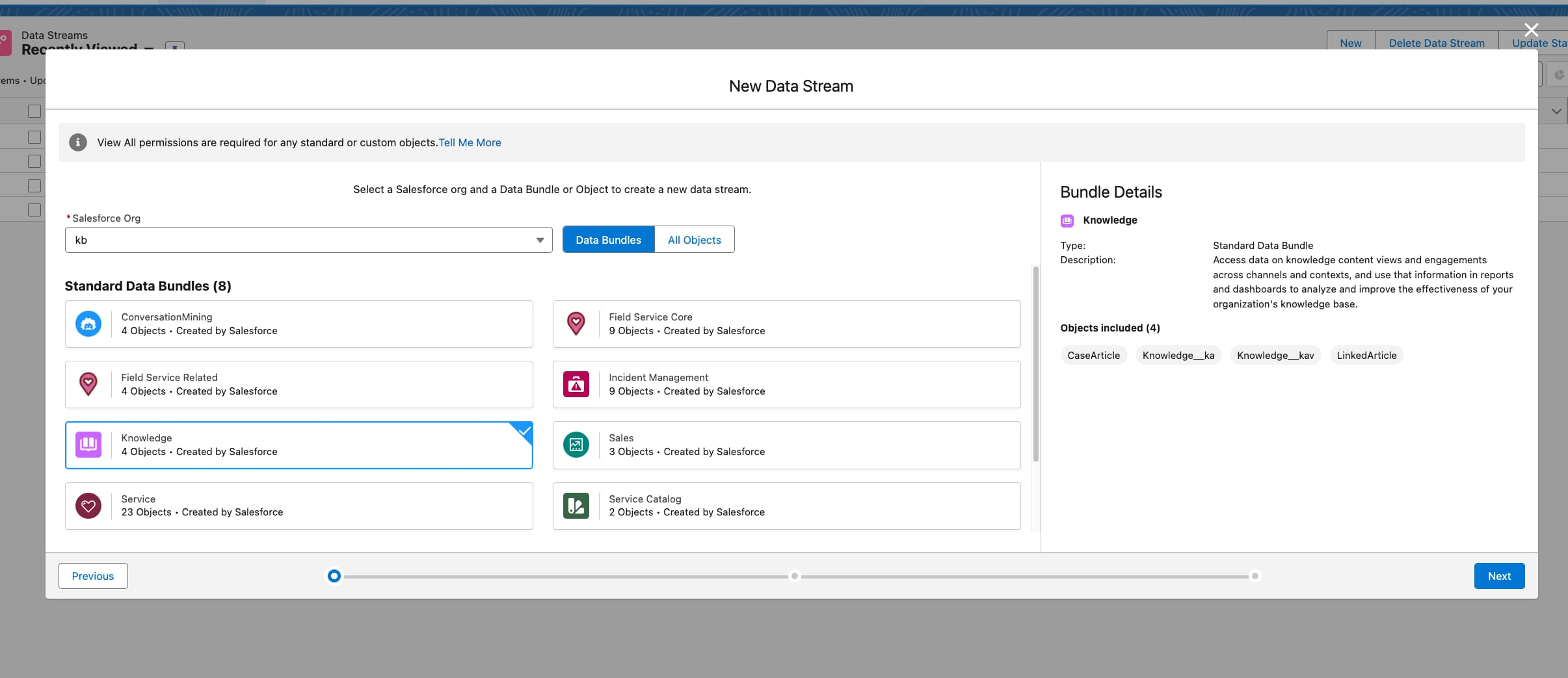
Knowledge-artikelnummer
002472911
Löste denna artikel ditt problem?
Berätta för oss vad vi kan förbättra!
