組織を選択
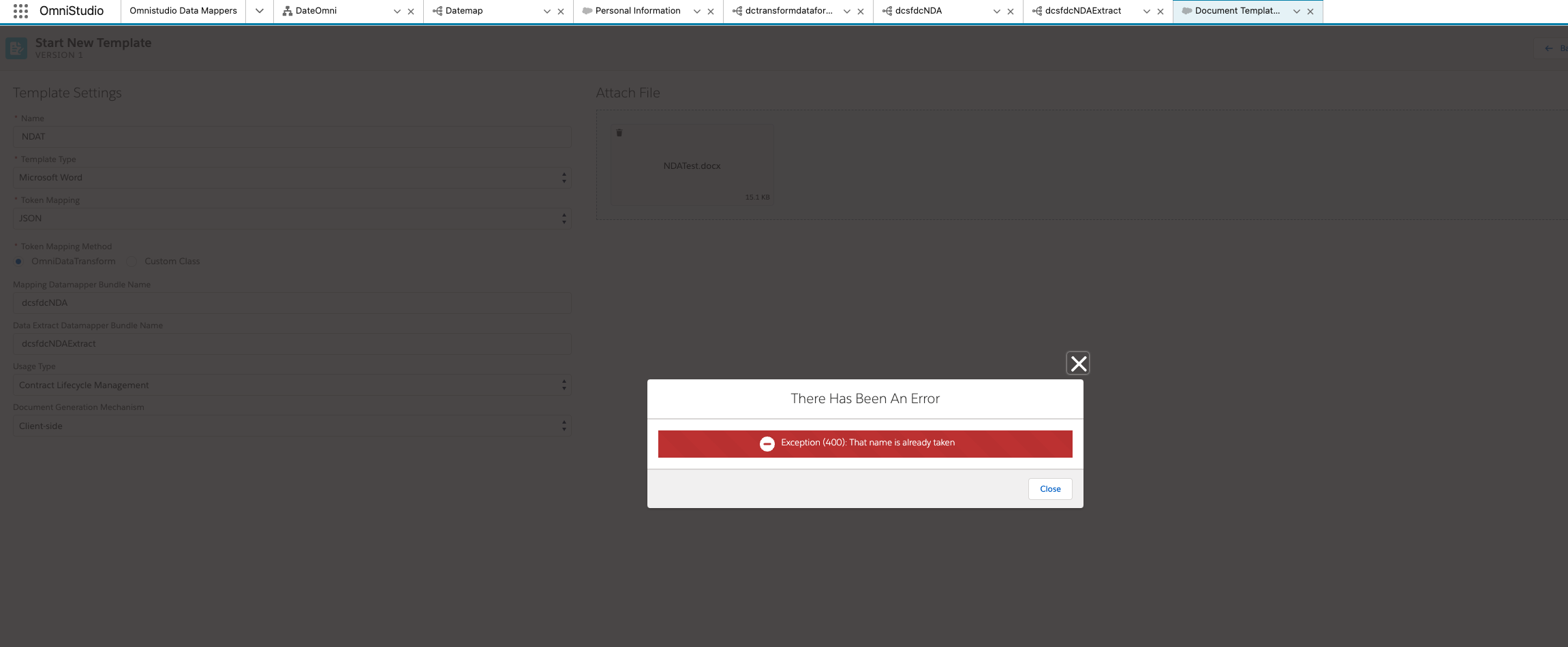
Error message: Exception (400): That name is already taken
公開日: Sep 17, 2024
説明
Steps to reproduce:
- Create a Data mapper for Transform and extract.
- Open "Document template designer" and create new template.
- Fill all the details and Use the names of existing data mapper for the fields Mapping Datamapper Bundle Name and Data Extract Datamapper Bundle Name while creating document template.
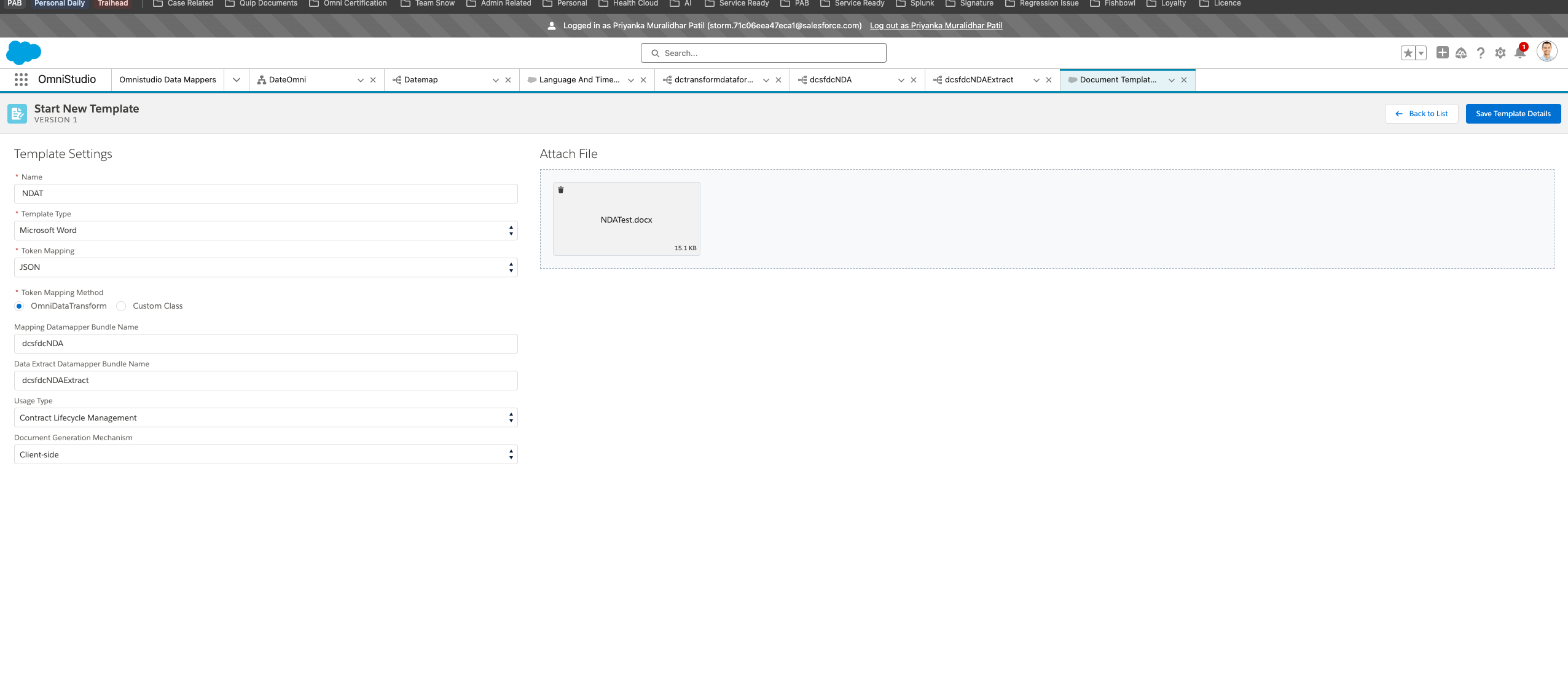
4. Save the template and you will see the error Exception (400): That name is already taken
解決策
Workaround:
1. Fill all the details except the Mapping Datamapper Bundle Name and Data Extract Datamapper Bundle Name.
2. Then Save the template
3. Once the template is saved, Add Mapping Datamapper Bundle Name and Data Extract Datamapper Bundle Name and again save the template. You will not see the error and the template is ready to activate and use.
その他のリソース
Cause: The document template designer is designed such a way that it expects you to add the name for data mapper and once you save the template, it will create the transform and extract data mapper for you. It is also mentioned in below mentioned document.
Hence, when we save the template it gives error that "The name is already taken" as the data mapper with the same name exists and it can not create new one. The above mentioned workaround will work if you are creating data mapper ( transform and extract ) before creating the template entry.
ナレッジ記事番号
002621127
この記事で問題は解決されましたか?
ご意見をお待ちしております。
