조직 선택
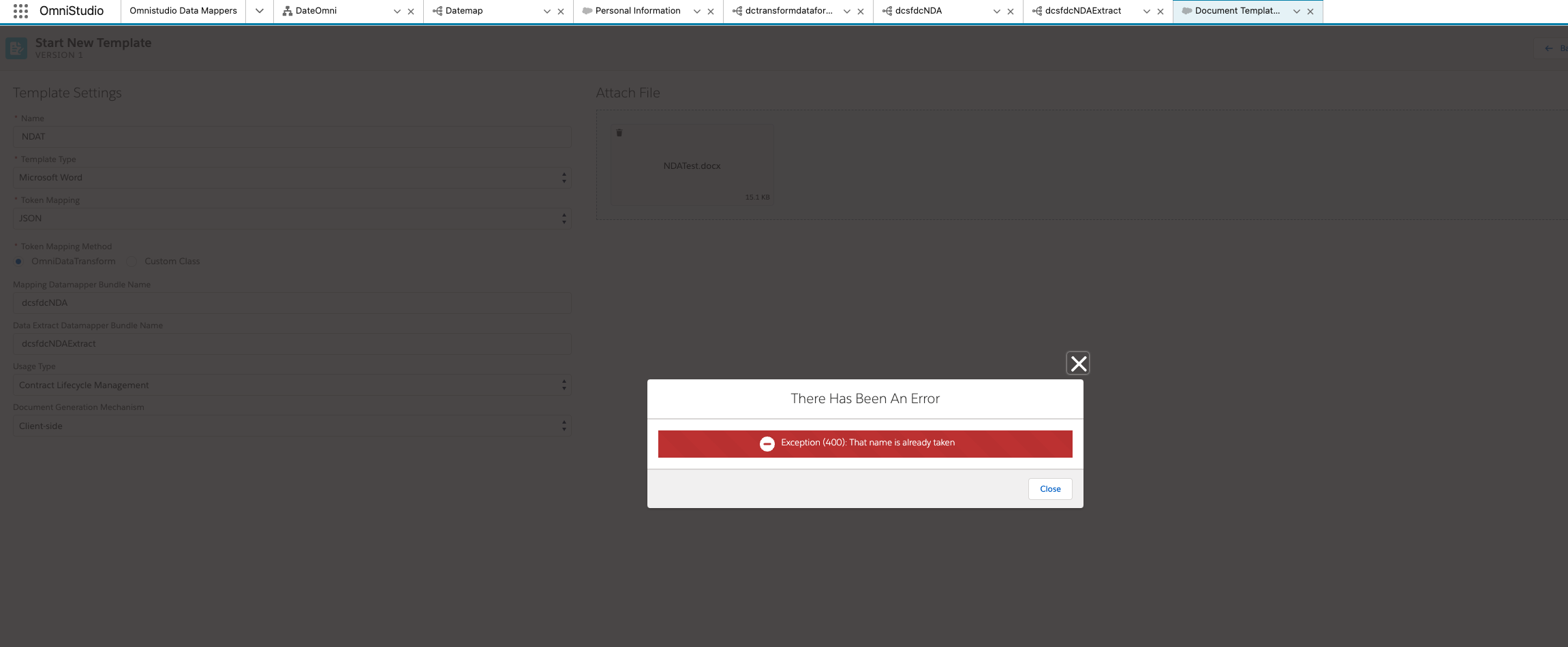
Error message: Exception (400): That name is already taken
게시 일자: Sep 17, 2024
상세 설명
Steps to reproduce:
- Create a Data mapper for Transform and extract.
- Open "Document template designer" and create new template.
- Fill all the details and Use the names of existing data mapper for the fields Mapping Datamapper Bundle Name and Data Extract Datamapper Bundle Name while creating document template.
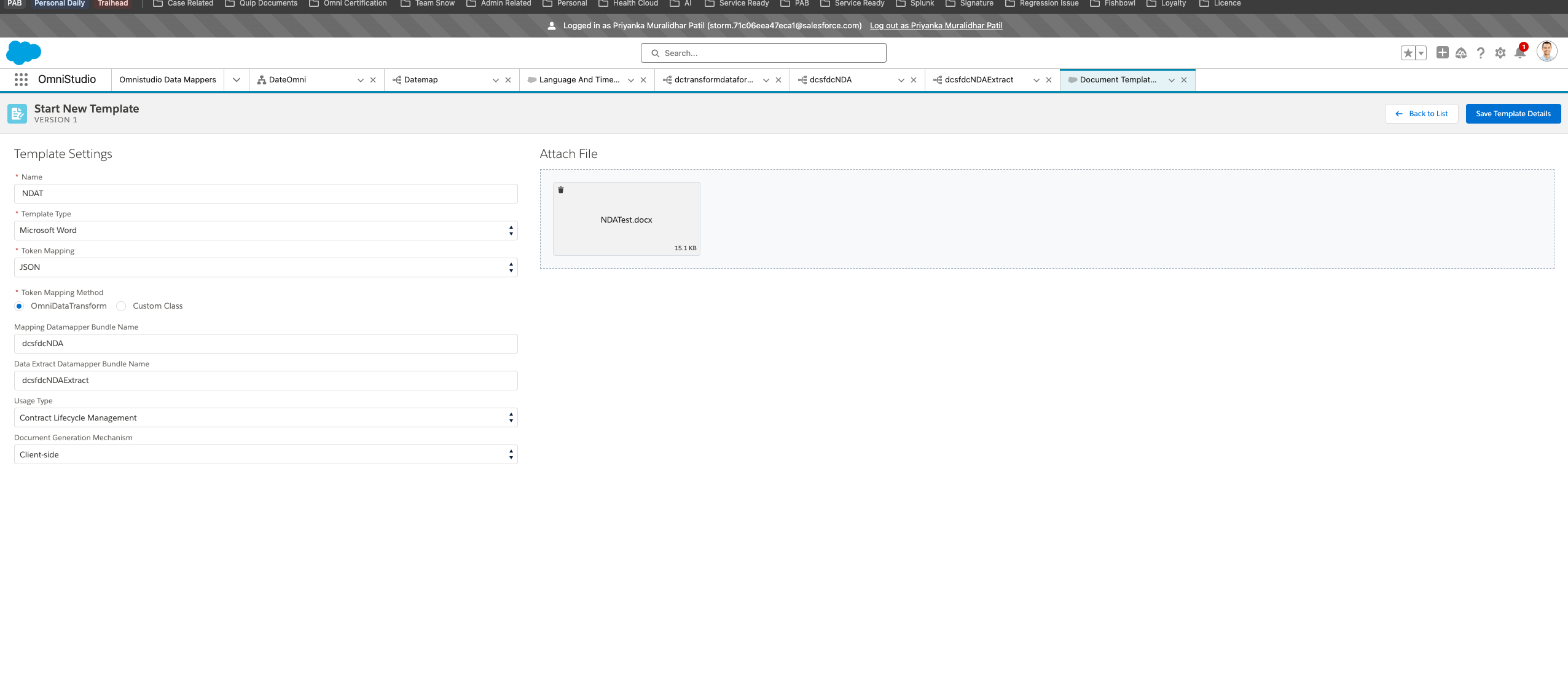
4. Save the template and you will see the error Exception (400): That name is already taken
솔루션
Workaround:
1. Fill all the details except the Mapping Datamapper Bundle Name and Data Extract Datamapper Bundle Name.
2. Then Save the template
3. Once the template is saved, Add Mapping Datamapper Bundle Name and Data Extract Datamapper Bundle Name and again save the template. You will not see the error and the template is ready to activate and use.
추가 자원
Cause: The document template designer is designed such a way that it expects you to add the name for data mapper and once you save the template, it will create the transform and extract data mapper for you. It is also mentioned in below mentioned document.
Hence, when we save the template it gives error that "The name is already taken" as the data mapper with the same name exists and it can not create new one. The above mentioned workaround will work if you are creating data mapper ( transform and extract ) before creating the template entry.
Knowledge 기사 번호
002621127
이 기사를 통해 문제를 해결했습니까?
개선을 위한 의견을 보내주세요.
