Seleziona un'organizzazione
Winter '25: Validation Error Messages Are Now Focused Automatically in Salesforce Classic
Data pubblicazione: Apr 3, 2026
Descrizione
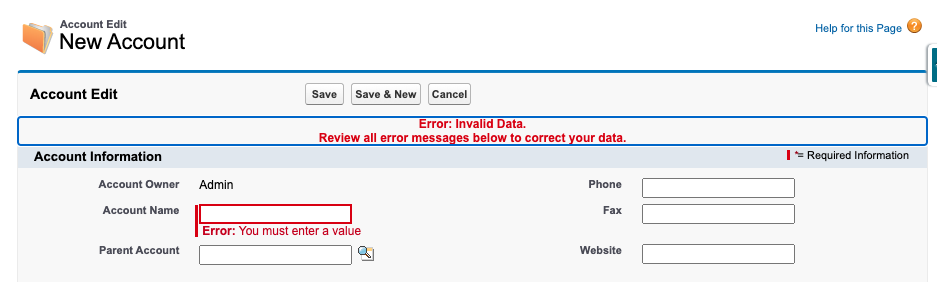
After Winter '25 in Classic, when any validation error occurs during saving a record, the error message displayed will be focused. This change was made to enhance an accessibility.
Risoluzione
This is a product enhancement introduced in Winter '25 to improve accessibility. When a validation error occurs while saving a record in Salesforce Classic, the error message is automatically scrolled into view and focused. No configuration is required. This behavior is enabled by default. If users report unexpected behavior with screen readers or assistive technology, log a case with Salesforce Support.
Numero articolo Knowledge
002721764
Questo articolo ha risolto il problema?
Facci sapere, così possiamo migliorare!
